SRM 4.6 和 4.7:Unity 快照在資料庫中造成大量非使用中指標。
Summary: 建立並造成後端處理延遲的 Unity 快照,進而導致 QDF 檔案開始備份。
This article applies to
This article does not apply to
This article is not tied to any specific product.
Not all product versions are identified in this article.
Symptoms
由於 Unity 快照大量非使用中指標,因此資料庫處理資料的速度緩慢。 我們可透過下列報告檢視:報告程式庫 > 系統健全狀況 >>>> 指標 ( >> 每個資料群組) >
Cause
由於客戶在 SRM 設定中擁有大量 Unity 陣列,因此 Unity 快照快速增加。
Resolution
如果客戶不想要或不注意 Unity 快照報告。客戶可以使用以下因應措施停止收集 Unity 快照。
步驟 1:登入收集器實例
步驟 2:前往資料夾< APG-INSTALLED-PATH > /收集/變數處理-篩選器/ < 實例名稱 > /conf
步驟 3:備份檔案「vhf-cleanup.xml」
步驟 4:前往收集器主機 > 套件和模組搜尋 >> 「vnx」,然後按一下「Variable-Handling-Filter」模組。
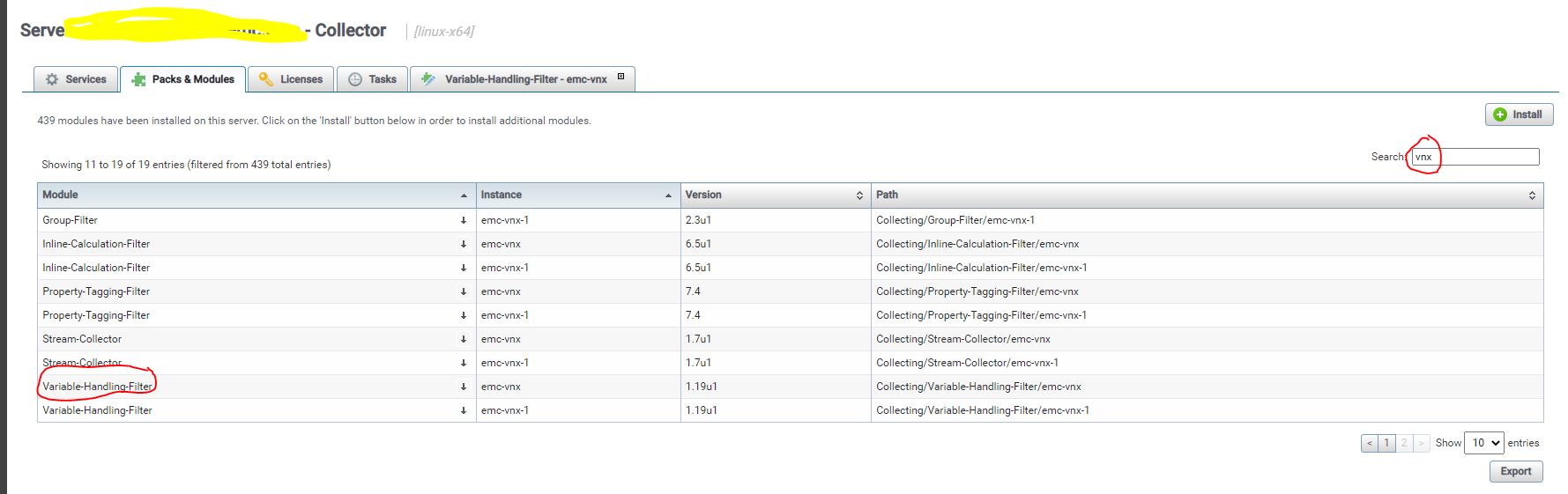
>步驟 5:新標籤開啟時。搜尋 vhf-cleanup.xml, >> 然後按一下小型鉛筆圖示以編輯檔案。
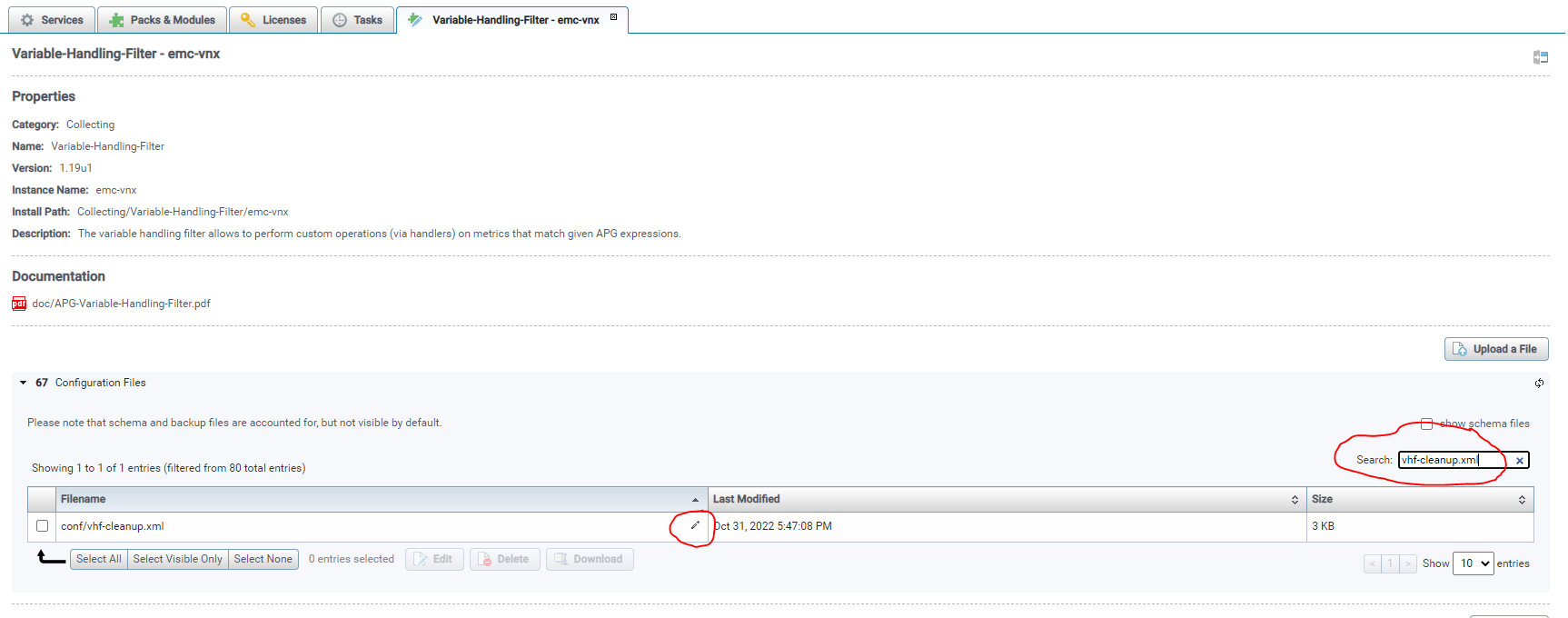
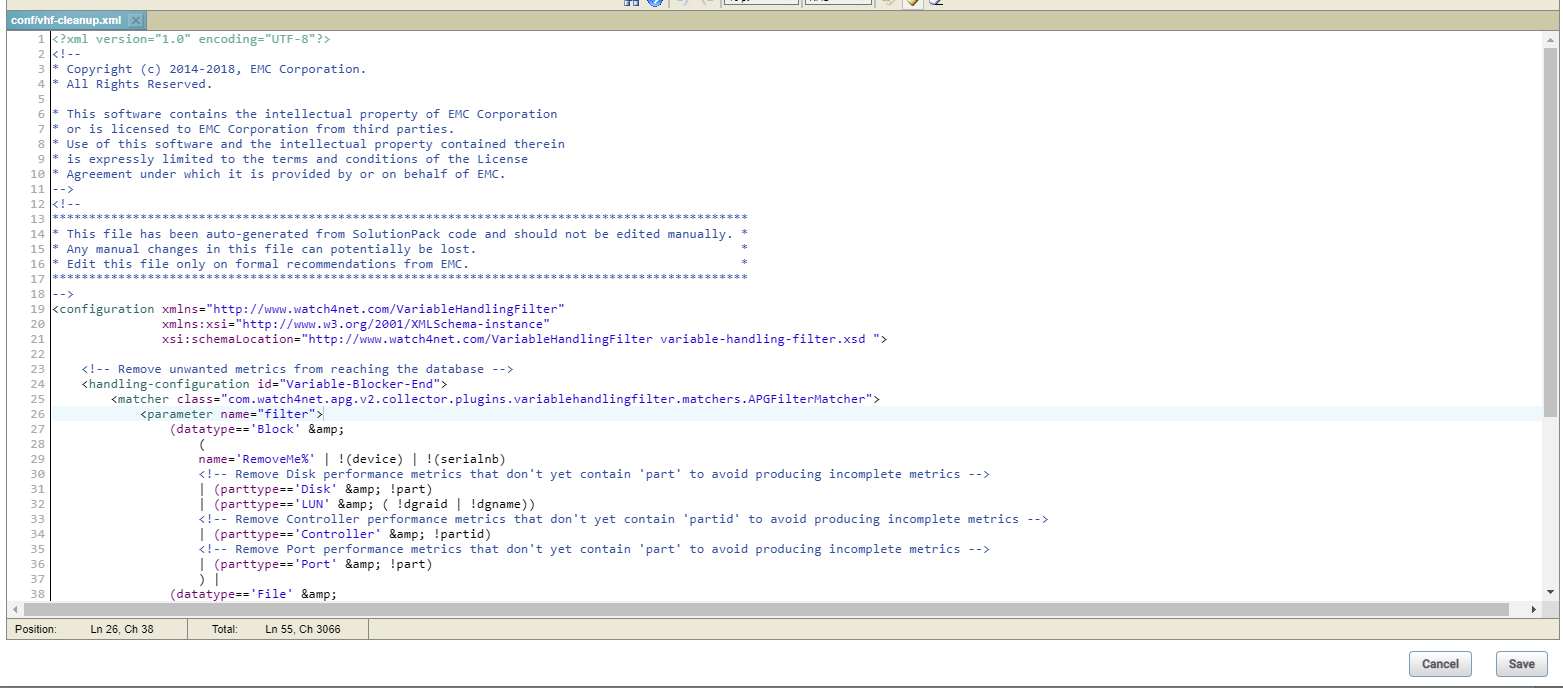
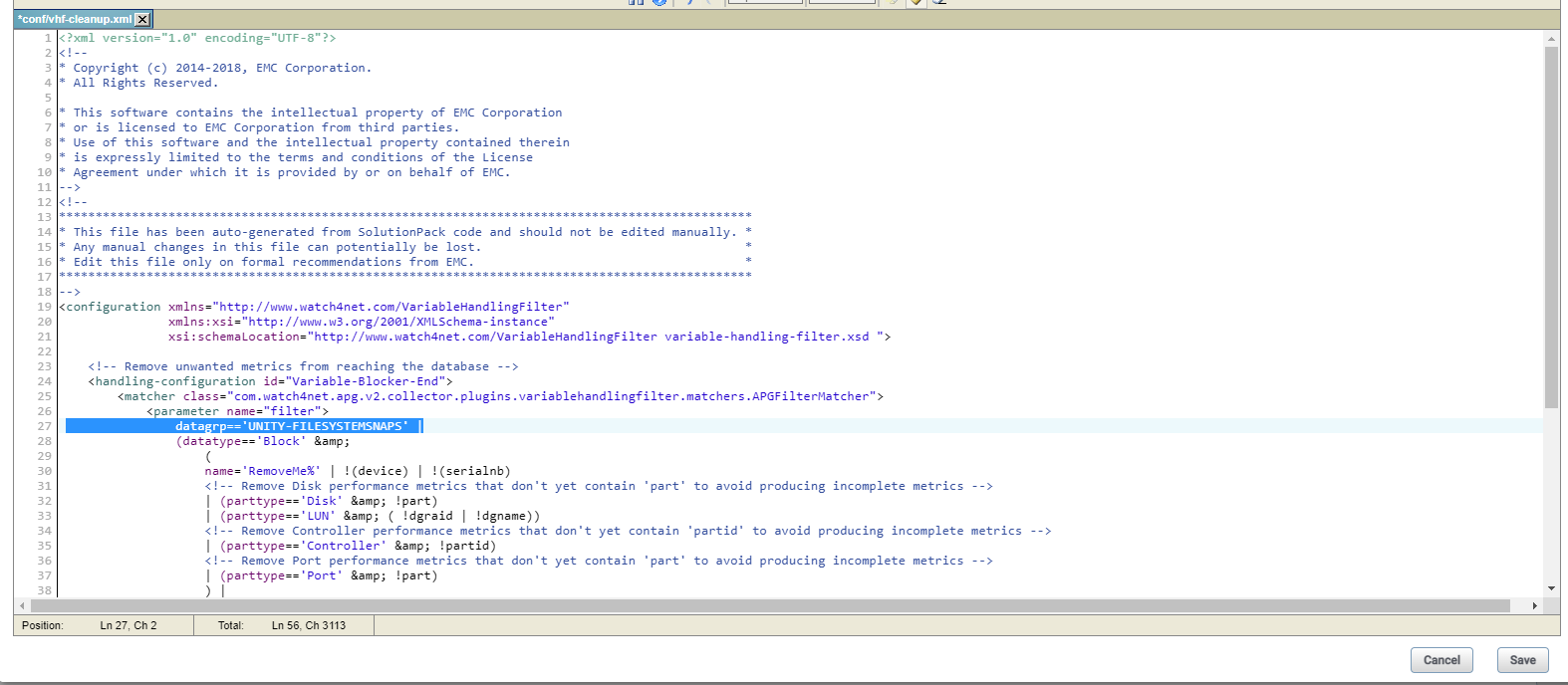
步驟 6:新增以下「datagrp=='UNITY-FILESYSTEMSNAPS'|」以在行 27 中僅封鎖檔案系統快照變更的檔案「vhf-cleanup.xml」。
編輯之前:
編輯後:
步驟 7:儲存編輯,然後重新開機收集器。
注意:先前收集的快照指標將會變成非使用中狀態,此外,我們會發現快照相關報告/指標在這些值變成非作用中後會空白。
步驟 1:登入收集器實例
步驟 2:前往資料夾< APG-INSTALLED-PATH > /收集/變數處理-篩選器/ < 實例名稱 > /conf
步驟 3:備份檔案「vhf-cleanup.xml」
步驟 4:前往收集器主機 > 套件和模組搜尋 >> 「vnx」,然後按一下「Variable-Handling-Filter」模組。
>步驟 5:新標籤開啟時。搜尋 vhf-cleanup.xml, >> 然後按一下小型鉛筆圖示以編輯檔案。
步驟 6:新增以下「datagrp=='UNITY-FILESYSTEMSNAPS'|」以在行 27 中僅封鎖檔案系統快照變更的檔案「vhf-cleanup.xml」。
編輯之前:
編輯後:
步驟 7:儲存編輯,然後重新開機收集器。
注意:先前收集的快照指標將會變成非使用中狀態,此外,我們會發現快照相關報告/指標在這些值變成非作用中後會空白。
Affected Products
SRMArticle Properties
Article Number: 000206702
Article Type: Solution
Last Modified: 19 Jan 2023
Version: 2
Find answers to your questions from other Dell users
Support Services
Check if your device is covered by Support Services.