VxRail: How to Change NTP Server IP on VxRail 8.0.x and 7.0.x Releases Using the REST API
Summary: How to leverage the VxRail Application Programming Interface (API) to check and update one or more configured VxRail Network Time Protocol (NTP) server IPs.
This article applies to
This article does not apply to
This article is not tied to any specific product.
Not all product versions are identified in this article.
Instructions
Dell developer public documentation
The developer documentation for VxRail REST API and other Dell products is found on the Dell Support Developer site, filter for Hyperconverged Infrastructure to find the VxRail specific API.

Specific documentation for querying or updating NTP can be found under System Information, Get, and Set NTP:
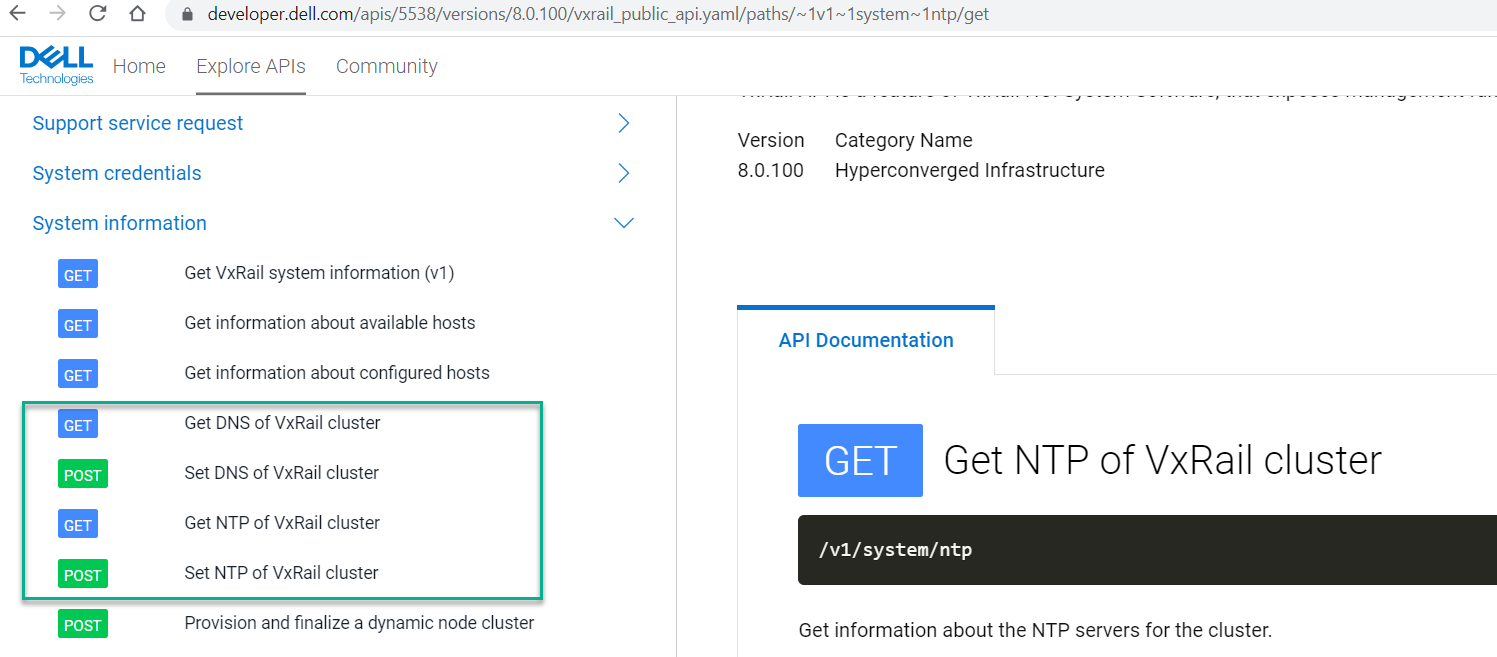
This documentation can be used to create custom curl commands or integrate in an application such as postman or other applications for more experienced users.
VxRail embedded API client
The preferred way (recommended for people less familiar with REST API) to use the VxRail APIs is to leverage the native VxRail Manager API client.
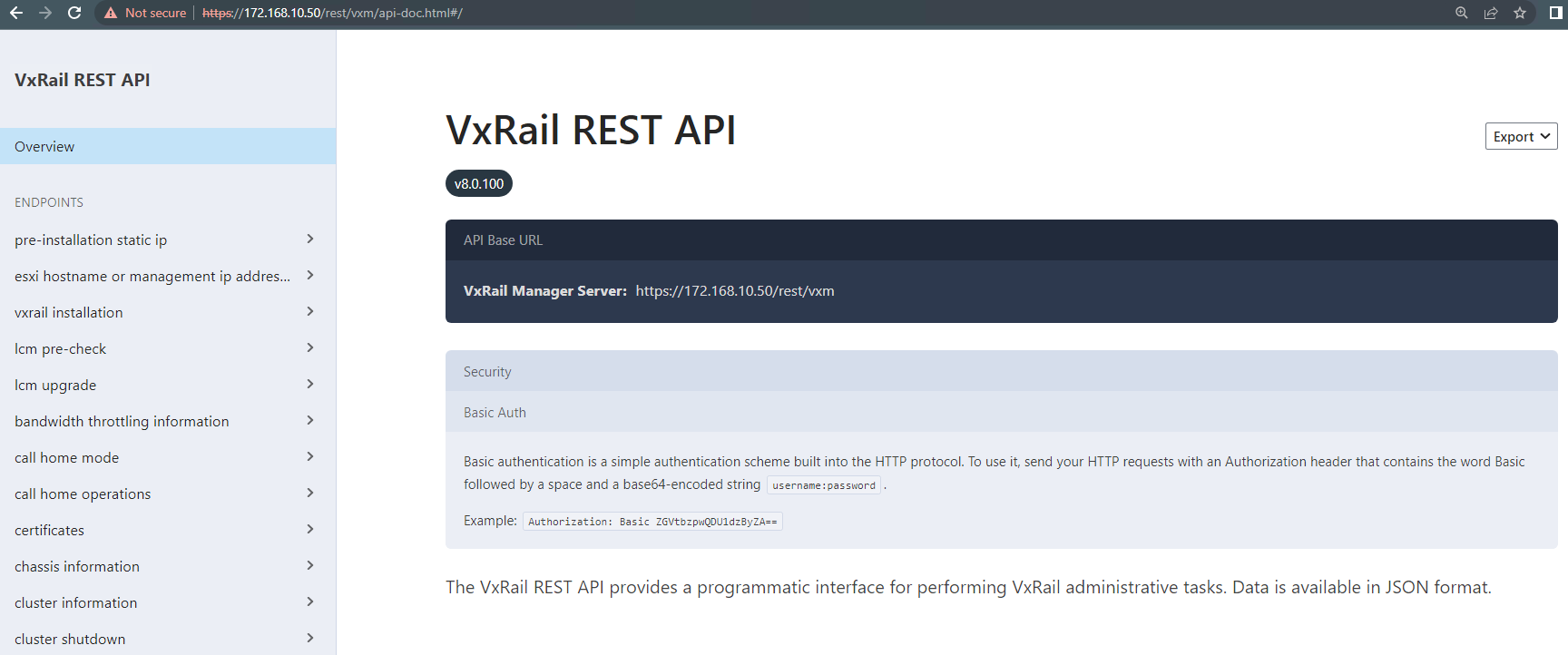
From VxRail code version 7.0.350, a new interface is used with greater capabilities based on spotlight. To access the native API client, go to the following URL replacing <VxM> with the VxRail Manager FQDN/IP with your preferred browser (No need for a special API client):
https://<VxRail_Manager_IP_or_FQDN>/rest/vxm/api-doc.htmlIn this example, the VxRail Manager IP is
172.168.10.50 so the URL becomes https://172.168.10.50/rest/vxm/api-doc.html:
Querying the current VxRail cluster NTP configuration
Use the v1_sytem_ntp_get API System Information section in the left panel to query the current NTP configuration:
- The direct URL would be
https://172.168.10.50/rest/vxm/api-doc.html#/operations/v1_system_ntp_gethowever these may change across versions so best to navigate in the UI. - Enter the VxRail vCenter Single Sign-On (SSO) authentication credentials which often are the
administrator@vsphere.localbut may vary depending on your domain configuration. - Click the Send Request button to perform the
GETrequest:
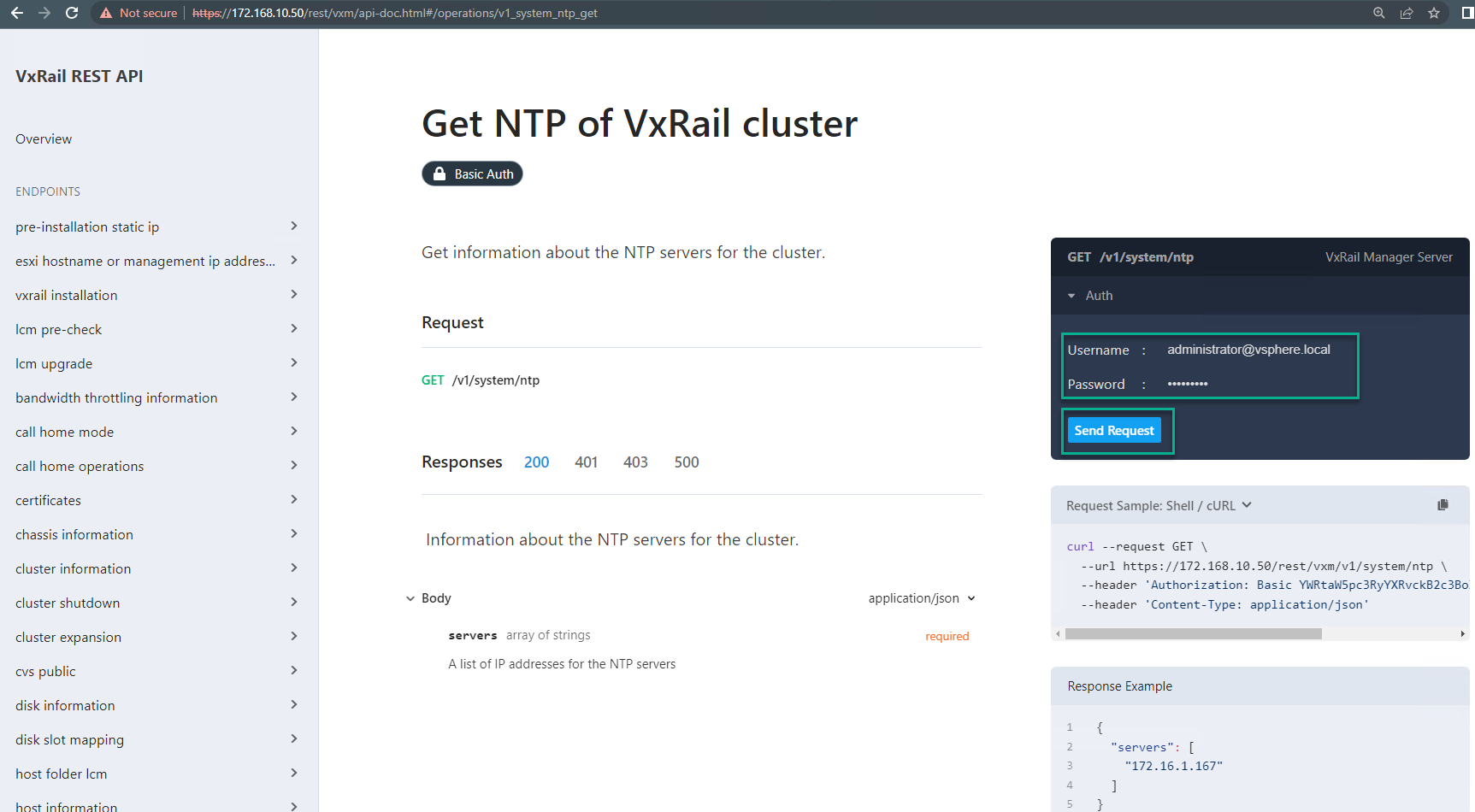
- The API client authenticates and if it gets a 200 OK response return the requested information where our current NTP server lab IP is
172.168.10.45:

Updating the VxRail cluster NTP IP server information
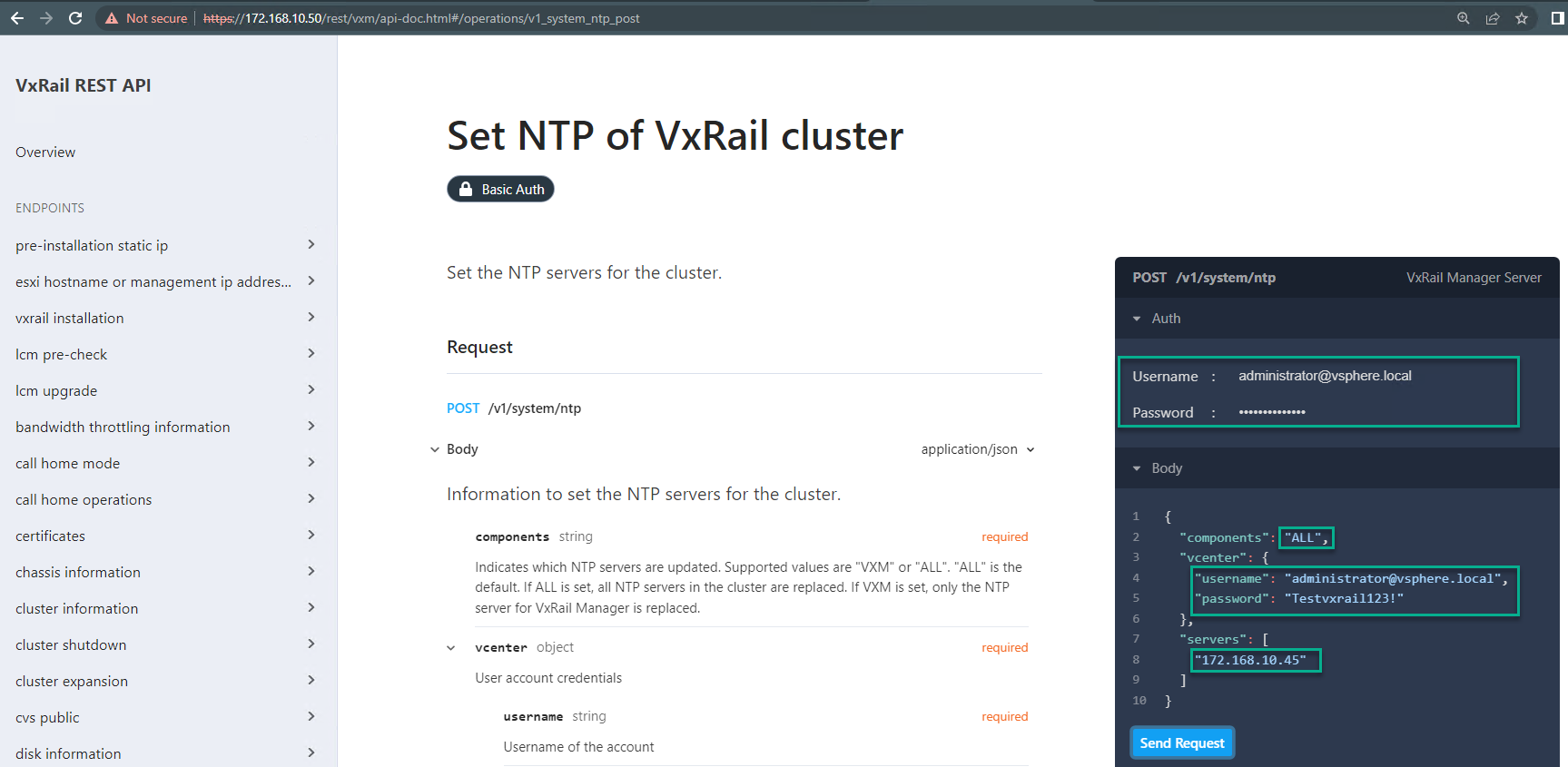
Use the v1_system_ntp_post API which can be found under the System Information section in the left panel to update the current NTP configuration:
- The direct URL would be
https://172.168.10.50/rest/vxm/api-doc.html#/operations/v1_system_ntp_posthowever these may change across versions so best to navigate in the UI. - In the Auth section, enter the VxRail vCenter SSO authentication credentials which often are the
administrator@vsphere.localbut may vary depending on your domain configuration. - For updating the NTP server, also edit the Body section in three areas:
- Components section is optional and ALL is the default. If ALL is set, all NTP servers in the cluster are replaced. If VXM is set, only the NTP server for VxRail Manager is replaced which would be a limited use case as it is recommended to keep all component configuration consistent.
Note: The value VXM is ONLY supported in VCF on VxRail environment.
- In the vCenter section, you must pass an administrator SSO username and password, usually this is the same info as in the Auth section but a different admin level SSO account can be provided.
- In the servers section, the below example shows setting the NTP to IP
172.168.10.45
Note: When adding multiple servers, the IPs must be comma-separated for example
172.168.10.45, 172.168.10.46
- Click the Send Request button to perform the POST request:
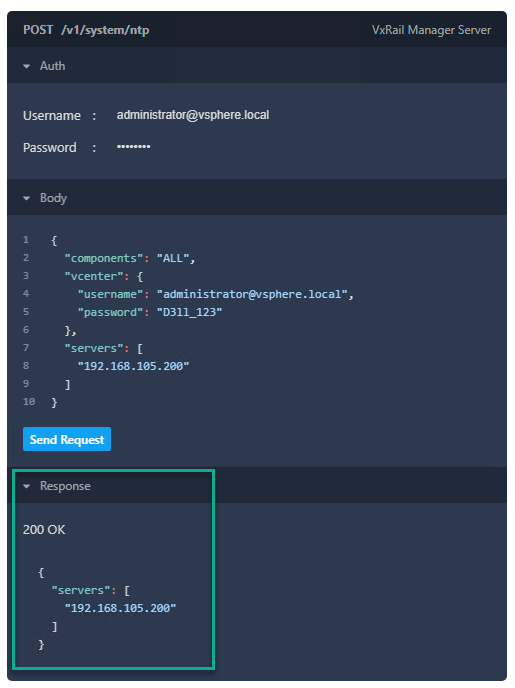
If unexpected response codes
In an unhealthy system or perhaps a new NTP server cannot be reached from ESXi hosts, and so forth. The API client provides some basic error message guidance, and additional response error codes can be found online for example https://restfulapi.net/http-status-codes/ is a good location.
If any unexpected error codes, engage Dell Support accordingly for additional troubleshooting.

Additional Information
In early VxRail 8.0 releases, the Solve Online procedures reference updating the VxRail NTP IP settings through the REST API, it is on the VxRail road map (exact release to be confirmed later) to have this ability available in the VxRail UI plugin.
This article provides guidance and examples for this activity for customer with less experience leveraging the VxRail REST API.
The IP information in this article is from a temporary virtual isolated lab and contains no customer or confidential IP information.
This article provides guidance and examples for this activity for customer with less experience leveraging the VxRail REST API.
The IP information in this article is from a temporary virtual isolated lab and contains no customer or confidential IP information.
Affected Products
VxRail Appliance FamilyArticle Properties
Article Number: 000215966
Article Type: How To
Last Modified: 28 Mar 2025
Version: 8
Find answers to your questions from other Dell users
Support Services
Check if your device is covered by Support Services.