NetWorker message "workflow Server backup missed" when Server Protection Policy workflows run
Summary: The daemon.log logs a message "workflow Server backup missed" when the Server Protection Policy workflows run.
This article applies to
This article does not apply to
This article is not tied to any specific product.
Not all product versions are identified in this article.
Symptoms
- The daemon.log logs a message "workflow Server backup missed" when the Server Protection Policy workflows run.
- The Server backup workflow completes without errors.
- The rest of the workflows under Server Protection Policy complete without errors.
- There is no corrupted policy resource in the nsrdb\dbg folder.
- The Server Protection Policy workflows start twice in a day.
Cause
There are two identical (duplicate) Server Protection Policies. The duplicate is not visible from the NMC UI, but can be displayed with a nsradmin query.
Resolution
Delete the duplicate policies in nsrdb with the nsradmin command in offline mode.
1. Stop the NetWorker service on the NetWorker server.
2. At the command line run: nsradmin -d <full path to>nsrdb .
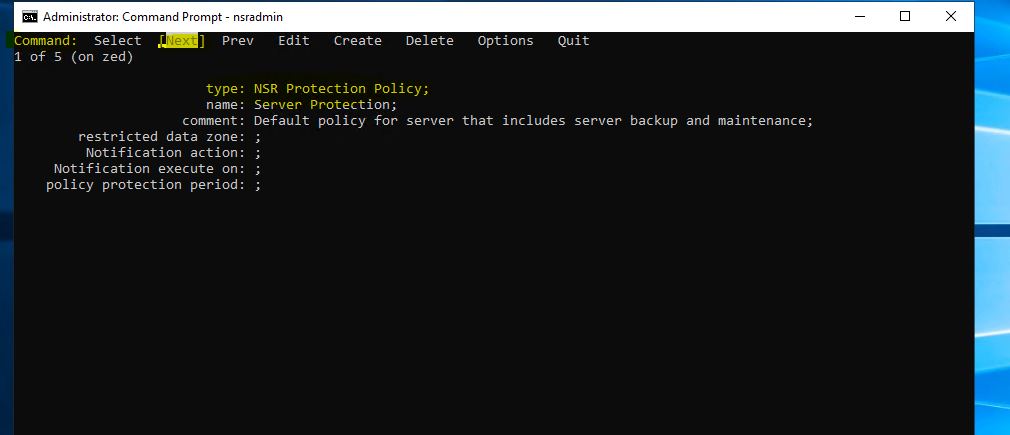
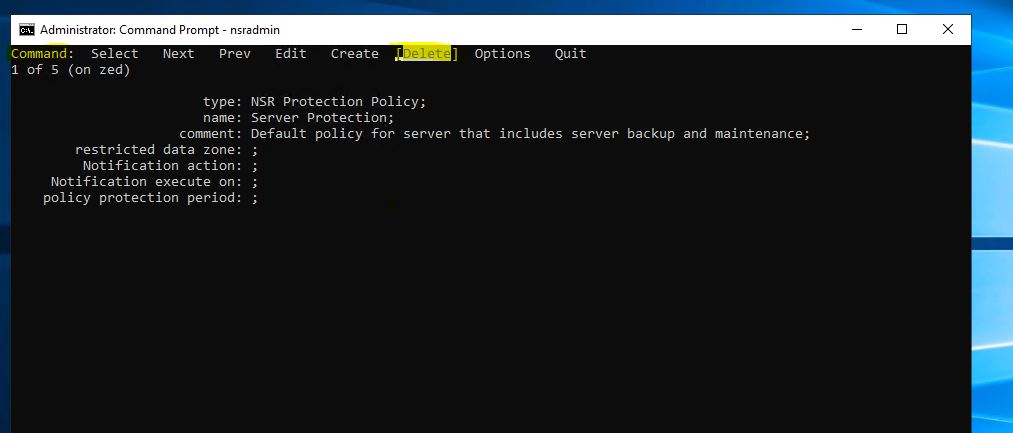
4. Press the arrow key to highlight Delete and press Enter to remove the resource or press Next until the Policy you want to delete is displayed.
5. Press the arrow key to highlight Quit and press Enter to exit from the nsradmin prompt.
6. Start the NetWorker service.
1. Stop the NetWorker service on the NetWorker server.
Linux: systemctl stop networker
Windows: net stop nsrd
Windows: net stop nsrd
2. At the command line run: nsradmin -d <full path to>nsrdb .
Linux: /nsr/res/nsrdb
Windows: C\Program Files\EMC NetWorker\nsr\res\nsrdb
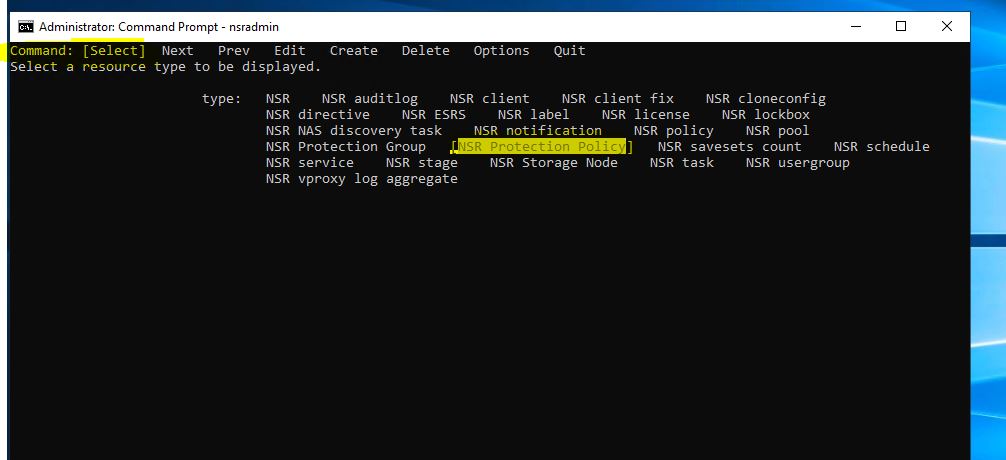
3. At the nsradmin prompt, type "visual." Choose the "Select" Command. Press Enter.
Windows: C\Program Files\EMC NetWorker\nsr\res\nsrdb
Press the arrow key until the NSR Protection Policy is highlighted. Press Enter.
4. Press the arrow key to highlight Delete and press Enter to remove the resource or press Next until the Policy you want to delete is displayed.
5. Press the arrow key to highlight Quit and press Enter to exit from the nsradmin prompt.
6. Start the NetWorker service.
Linux: systemctl start networker
Windows: net start nsrd
Windows: net start nsrd
Article Properties
Article Number: 000219404
Article Type: Solution
Last Modified: 19 Aug 2024
Version: 2
Find answers to your questions from other Dell users
Support Services
Check if your device is covered by Support Services.