PowerProtect: Desteklenmeyen kimlik doğrulama modu "x509/anon" hata kodu ile syslog iletimi yapılandırılamadı
Summary: PowerProtect Data Manager - "x509/anon" hata kimlik doğrulama modu desteklenmiyor ve syslog iletimi yapılandırılamadı.
This article applies to
This article does not apply to
This article is not tied to any specific product.
Not all product versions are identified in this article.
Symptoms
Sistem günlüğü iletme, UDP üzerinde düzgün çalışırken TLS üzerinde çalışmıyor.
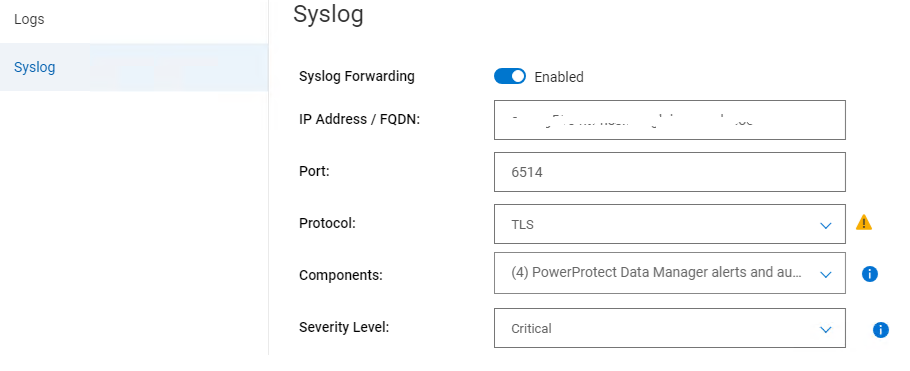
/var/log/message öğesinden aşağıdaki anahtar hatasını görebiliriz:
/var/log/message öğesinden aşağıdaki anahtar hatasını görebiliriz:
2024-06-20T16:16:47.330297+10:00 xxx rsyslogd: error: authentication mode 'x509/anon' not supported by gtls netstream driver
Cause
Kimlik doğrulama modu doğru ayarlanmamış.
Resolution
1. /usr/local/brs/lib/logmgr/config/syslog-tls.properties" dosyasında syslog.tls.streamDriverAuthMode değerinin anon olduğundan emin olun.
StreamDriverAuthMode'un "anon" olduğundan emin olun
syslog.tls.streamDriverAuthMode=anon2. PowerProtect Data Manager sistem günlüğünde, /etc/rsyslog.d altındaki yapılandırma dosyası (uuid.conf> adlı<)
StreamDriverAuthMode'un "anon" olduğundan emin olun
 Port="6514"
                Protocol="TCP"
                StreamDriver="gtls"
                StreamDriverMode="1"
                StreamDriverAuthMode="anon"
Affected Products
PowerProtect Data Manager, PowerProtect SoftwareArticle Properties
Article Number: 000226290
Article Type: Solution
Last Modified: 19 Aug 2024
Version: 2
Find answers to your questions from other Dell users
Support Services
Check if your device is covered by Support Services.