Dell VxRail: Node add validation failed if the management network load balancing policy is "Route based on IP hash"
Summary: VxRail does not support the route based on IP hash load-balancing policy, day2 node add validation fails if the management port group chooses that policy.
This article applies to
This article does not apply to
This article is not tied to any specific product.
Not all product versions are identified in this article.
Symptoms
VxRail does not support the route based on IP hash load-balancing policy, but in VCF on VxRail environment, when adding a WLD from SDDC UI, the user can select that policy and deploy the VI WLD cluster successfully.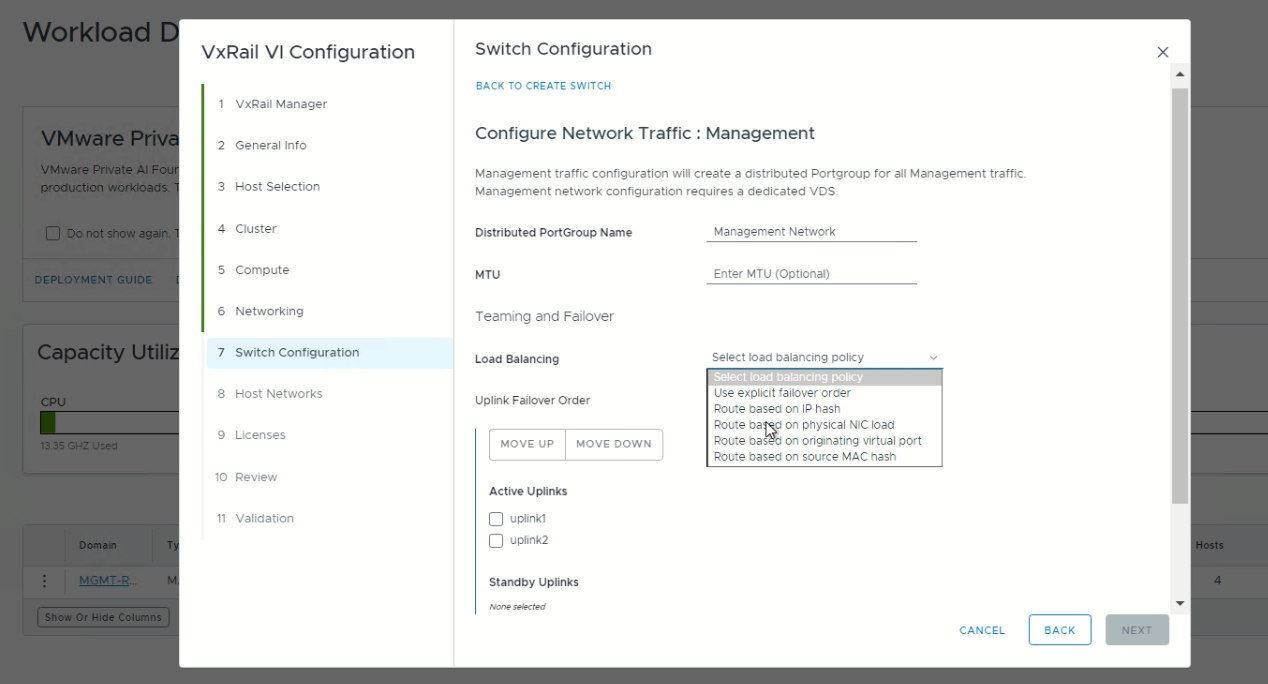
However, day2 node add validation fails due to a VLAN validation error.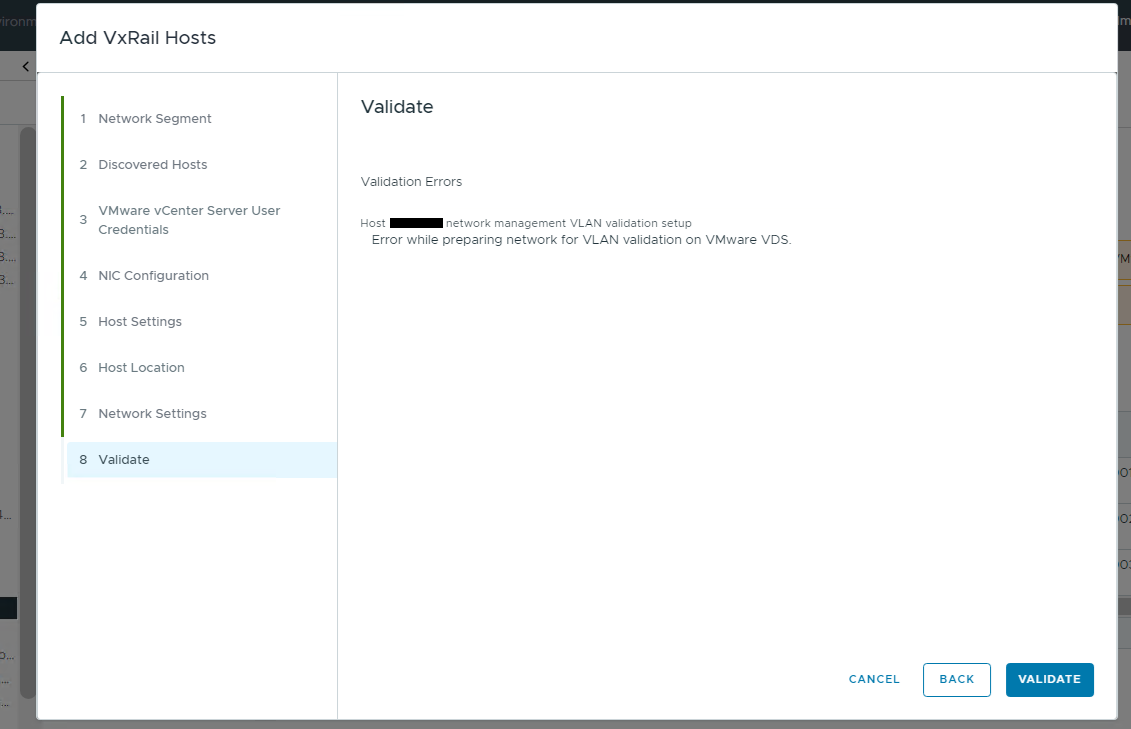
Cause
VxRail does not support "route based on ip hash" load-balancing policy.
Static LAG cannot be used for system port groups including "management," " vxraildiscovery" and "vxrailsystemvm" port groups.
Resolution
Modify the Management Network port group load-balancing policy to a VxRail supported policy.
The following example chooses the "Route based on originating virtual port" load-balancing policy and active/standby failover policy.
-
Log in to vCenter UI, edit the Management Network port group.
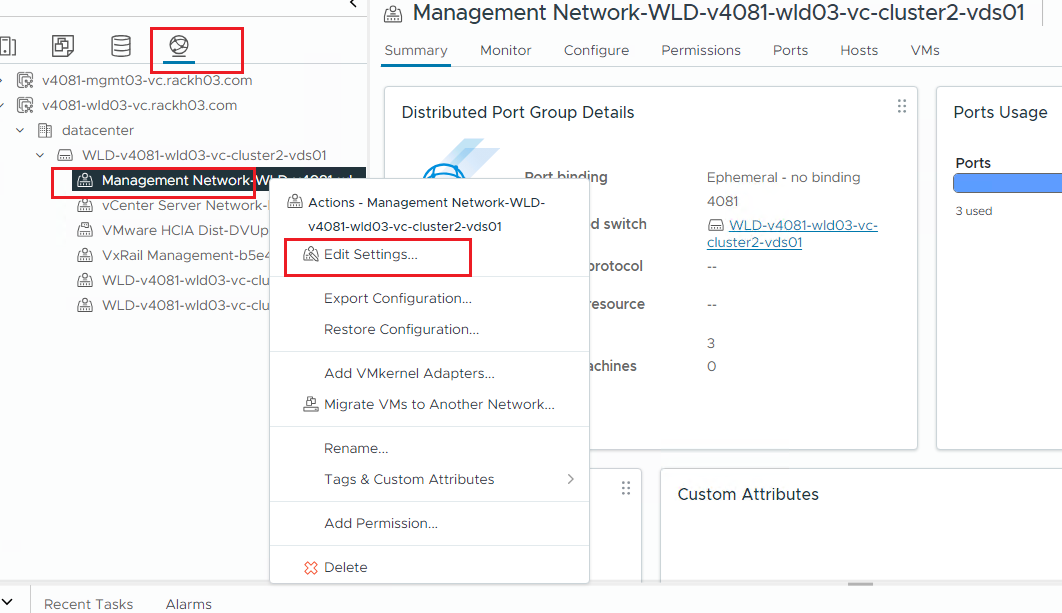
-
Change the load balancing to "Route based on originating virtual port" and set only one uplink as "Active."
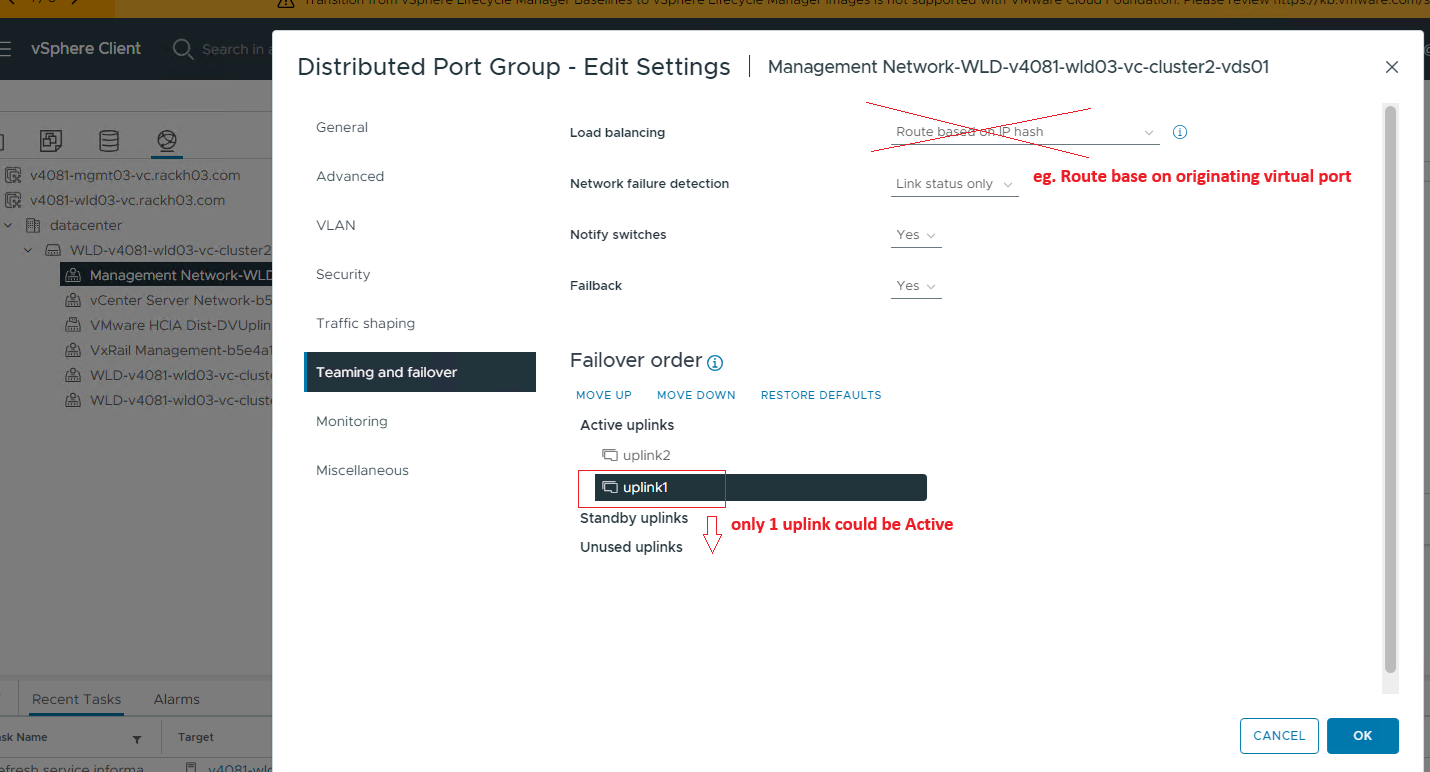
-
Retry the node add validation.
Additional Information
See the Dell VxRail Network Planning Guide for more information about the VxRail supported load balancing and failover policies.
Affected Products
VxRail SoftwareArticle Properties
Article Number: 000236639
Article Type: Solution
Last Modified: 06 Jan 2025
Version: 2
Find answers to your questions from other Dell users
Support Services
Check if your device is covered by Support Services.