Dell NativeEdge: PowerProtect Data Manager cannot onboard IP-based orchestrator
Summary: PowerProtect Data Manager cannot onboard IP-based Dell Automation Platform Orchestrator.
This article applies to
This article does not apply to
This article is not tied to any specific product.
Not all product versions are identified in this article.
Symptoms
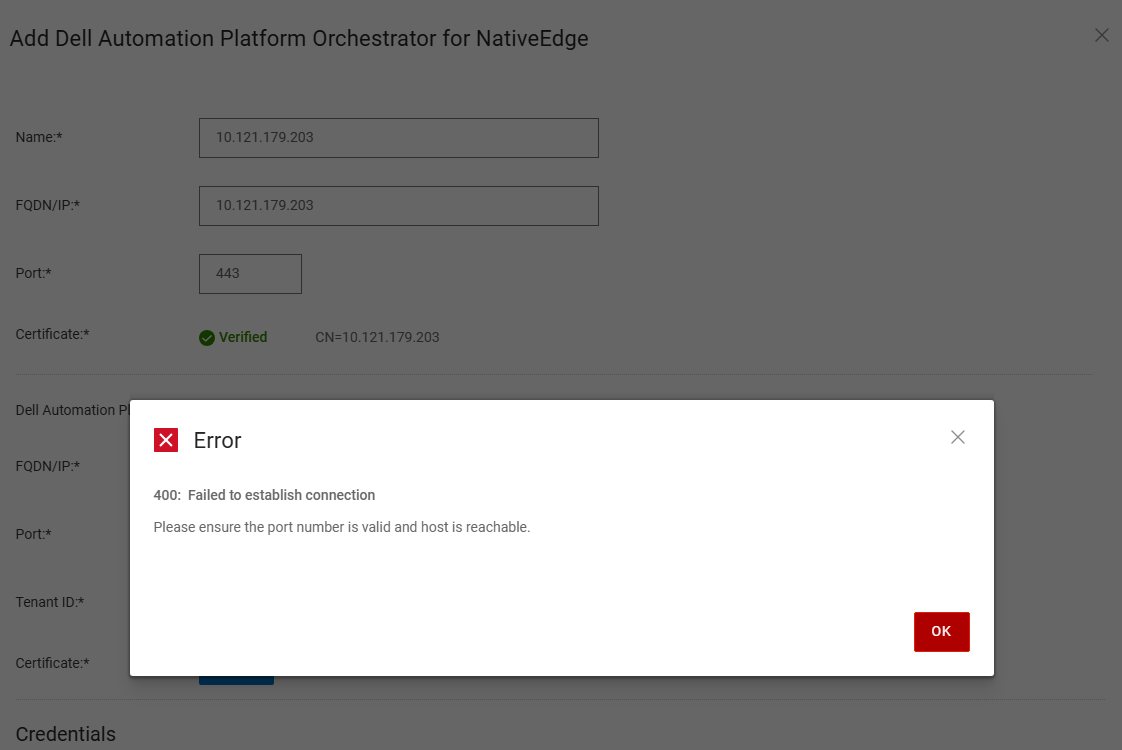
PowerProtect Data Manager refers to the Dell PowerProtect Data manager. When a user tries to onboard an IP-based Dell Automation Platform Orchestrator to PowerProtect Data Manager, the user receives error 400: fail to establish a connection.
Cause
As of NativeEdge v4.0.0.0 release, PowerProtect Data Manager does not support onboard IP-based Dell Automation Platform Orchestrator.
Resolution
The workaround is to deploy an orchestrator using a Fully Qualify Domain Name, Refer to the PowerProtect Data Manager deployment guide for further information.
Affected Products
Dell Automation Platform, NativeEdge Solutions, Dell Automation Platform Components, PowerProtect Data Domain Management Center, NativeEdgeArticle Properties
Article Number: 000382839
Article Type: Solution
Last Modified: 28 Nov 2025
Version: 1
Find answers to your questions from other Dell users
Support Services
Check if your device is covered by Support Services.