VMware Carbon Black Cloud Endpoint Increase of Code Injection Alerts Using CreateRemoteThread or NtQueueApcThread
Summary: This article discusses an issue in VMware Carbon Black Cloud Endpoint increases Code Injection Alerts using CreateRemoteThread or NTQueueApcThread.
This article applies to
This article does not apply to
This article is not tied to any specific product.
Not all product versions are identified in this article.
Symptoms
Affected Products:
- VMware Carbon Black Cloud Endpoint
Affected Versions:
- v3.7.0.1253
Cause
After upgrading or installing sensor version 3.7.0.1253, you may see an increase in observed alerts for code injection by calling for the functions CreateRemoteThread or NtQueueApcThread.

Note: In this example, VMware Carbon Black Cloud is reporting that svchost.exe has injected code into a system process csrss.exe.
Resolution
Support is investigating the changes that caused the increase of observed alerts for a permanent fix.
You can safely dismiss the inject code alerts that are being observed for the functions of CreateRemoteThread or NtQueueApcThread.
To verify and dismiss these alerts
- In a web browser, go to [REGION].conferdeploy.net.
Note: [REGION] = Region of tenant
- Americas = https://defense-prod05.conferdeploy.net
- Europe = https://defense-eu.conferdeploy.net/
- Asia Pacific = https://defense-prodnrt.conferdeploy.net/
- Australia and New Zealand = https://defense-prodsyd.conferdeploy.net
- Americas = https://defense-prod05.conferdeploy.net
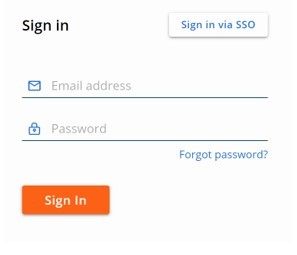
- Sign In to the VMware Carbon Black Cloud.
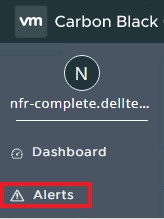
- In the left menu pane, click Alerts.
- Click the carrot to expand the alert.

- Click the Investigate icon.
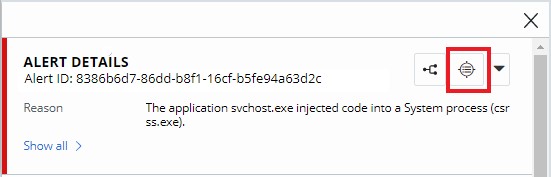
- Verify the function being called is either CreateRemoteThread or NtQueueApcThread.
 Note: If inject code alerts are being observed for any other function besides CreateRemoteThread or NtQueueApcThread, reach out to support to investigate further. Reference How to Get Support for VMware Carbon Black Cloud Endpoint.
 - Expand the corresponding event and click Dismiss Alert.

- Click Dismiss
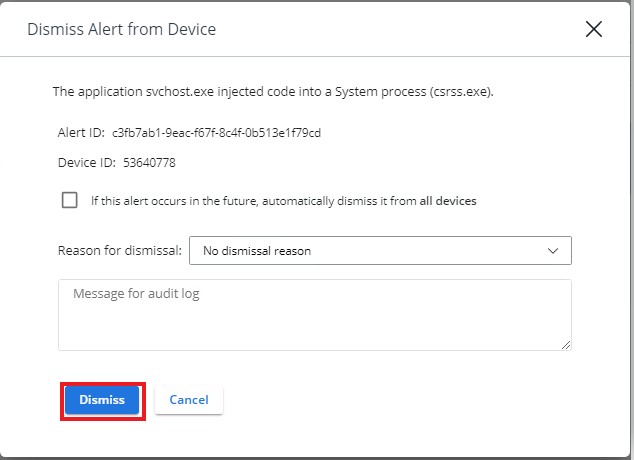 Note: You can elect to dismiss all future occurrences by checking the field next to If this alert occurs in the future, automatically dismiss it from all devices.

To contact support, reference Dell Data Security International Support Phone Numbers.
Go to TechDirect to generate a technical support request online.
For additional insights and resources, join the Dell Security Community Forum.
Affected Products
VMware Carbon BlackArticle Properties
Article Number: 000191040
Article Type: Solution
Last Modified: 08 Aug 2024
Version: 5
Find answers to your questions from other Dell users
Support Services
Check if your device is covered by Support Services.