NVP vProxy: How to get the exact command syntax for running a VM recovery from CLI with debug
Summary: This KB provides an overview of how to get the exact "nsrvproxy_recover" command syntax needed for performing a CLI debug Virtual Machine (VM) restore.
This article applies to
This article does not apply to
This article is not tied to any specific product.
Not all product versions are identified in this article.
Instructions
nsrvproxy_recover commands require several switches and VMware Managed Object Reference (MoRef) values. This can be tricky to determine sometimes. This KB provides a process which allows you to generate the recover command needed by first creating an "NSR Recover" resource.
- From the NetWorker Management Console (NMC), go to the Recover tab and select Recover->New Recover.
NOTE: Alternatively, you can start the recovery from the NetWorker Web User Interface (NWUI). We are only using a UI to configure the
nsrazure_recover command. Use your preferred UI.

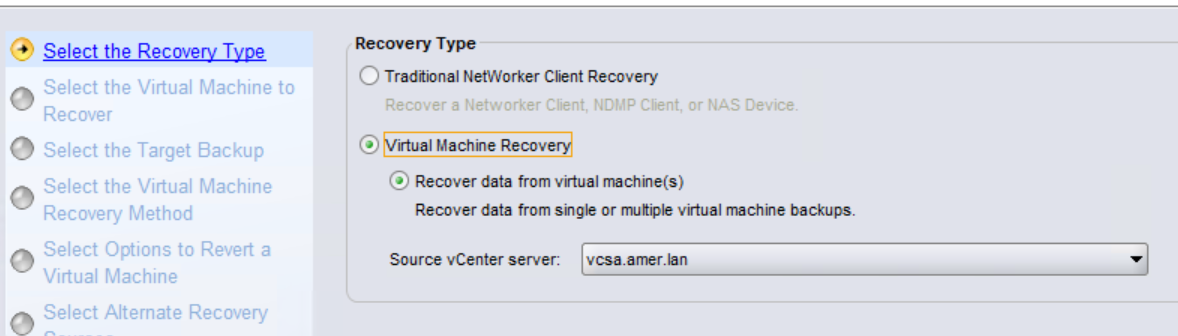
- Choose The Virtual Machine Recovery type, then select the vCenter server the VM was backed up from:
- Search for the VM and select it. Once selected it, appear in the Source virtual machine window:

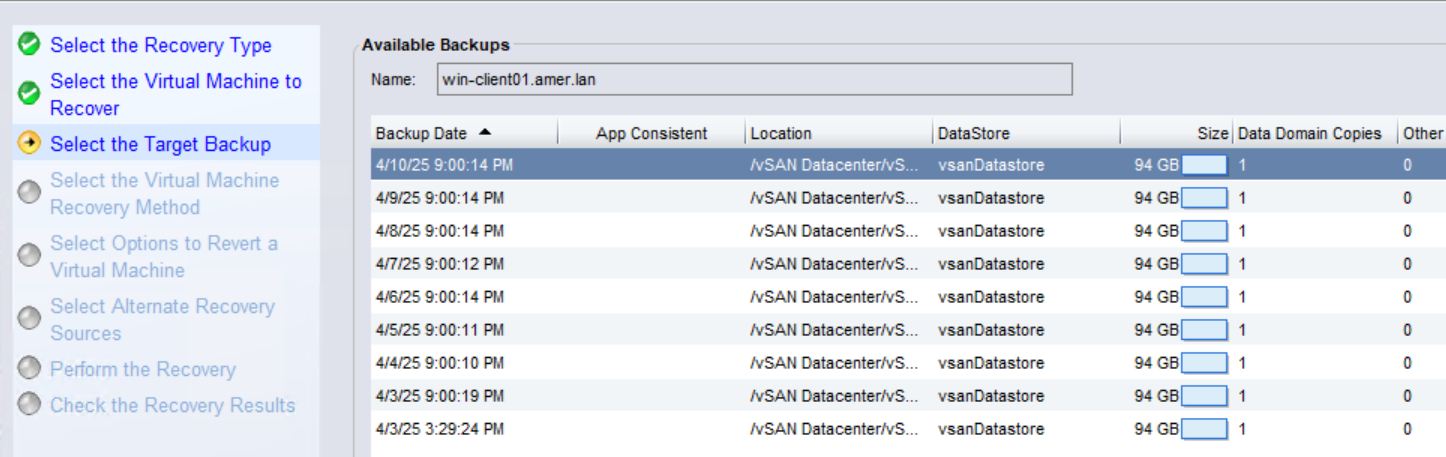
- Choose the save set date from the list of Available backups:
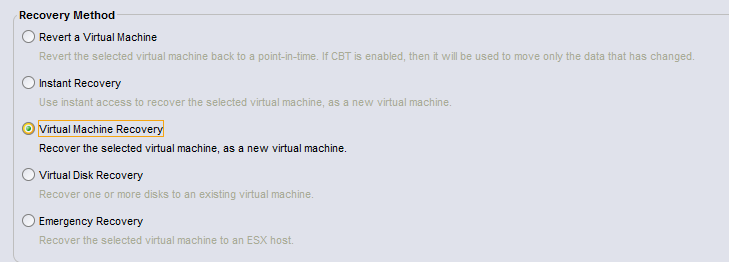
- Choose the VM image recovery (In this example Virtual Machine Recovery):
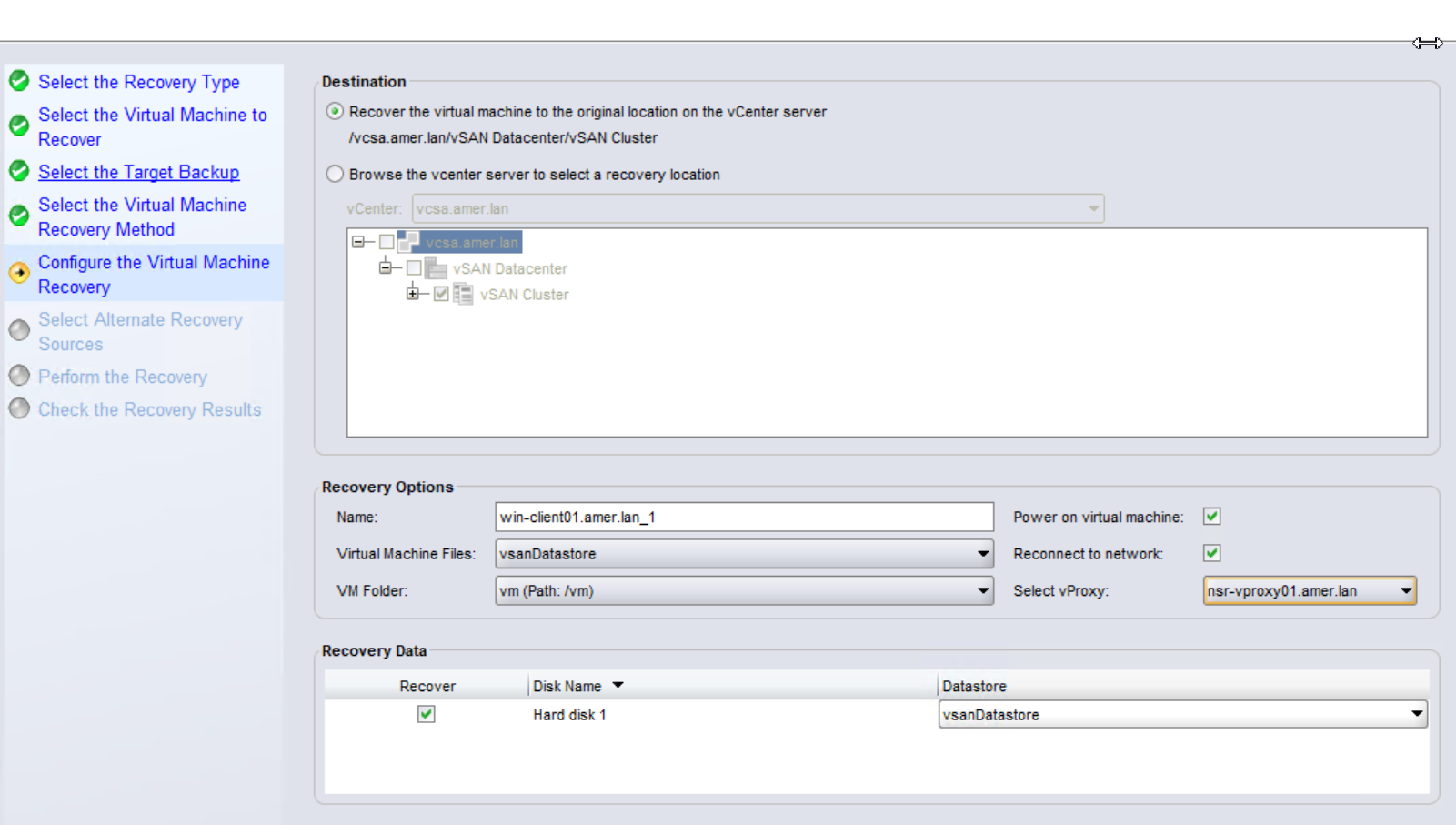
- Configure the Recovery options:
- Choose a target vCenter and location.
- Specify a name for the new VM.
- Select datastore locations for the VM files and disks.
- (Optional) Select if you would like for the VM to be powered on (default is no.)
- (Optional) Select if you would like for the VM to be connected to the network. This option is only available if you have also chosen to power on the VM.
- (Optional) Specify a vProxy appliance if you would like the restore to use a specific vProxy.
- Choose the volume that you want to restore from:
NOTE: It is only possible to recover directly from Data Domain backup or clone devices. If the selected save set resides only on a non-Data Domain device (AFTD, Tape, CloudBoost), it must first be cloned back to a Data Domain clone pool. NVP vProxy: How to manually clone a VM save set from a non-Data Domain device to a Data Domain clone device?

- Provide a Recover Name and select the option to Schedule recovery start at. Set the date a few days after the current date.
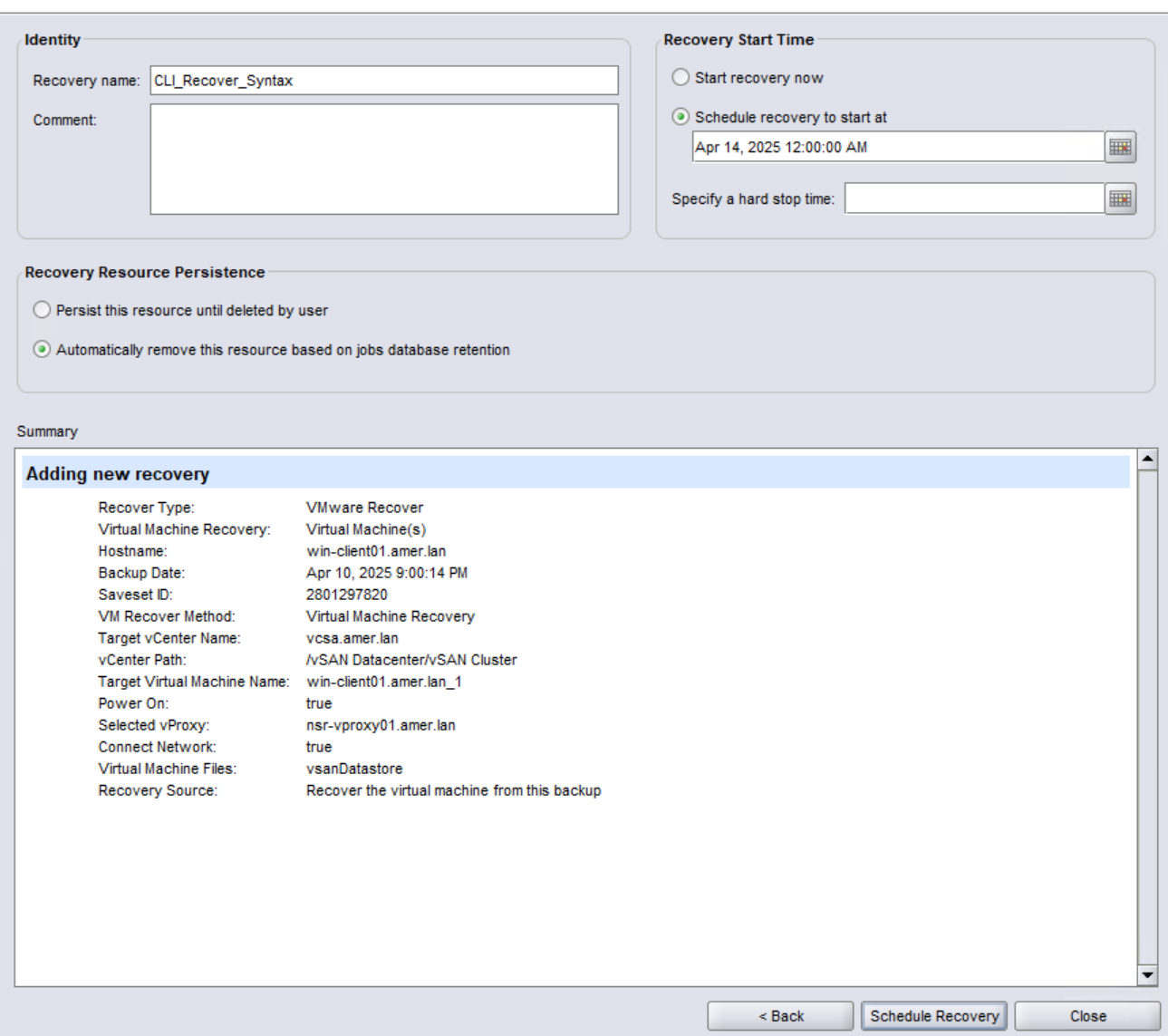
- Click Schedule Recovery.
- You should see the scheduled recovery job on NMC now:
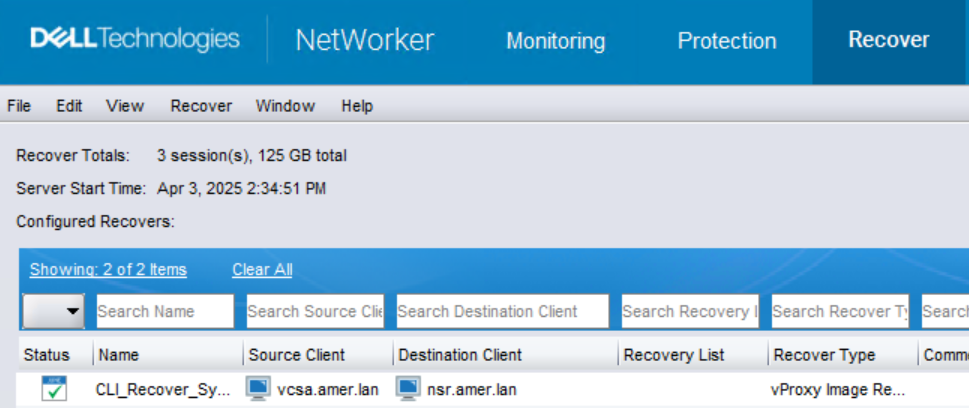
- On the NetWorker server, open an Administrator command prompt or root shell.
- Use the
nsradminorjobquerycommand to get thensrvproxy_recovercommand syntax:
For jobs scheduled from the NMC use nsradmin:
- From the elevated prompt, run:
nsradmin - From the
nsradminprompt, enter:show recover command; recover options - From the
nsradminprompt, use theprintcommand to display the recovery resource created from the NMC.
print type: nsr recover; name: RECOVER_NAME_FROM_STEP_8
Example:
[root@nsr ~]# nsradmin
NetWorker administration program.
Use the "help" command for help, "visual" for full-screen mode.
nsradmin> show recover command; recover options
nsradmin> print type: nsr recover; name: CLI_Recover_Syntax
             recover command: nsrvproxy_recover;
             recover options: \
" -m I  -c vcsa.amer.lan -M vm-17020 -V 'win-client01.amer.lan_1' -A datacente\
r-3 -L domain-c8 -F 'group-v4' -o P -o N -d 'Hard disk 1/2000/datastore-12' -E\
 datastore-12 -p nsr-vproxy01.amer.lan  -S 2801297820";
For jobs started from NWUI use jobquery:
- From the elevated prompt, run:
jobquery - From the
jobqueryprompt, enter:show name; command - From the
jobqueryprompt, enter:print type: recover job
Example:
[root@nsr ~]# jobquery
NetWorker jobs query utility.
Use the "help" command for help.
jobquery> show name; command
jobquery> print type: recover job
                     command: \
"nsrvproxy_recover -m I -c vcsa.amer.lan -M vm-4007 -V rhel-client01.amer.lan_\
1 -A datacenter-3 -L domain-c8 -F group-v4 -d \"Hard disk 1/2000/datastore-12\"\
 -E datastore-12 -S 1971497009";
                        name: Image_Restore;
jobquery> quit
NOTE: The recover options line shows you all of the switches and values required to perform the restore. The output is displayed in JSON format, the 'recover options' value spans multiple lines. Each new line is separated by
\. Copy out the command into Notepad++ and remove the \. The command should be one continuous line (see below). It is recommended to use notepad++ over regular notepad as notepad may change the encoding of special characters when copied back to a command prompt.
- Run the recover command and recover options shown in the NSR Recover resource:
NOTE:
-D [1-9] debug levels and -v[vv] verbosity can be added to the command to increase logging levels. Other debugging can be applied on the vProxy appliance: NetWorker VMware Protection-vProxy: How to Enable Debug Logging. If the VM has multiple disk files, the disks can be recovered in parallel (concurrently) using the -k option.
nsrvproxy_recover -m I -c vcsa.amer.lan -M vm-4007 -V rhel-client01.amer.lan_1 -A datacenter-3 -L domain-c8 -F group-v4 -E datastore-12 -S 1971497009 -k
The output can be redirected to a file by appending: > nsrvproxy_recover.out 2<&1
For additional information, see: NVP-vProxy: How to perform a VM restore from the command line
- Monitor the output or collect the output file for further analysis.
- Return to the NMC and Delete the scheduled restore so that it is not automatically started at the scheduled date and time.
Additional Information
- NVP vProxy: How to perform parallel (concurrent) recovery of multiple VMDKs
- NVP-vProxy: How to use the nsrvproxy_flr command for File Level Recovery from the NetWorker Server
- NVP-vProxy: How To Identify a VM Name From the UUID Presented In NetWorker
- NetWorker: How To Collect MoReF (Managed Object Reference) Values for VMware Objects
- NVP vProxy: How to manually clone a VM save set from a non-Data Domain device to a Data Domain clone device?
- NetWorker VMware Protection-vProxy: How to Enable Debug Logging.
Affected Products
NetWorkerProducts
NetWorkerArticle Properties
Article Number: 000021168
Article Type: How To
Last Modified: 05 Feb 2026
Version: 5
Find answers to your questions from other Dell users
Support Services
Check if your device is covered by Support Services.