Data Domain Management Center: How To Collect a Support Bundle
Summary: This article provides instructions for collecting a PowerProtect DD Management Center (DDMC) support bundle in versions 2.0.1.0 and higher.
This article applies to
This article does not apply to
This article is not tied to any specific product.
Not all product versions are identified in this article.
Instructions
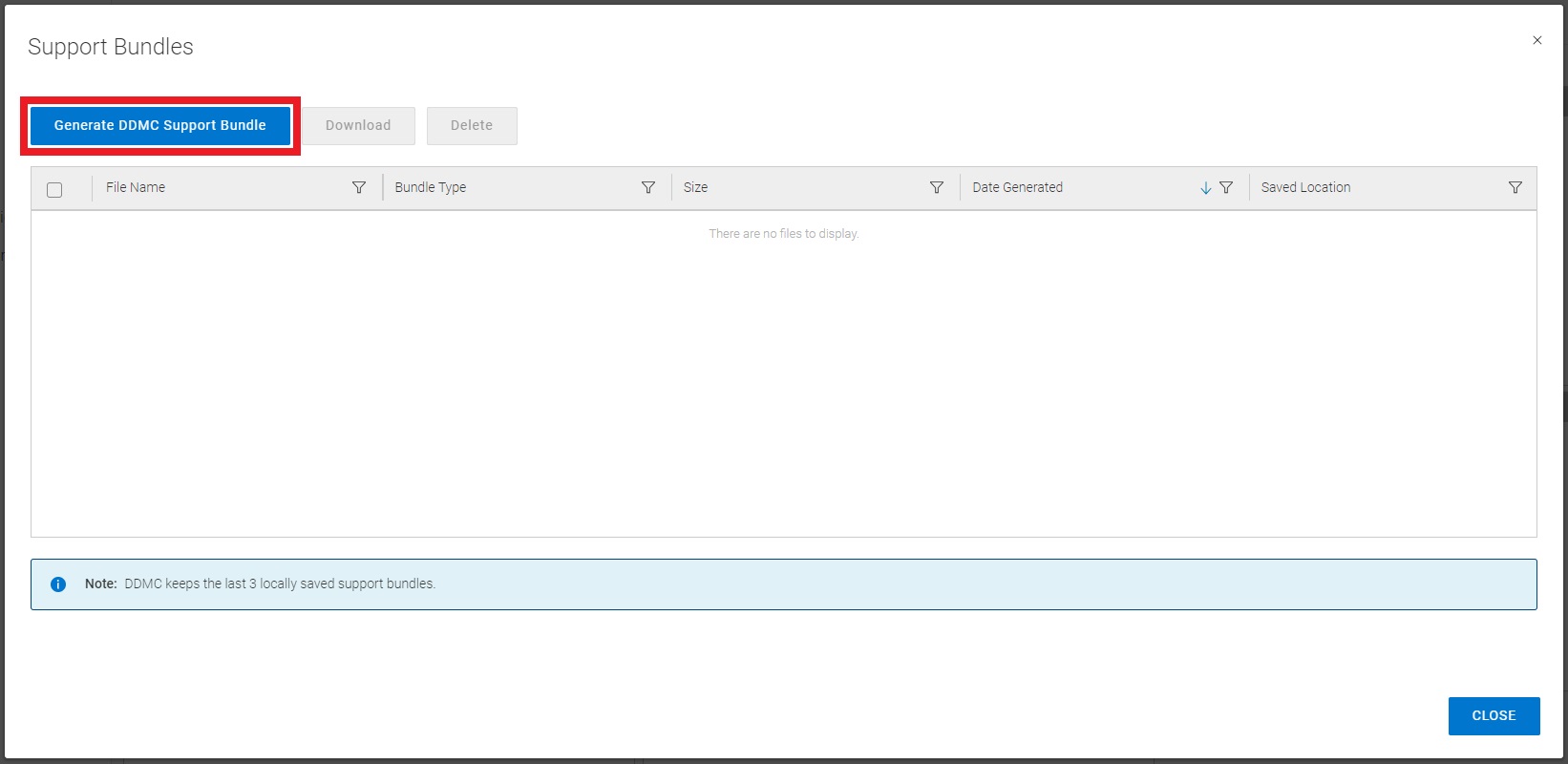
- Log in to the DDMC GUI from your web browser
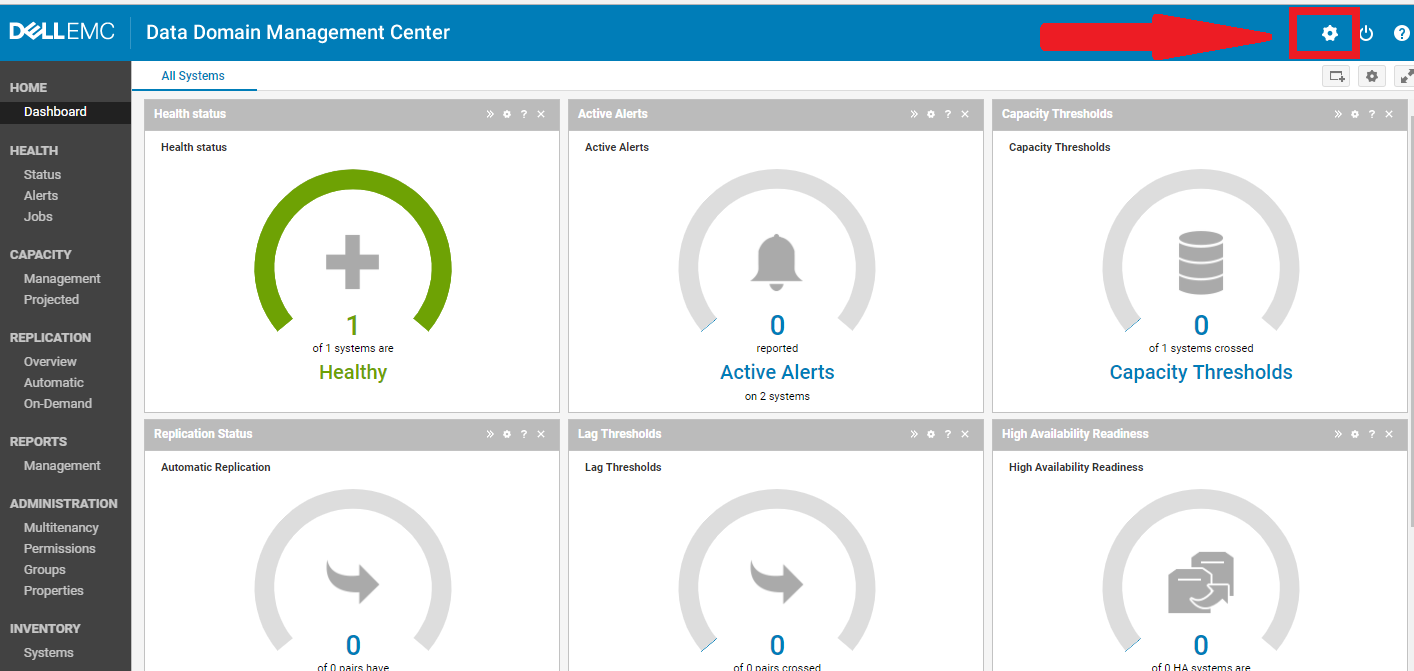
- Click on the settings gear icon in the upper right side of the screen (Fig. 1)
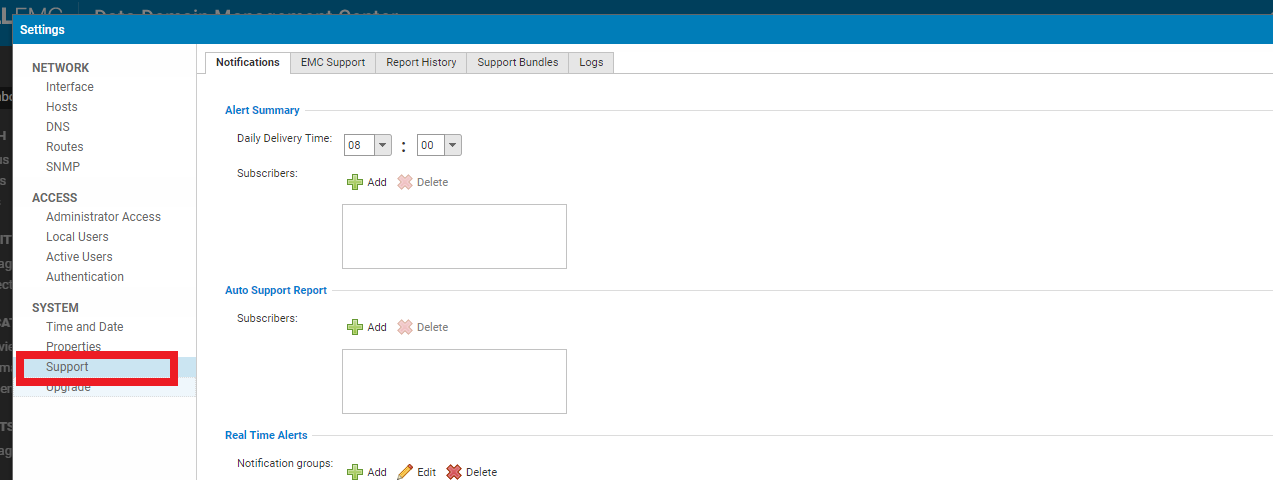
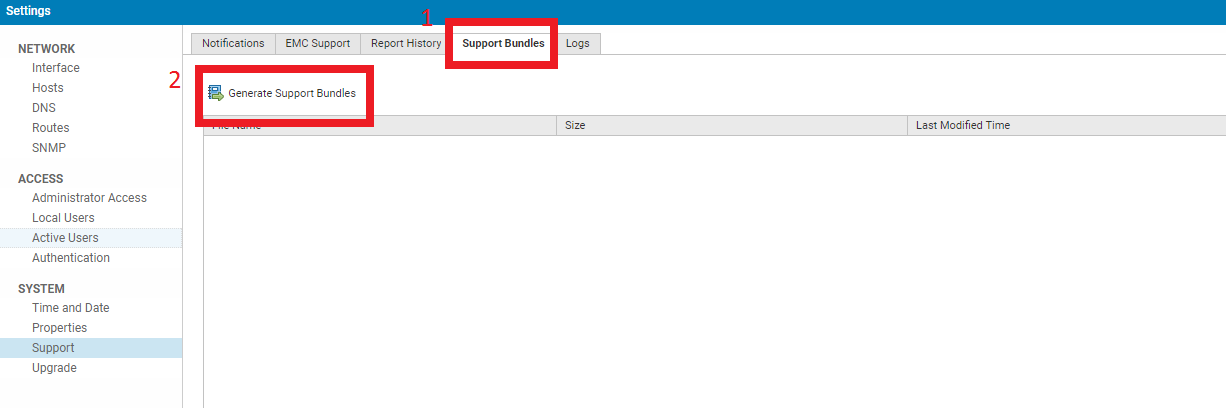
- For DDMC versions 2.0-7.6:
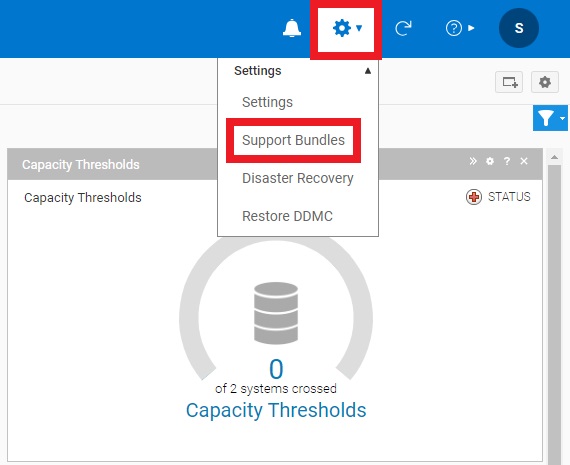
- For DDMC versions 7.7 and higher:
- After generating the support bundle, download it to your PC and upload to the related Service Request on the Dell Technologies support portal (requires login) or to a temporary FTP site as provided by a support technician
Affected Products
Data Domain, PowerProtect Data Domain Management CenterProducts
Data DomainArticle Properties
Article Number: 000010273
Article Type: How To
Last Modified: 12 Jan 2026
Version: 4
Find answers to your questions from other Dell users
Support Services
Check if your device is covered by Support Services.