ECS: Setting Bucket Soft and Hard Quota
Summary: This article describes what soft and hard quotas are, and how to set them during bucket creation.
This article applies to
This article does not apply to
This article is not tied to any specific product.
Not all product versions are identified in this article.
Instructions
Bucket Quota:
A quota is a limit that defines the maximum size that a certain resource (buckets or namespaces) can have. Admin users set this limit. It is set in GiBs with a minimum of 1 GB.
Two types of Quota exist: Soft Quota and Hard Quota; they only differ in the action taken when the quota is breached.
- Hard quota: Once the limit is breached, no more writes or appends are allowed on the corresponding resource; the only action allowed is objects or buckets deletion
- Soft quota: Only an alert is raised.
Note: Soft and hard quotas can only be defined at the bucket or namespace creation level.
To set a quota on a bucket:
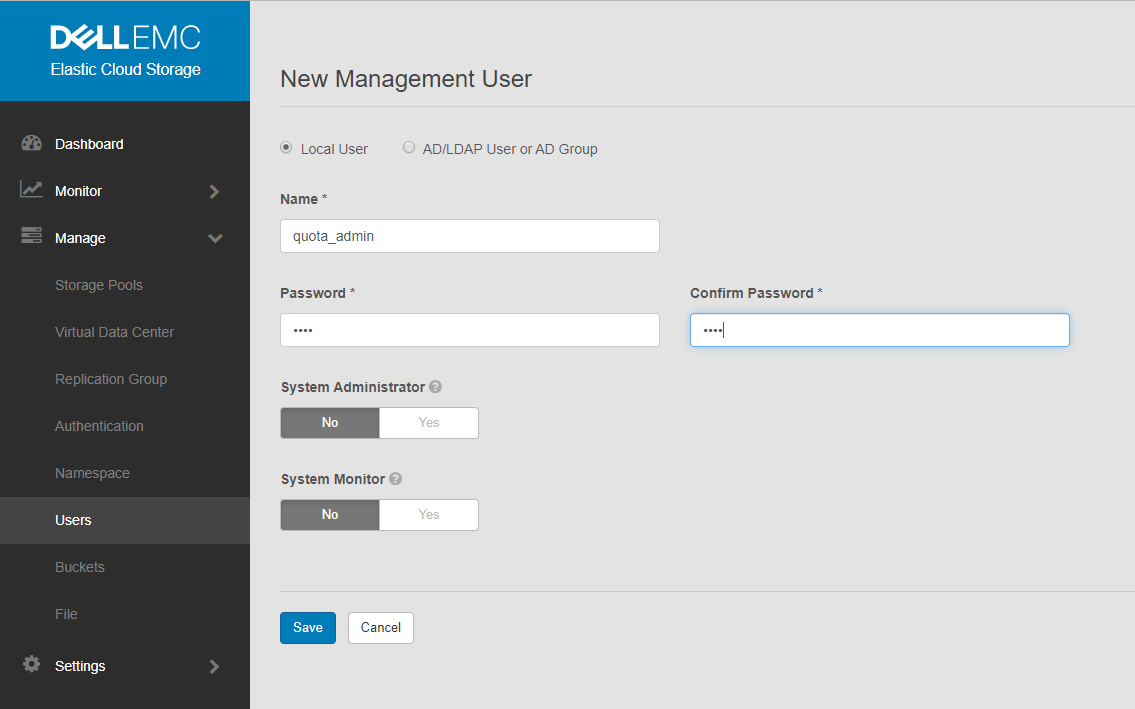
- Create a management user and provide its name and password.
Go to Manage > Management Users > New Management User.
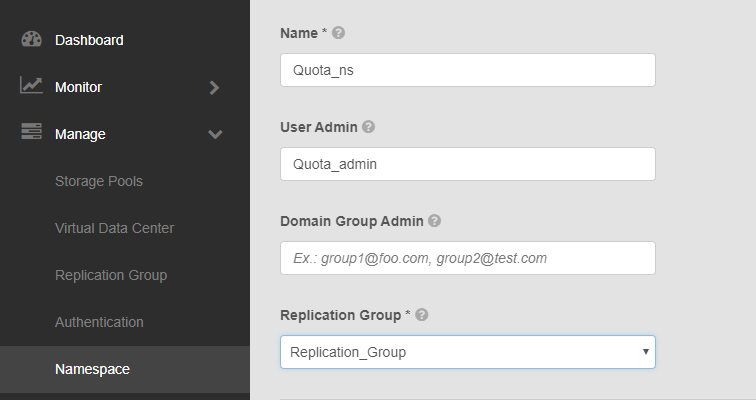
- Create a namespace:
Go to Manage > Namespace > New namespace.
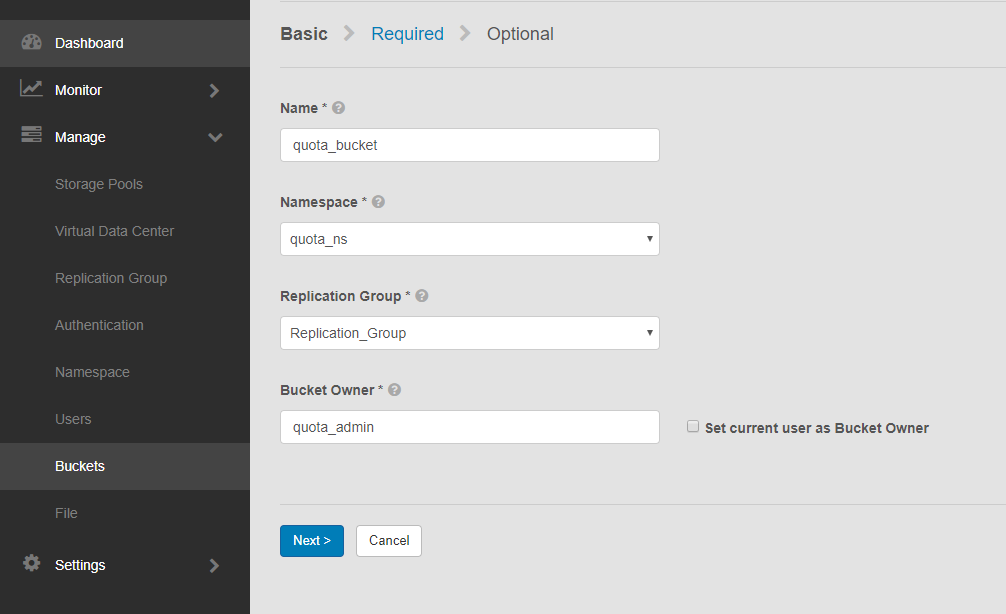
- Create a bucket:
Go to Manage > Buckets > New Bucket.
Note: Name the bucket and select the namespace and replication group that the bucket belongs to, and type in the bucket owner user.
-
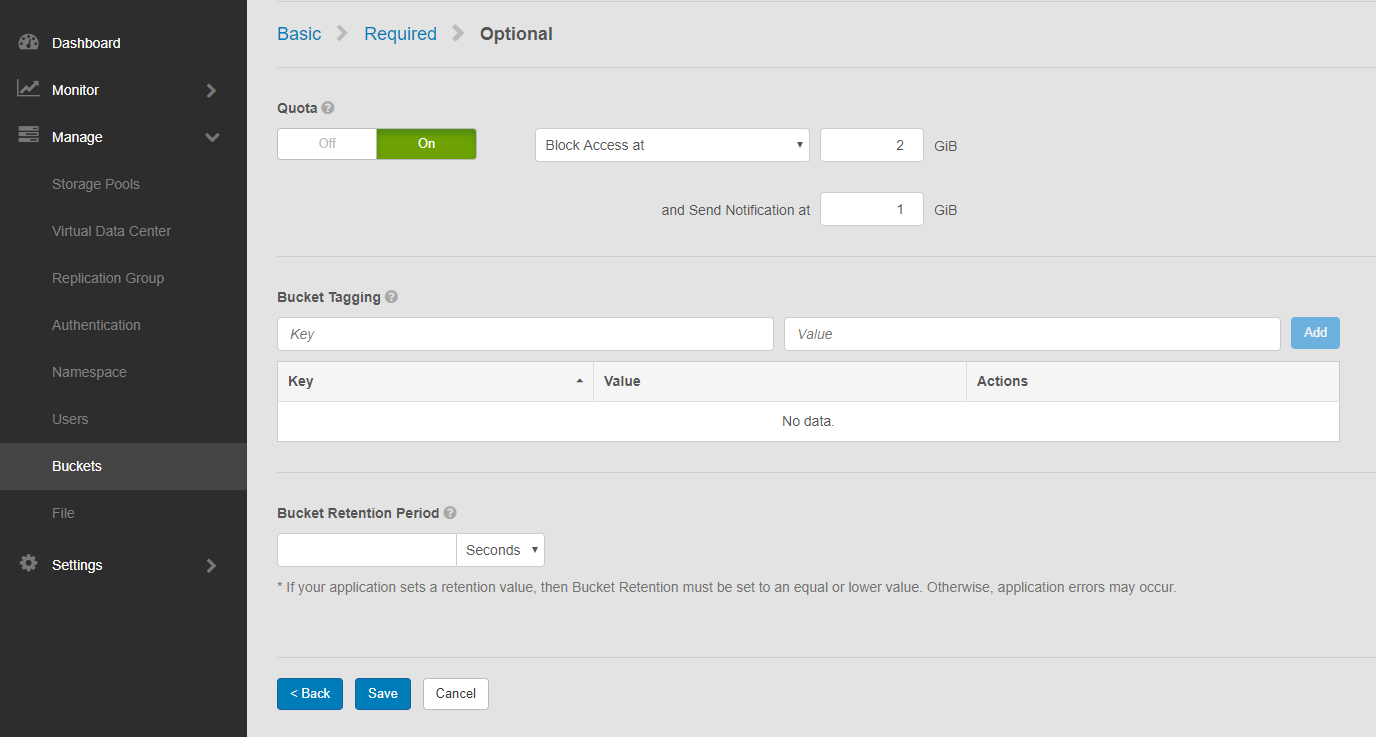
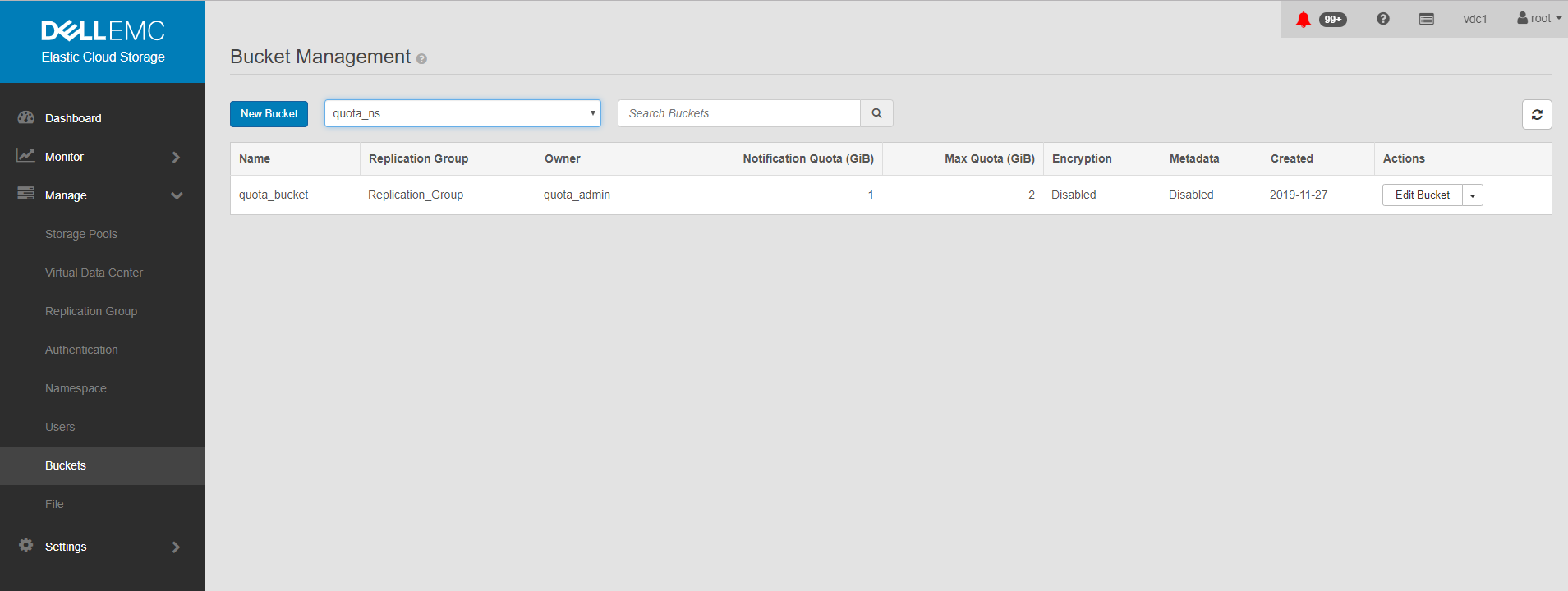
Set the quota on the bucket, at creation level, using one of the below options:
- Notification Only at
<quota_limit_in_GiB>Soft quota setting at which you are notified. - Block Access Only at
<quota_limit_in_GiB>Hard quota setting which, when reached, prevents write or update access to the bucket. - Block Access at
<quota_limit_in_GiB>and Send Notification at<quota_limit_in_GiB>Hard quota setting which, when reached, prevents write or update access to the bucket and the quota setting at which you are notified.
Bucket showing quota:
Additional Information
Affected Products
Elastic Cloud StorageProducts
Elastic Cloud StorageArticle Properties
Article Number: 000020069
Article Type: How To
Last Modified: 03 Oct 2025
Version: 5
Find answers to your questions from other Dell users
Support Services
Check if your device is covered by Support Services.