VxRail: Virtual Machine Consolidation is Needed
Summary: Consolidation error in backup and VEEAM product is failing.
This article applies to
This article does not apply to
This article is not tied to any specific product.
Not all product versions are identified in this article.
Symptoms
Error below is received "consolidation error" while backup is in progress in VEEAM software.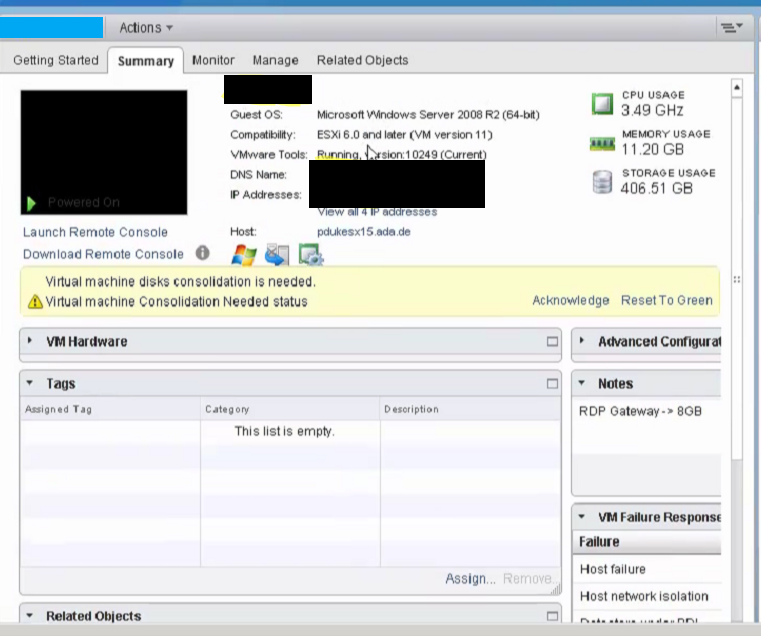
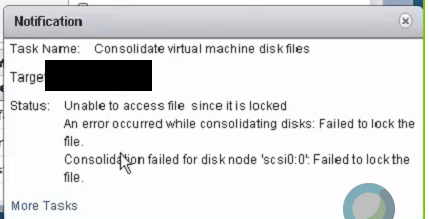
Cause
Locked file
Resolution
Review the settings of each Veeam Proxy looking for any disks which match the following:
- The name of the Virtual Machine Disk (VMDK) does not match the proxy, and matches a Virtual Machine (VM) identified in the previous section.
- Disk has a Disk Mode of [Independent - Non-Persistent]
Note: If the proxy is used as a Target Proxy for replication, the replica disks are attached as Dependant.
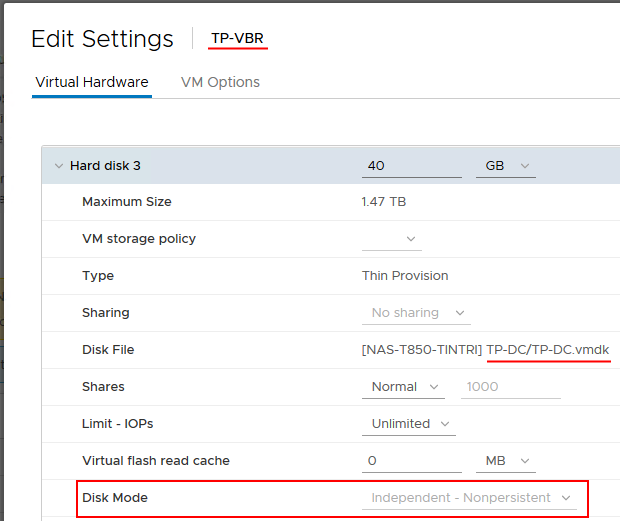
A disk which was hot added to a proxy must be released by following the below steps.
- Click the down arrow symbol to select the disk for removal.
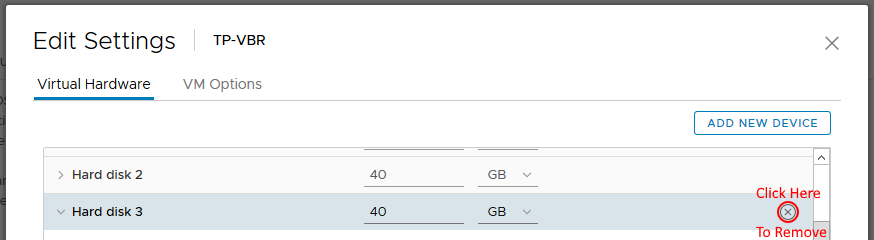
Note: Do not check the box to delete files from datastore!
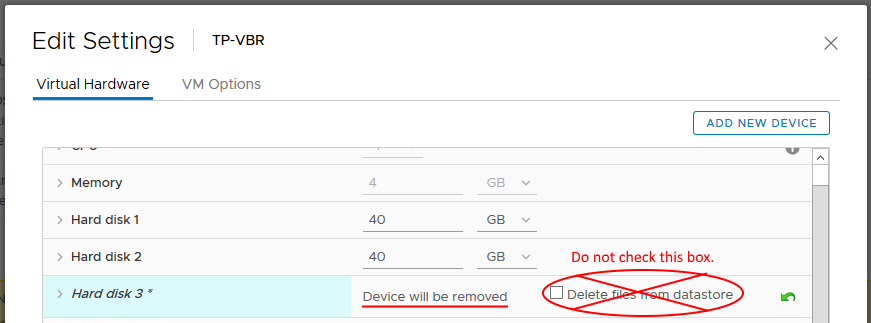
- Click [OK] to confirm removal.
- After the disk is released from the proxy, attempt Consolidation
again.
- If the issue remains run below command:
ps | grep -i vm-dir
- If the output is empty turn off the VEEAM server.
- Right-click the VMs having the consolidation error, select snapshots --> consolidate.
Affected Products
VxRail SoftwareArticle Properties
Article Number: 000078080
Article Type: Solution
Last Modified: 30 Jul 2025
Version: 6
Find answers to your questions from other Dell users
Support Services
Check if your device is covered by Support Services.