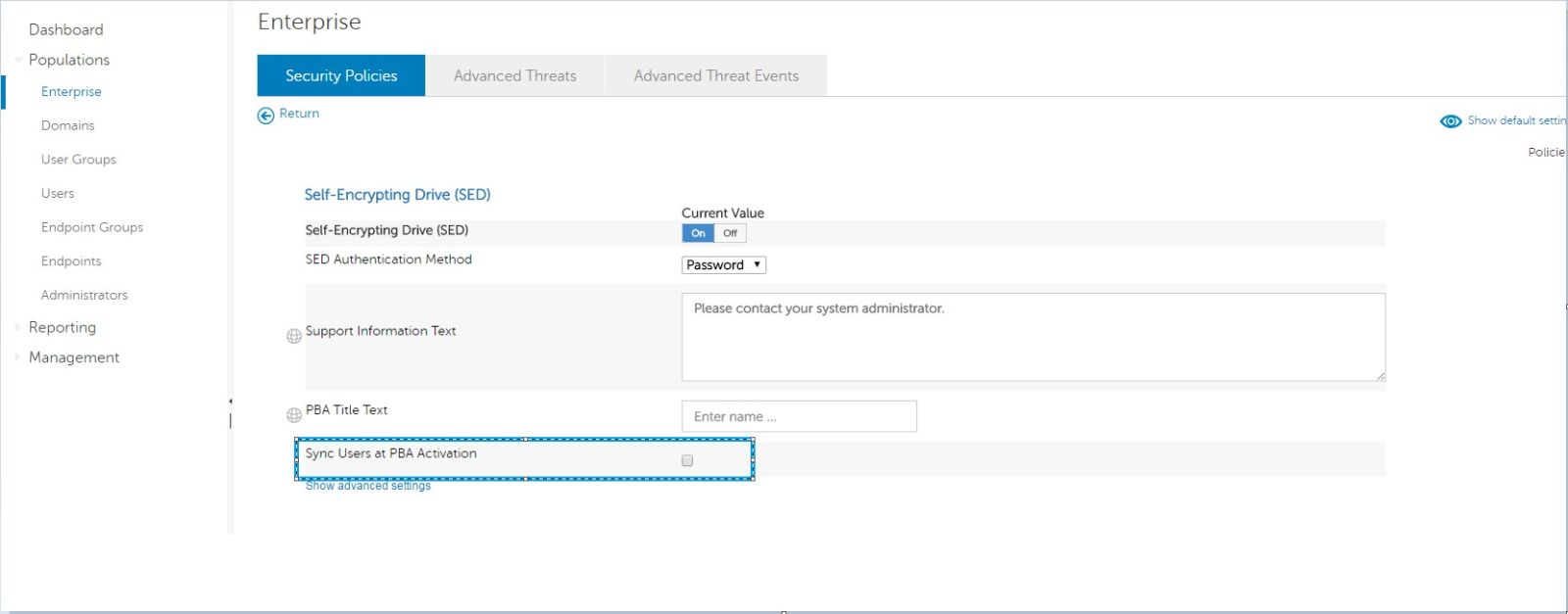
Sync Users at PBA Activation
Summary: All users are not being synced to Pre-Boot Authentication (PBA) during activation on v8.12 client with the policy of "Sync Users at PBA Activation" enabled.
This article applies to
This article does not apply to
This article is not tied to any specific product.
Not all product versions are identified in this article.
Symptoms
Affected Products:
- Dell Data Protection | Encryption
Affected Versions:
- v8.12
A new self-encrypting drive policy was introduced in Dell Data Protection | Enterprise Edition server v9.6: Sync users at PBA activation.
- This allows for all user accounts (including local) to be synced to the PBA during provisioning, allowing for local accounts to log in to a remotely managed PBA.
Cause
Not Applicable
Resolution
For client v8.12.0 to use this feature, the following registry key must be in place before the PBA is provisioned:
Warning: The next step is a Windows Registry edit:
- Back up the Registry before proceeding, reference How to Back Up and Restore the Registry in Windows
.
- Editing the Registry can cause the computer to become unresponsive on the next reboot.
- Contact Dell Data Security International Support Phone Numbers for assistance if you have concerns about performing this step.
HKEY_LOCAL_MACHINE\SOFTWARE\Dell\Dell Data Protection\SyncUsers
DWORD(32BIT): "SyncAllUsers"
Value: 1
Client v8.13 can use this feature once the sync users at PBA activation policy is enabled, and the registry key is no longer effective.
To contact support, reference Dell Data Security International Support Phone Numbers.
Go to TechDirect to generate a technical support request online.
For additional insights and resources, join the Dell Security Community Forum.
Affected Products
Dell EncryptionArticle Properties
Article Number: 000129960
Article Type: Solution
Last Modified: 03 Jun 2026
Version: 12
Find answers to your questions from other Dell users
Support Services
Check if your device is covered by Support Services.