PowerEdge: How to export the PERC Controller Debug Log from the RAID Controller HII Menu
Summary: This article explains how to export the RAID controller log (TTY log) directly from RAID Controller (PERC).
This article applies to
This article does not apply to
This article is not tied to any specific product.
Not all product versions are identified in this article.
Instructions
This article explains how to export the RAID controller log (TTY log) directly from RAID Controller (PERC).
In addition to this, you can also export the RAID controller log (TTYlog) from OpenManage Server Administrator (OMSA) using the interface or using PERCCLI.
Note: The PERC controller debug log is also known as a TTY log among Technical Support.
Prepare a USB flash disk to save the log.
The following steps work for PERC8/PERC9/PERC10 series. This example uses a PERC10-H740.
- Click F2 to enter the system BIOS.
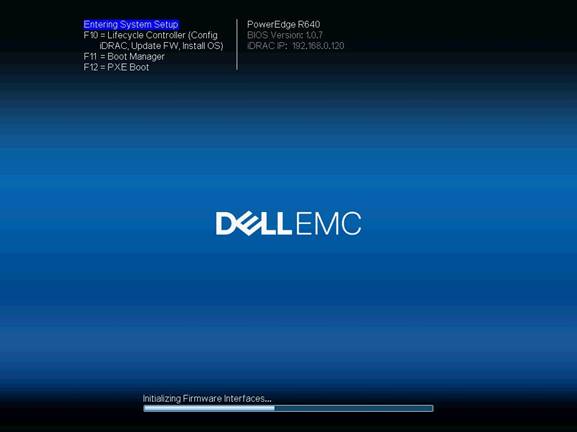
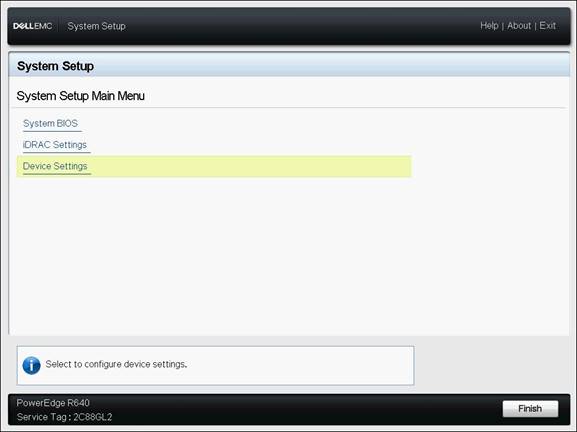
- Choose Device Settings
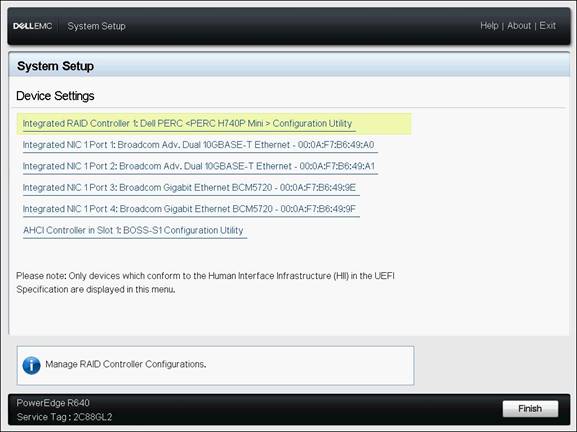
- Choose Integrated RAID Controller
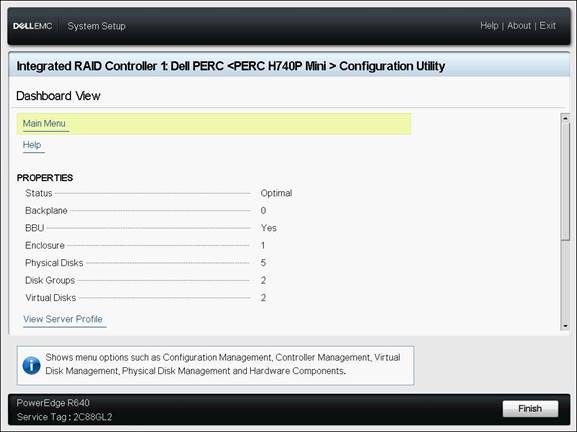
- Choose Main Menu
- Choose Controller Management
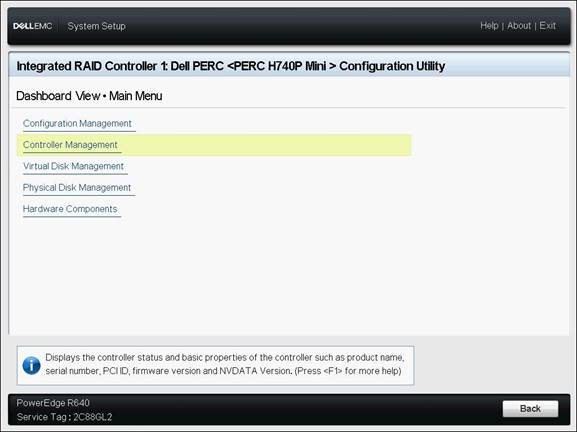
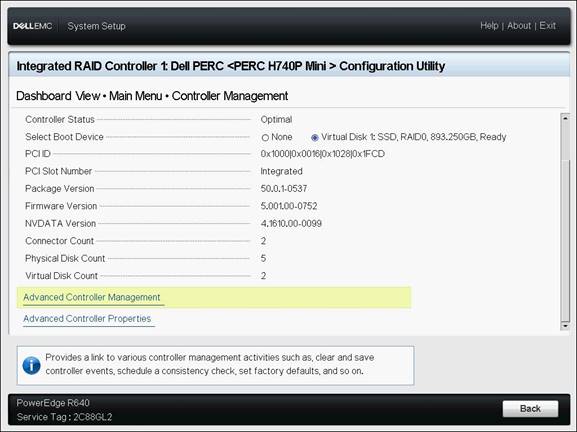
- Go to the bottom of the page and choose Advanced Controller Management
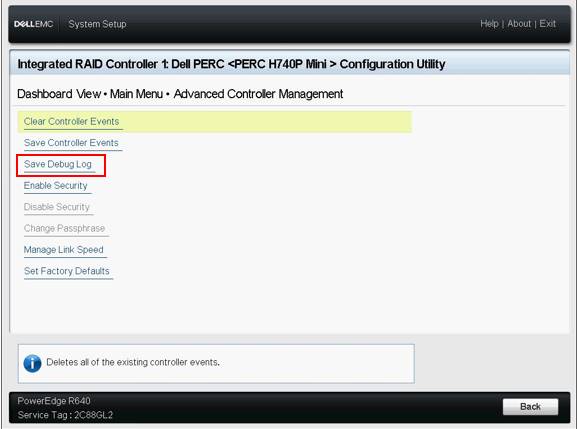
- Choose Save Debug Log
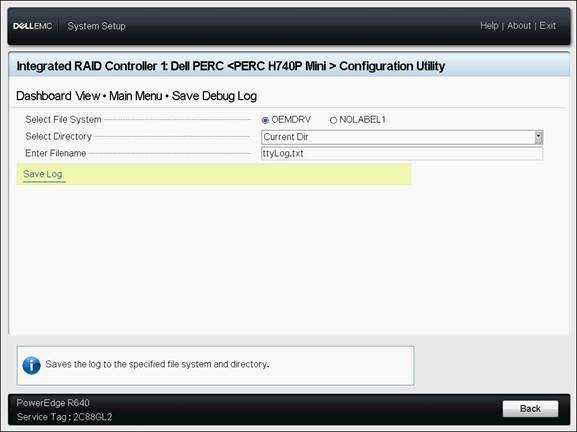
- Select the location and enter the file name then choose Save Log
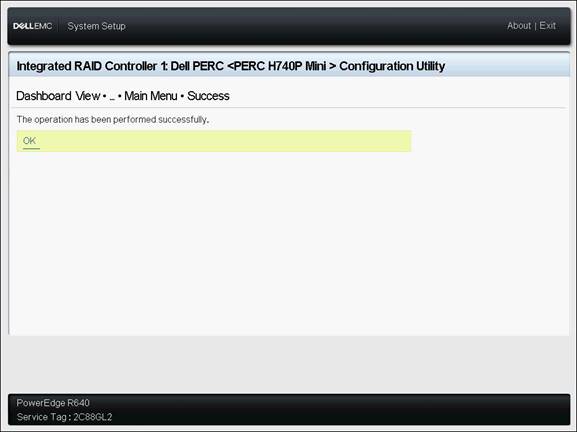
- Click ok
Affected Products
PowerEdge RAID Controller H345, PowerEdge RAID Controller H350 Adapter SAS, PowerEdge RAID Controller H355 Front SAS, PowerEdge RAID Controller H355 Adapter SAS, PowerEdge RAID Controller H365i Adapter, PowerEdge RAID Controller H365i Front DC-MHS
, PowerEdge RAID Controller H730P MX, PowerEdge RAID Controller H745, PowerEdge RAID Controller H745P MX, PowerEdge RAID Controller H750 Adapter SAS, PowerEdge RAID Controller H755 Adapter, PowerEdge RAID Controller H755 MX Adapter, PowerEdge RAID Controller H755N Front NVMe, PowerEdge RAID Controller H755 Front SAS, PowerEdge RAID Controller H330, PowerEdge RAID Controller H730, PowerEdge RAID Controller H730P, PowerEdge RAID Controller H740P
...
Article Properties
Article Number: 000134783
Article Type: How To
Last Modified: 30 Jan 2026
Version: 7
Find answers to your questions from other Dell users
Support Services
Check if your device is covered by Support Services.