SourceOne Offline Access - Agent crashes when launching Microsoft Outlook 2016
Summary: Agent crashes when launching Microsoft Outlook 2016.
This article applies to
This article does not apply to
This article is not tied to any specific product.
Not all product versions are identified in this article.
Symptoms
When running SourceOne Offline Access with Microsoft Outlook 2016, the following error pop-up will appear when launching Microsoft Outlook 2016:
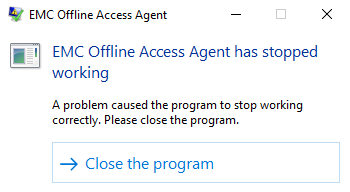
The following error will be logged in the Application event logs:
Faulting application name: ExOAAgent.exe, version: 7.2.4.4058, time stamp: 0x58178751
Faulting module name: olmapi32.dll, version: 16.0.8326.2073, time stamp: 0x598be17e
Exception code: 0xc0000005
Fault offset: 0x0021b1f1
Faulting process id: 0x3a84
Faulting application start time: 0x01d31b4c876bbfaa
Faulting application path: <InstallDrive>:\Program Files (x86)\EMC SourceOne\Offline Access\ExOAAgent.exe
Faulting module path: C:\Program Files (x86)\Microsoft Office\Root\Office16\olmapi32.dll
Report Id: 562f83d8-01ea-4342-a83c-77e9dc703934
Faulting package full name:
Faulting package-relative application ID:
Faulting module name: olmapi32.dll, version: 16.0.8326.2073, time stamp: 0x598be17e
Exception code: 0xc0000005
Fault offset: 0x0021b1f1
Faulting process id: 0x3a84
Faulting application start time: 0x01d31b4c876bbfaa
Faulting application path: <InstallDrive>:\Program Files (x86)\EMC SourceOne\Offline Access\ExOAAgent.exe
Faulting module path: C:\Program Files (x86)\Microsoft Office\Root\Office16\olmapi32.dll
Report Id: 562f83d8-01ea-4342-a83c-77e9dc703934
Faulting package full name:
Faulting package-relative application ID:
There are no 3rd party Add-ins installed.
Cause
This problem is caused by a software defect cited in SDR61242.
Resolution
This issue is resolved in Hotfix Bundles (HFBs) or Service Pack versions on or higher than 7.2.5.5088. (7.2.5 GA)
***NOTE: This Issue was resolved in the above release but due to further issues this release was removed. Please upgrade to 7.2.6 GA version of Offline Access where this SDR is resolved.
Hotfix Bundles and Service Pack kits are available for download via https://Support.emc.com, Please note, Hotfixes are only available for the most current patch or Service Pack versions of the product that were available when this problem was resolved.
*** Please note that when installing Hot Fix Bundles (HFBs) they must all be installed in the correct order for ALL fixes to be correctly applied.
*** Please note that it is always recommended to upgrade to the latest version of the SourceOne release, service pack and Hot Fix Bundle to ensure all currently resolved issues will be fixed including the issue as stated above.
***NOTE: This Issue was resolved in the above release but due to further issues this release was removed. Please upgrade to 7.2.6 GA version of Offline Access where this SDR is resolved.
Hotfix Bundles and Service Pack kits are available for download via https://Support.emc.com, Please note, Hotfixes are only available for the most current patch or Service Pack versions of the product that were available when this problem was resolved.
*** Please note that when installing Hot Fix Bundles (HFBs) they must all be installed in the correct order for ALL fixes to be correctly applied.
*** Please note that it is always recommended to upgrade to the latest version of the SourceOne release, service pack and Hot Fix Bundle to ensure all currently resolved issues will be fixed including the issue as stated above.
Products
SourceOne, SourceOne Offline AccessArticle Properties
Article Number: 000171723
Article Type: Solution
Last Modified: 05 May 2026
Version: 4
Find answers to your questions from other Dell users
Support Services
Check if your device is covered by Support Services.