SRM:費用分攤報告
Summary: 本文提供 Storage Resource Manager (SRM) 概觀、費用分攤報告的示範,以及進一步閱讀的其他資源。
This article applies to
This article does not apply to
This article is not tied to any specific product.
Not all product versions are identified in this article.
Instructions
使用 SRM 費用分攤報告,我們可以:
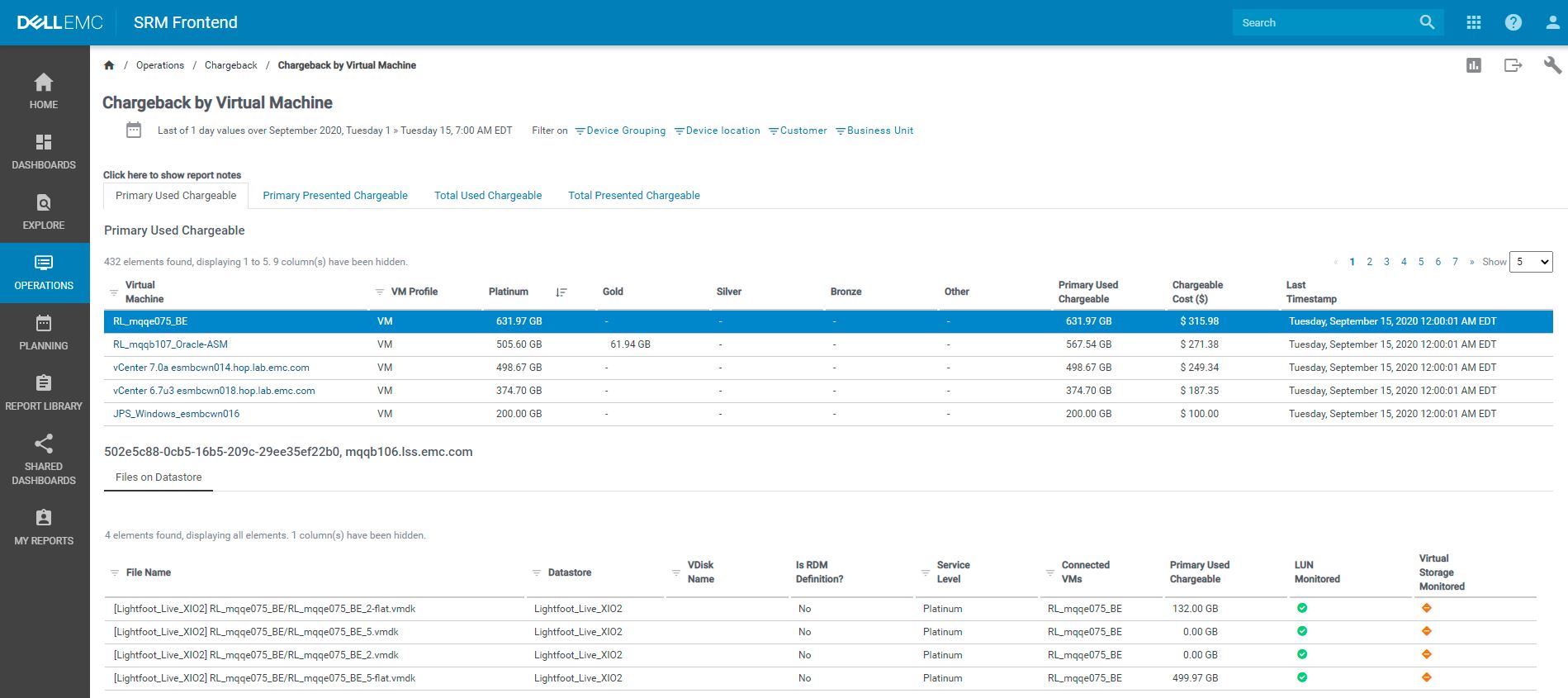
範例費用分攤報告 (如需完整大小的影像,請在影像上按一下滑鼠右鍵,然後選取「在新標籤中開啟影像」):
- 針對應用程式的總儲存空間耗用量收費。
- 根據儲存裝置類型收取儲存空間費用,可為區塊、檔案、物件或雲端。
- 若為區塊儲存,請依主機、Hypervisor 和虛擬機器收費。
- 針對上述所提全部項目,請依服務等級收取費用。
- 如果是區塊儲存,則會根據 LUN 容量計算成本,且可在每個服務等級協議 (SLA) 層中進行設定。區塊費用分攤需要 Solution Pack。
- 針對檔案儲存,系統會針對單一服務等級協議 (SLA) 層計算每個檔案系統和配額。
- 物件和雲端儲存成本是根據每個容器進行計算,並會從個別陣列中收集作為指標。物件儲存需要 Dell ECS、Atmos 和 Centera 適用的 Solution Pack,而雲端儲存裝置則需要 Amazon S3 適用的 Solution Pack
範例費用分攤報告 (如需完整大小的影像,請在影像上按一下滑鼠右鍵,然後選取「在新標籤中開啟影像」):
Additional Information
請參閱此影片:
Affected Products
SRM, SRMArticle Properties
Article Number: 000183385
Article Type: How To
Last Modified: 08 May 2026
Version: 6
Find answers to your questions from other Dell users
Support Services
Check if your device is covered by Support Services.