PowerEdge: RAID 10 Mirror Set ID for PowerEdge RAID Controller 9 and later series
Summary: This article shows how to identify the Mirrored Set each hard drive is a part of for RAID 10 arrays on PERC 9 and later series controllers using OMSA and OMCLI.
This article applies to
This article does not apply to
This article is not tied to any specific product.
Not all product versions are identified in this article.
Instructions
From PERC 9 and later series of controllers, we no longer have multiple spans when implementing RAID 10 arrays. The technology has changed to a Single Span implementation.
The main reasons for this are:
- Fully use SSD capabilities for maximum performance
- Allow the span to expand beyond 32 hard drives
Link to article number 131648 which is showing PERC families: List of PowerEdge RAID Controller (PERC) types for Dell systems
The terminology to correlate the drives that are mirrored to each other has changed. Instead of "spans" they are known as "Mirror Sets." We can see the Mirror Set ID using OpenManage Server Administrator and OpenManage Command Line.
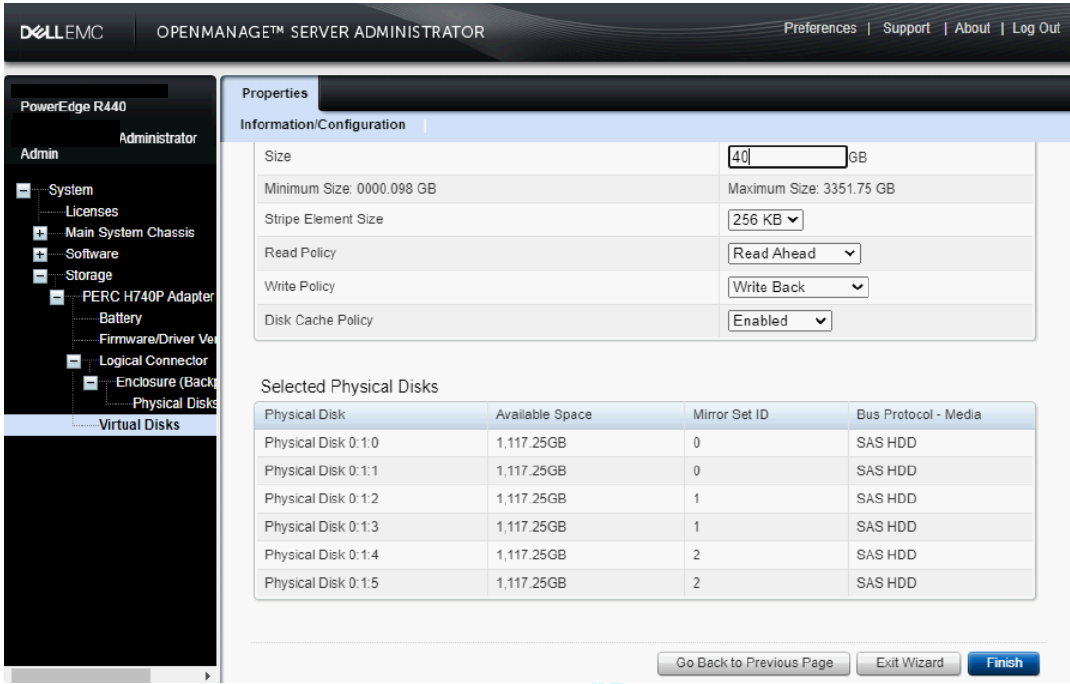
Finding the Mirror Set ID during RAID creation.
During creation of the RAID 10 in OpenManage Server Administrator, OMSA shows the Mirror Set ID for each hard drive during creation. The drives are paired in order. The first two drives are part of the first Mirror Set 0, the next two drives are Mirror Set 1, and so on.
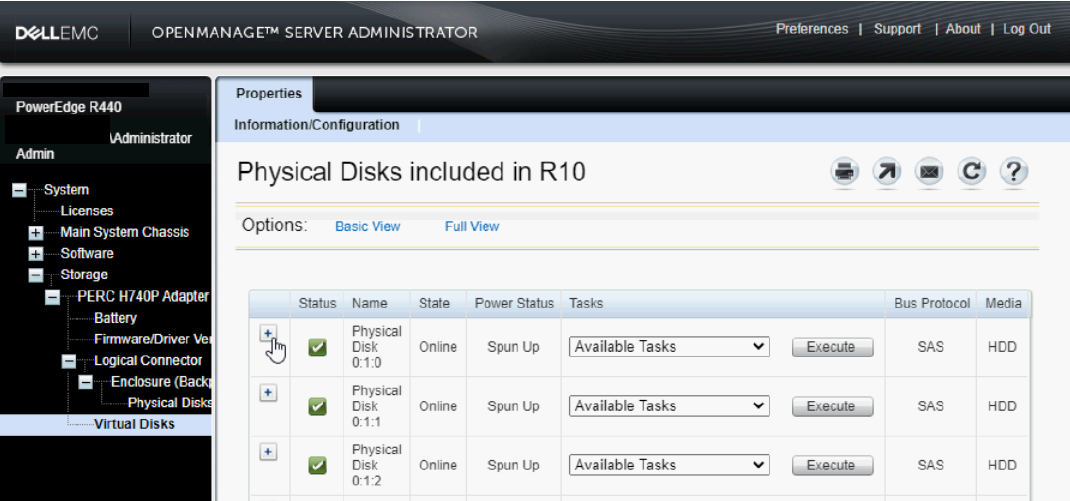
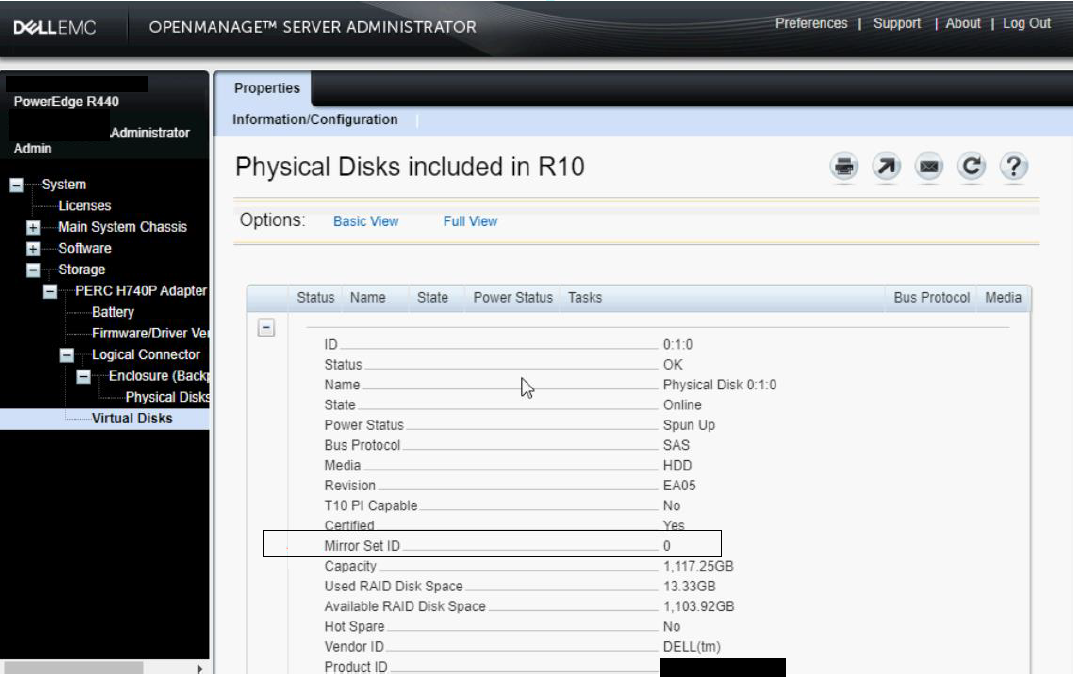
Finding the Mirror Set ID of an already created RAID 10.
After creation of a RAID 10 array, the Mirror Set ID is seen by expanding the individual hard drive properties in the Physical Disk list.
Finding the Mirror Set ID using OMCLI.
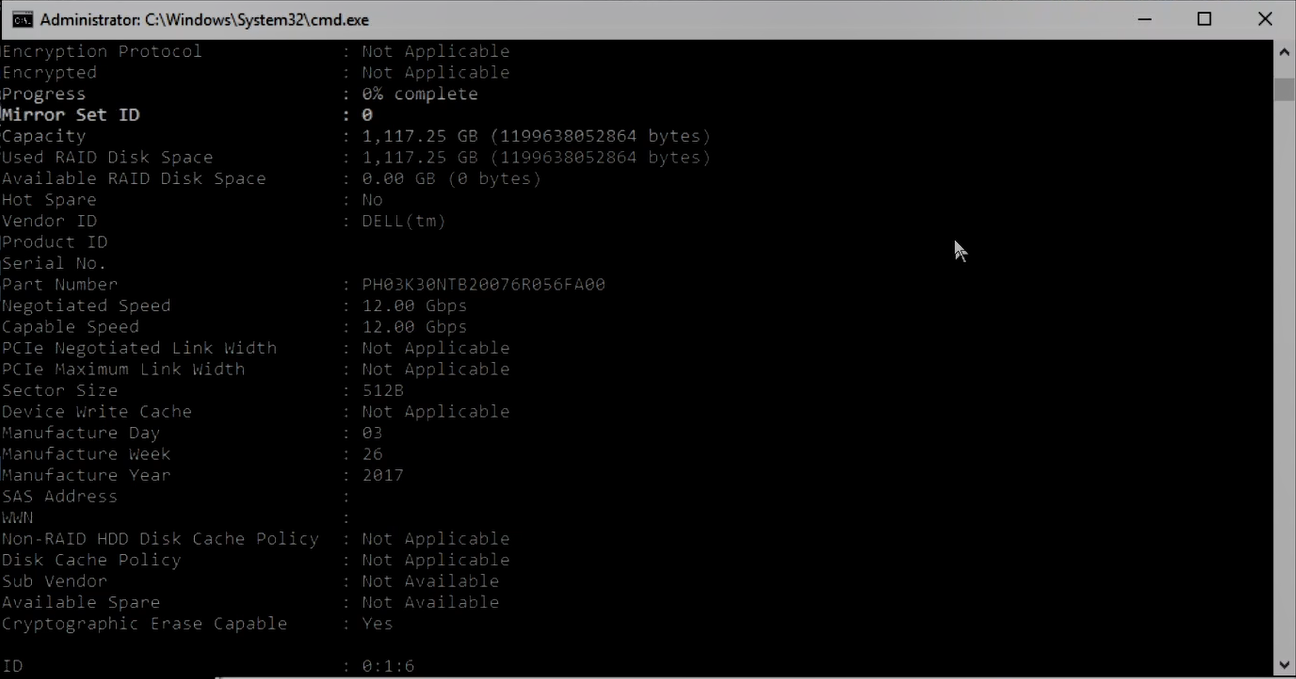
Using OMCLI, you can find the Mirror Set ID when outputting hard drive properties.
Example Command: omreport storage pdisk controller=0
This outputs properties for all disks:

Additional Information
How to Find a RAID 10 Mirror Set ID in OMSA.
Duration: 00:04:02 (hh:mm:ss)
When available, closed caption (subtitles) language settings can be chosen using the CC icon on this video player.
Affected Products
PERC9/SAS HBAs, PowerEdge RAID Controller H730P MX, PowerEdge RAID Controller H745P MX, PowerEdge RAID Controller H330, PowerEdge RAID Controller H730, PowerEdge RAID Controller H730P, PowerEdge RAID Controller H740PProducts
PowerEdge RAID Controller H755 AdapterArticle Properties
Article Number: 000193145
Article Type: How To
Last Modified: 10 Mar 2025
Version: 8
Find answers to your questions from other Dell users
Support Services
Check if your device is covered by Support Services.