OptiPlex 3000 瘦客户端在启动时显示闪烁屏幕
Summary: OptiPlex 3000 瘦客户端用户在启动设备时可能会注意到屏幕闪烁约半秒。
This article applies to
This article does not apply to
This article is not tied to any specific product.
Not all product versions are identified in this article.
Symptoms
受影响的产品:
- OptiPlex 3000 瘦客户端
从 BIOS 移交到 Ubuntu 操作系统期间,OptiPlex 3000 瘦客户端 (TC) 上的屏幕闪烁半秒。
Cause
加载英特尔显卡驱动程序会导致此问题。由于英特尔显卡未正确处理继承的帧缓冲区,模式设置转换会导致闪烁时间少于一秒。
Resolution
要纠正闪烁问题,请使用以下步骤运行联机内核更新:
- 在计算机启动至 Ubuntu 并连接到互联网后,使用 CTRL + ALT + t 启动终端。
- 再次运行
sudo apt-get update并等待更新完成。 - 再次运行
sudo apt-get install linux-oem-20.04c,然后按Enter键以继续。
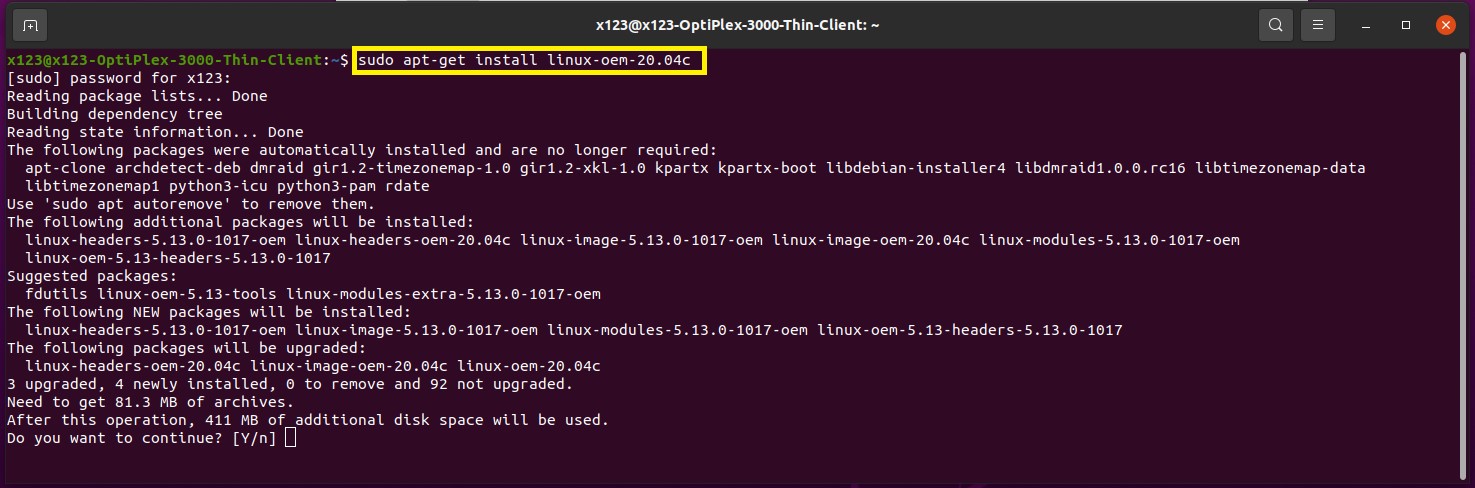
- 等待内核更新完成,然后重新启动计算机。
- 再次打开终端,然后运行
$uname -a(检查更新的内核版本是否变为 5.13.0-1017-oem。

Affected Products
OptiPlex 3000 Thin ClientArticle Properties
Article Number: 000193357
Article Type: Solution
Last Modified: 12 May 2026
Version: 6
Find answers to your questions from other Dell users
Support Services
Check if your device is covered by Support Services.