PowerStore: V attr을 사용하여 SMB 공유에 대한 파일 복사가 실패하고 "is too large for the destination file system" 오류가 표시될 수 있음
Summary: V attr을 사용하여 SMB 공유에 대한 파일 복사가 실패하고 "is too large for the destination file system" 오류가 표시될 수 있습니다.
This article applies to
This article does not apply to
This article is not tied to any specific product.
Not all product versions are identified in this article.
Symptoms
파일에 V 속성이 있는지 확인합니다.
실패 메시지: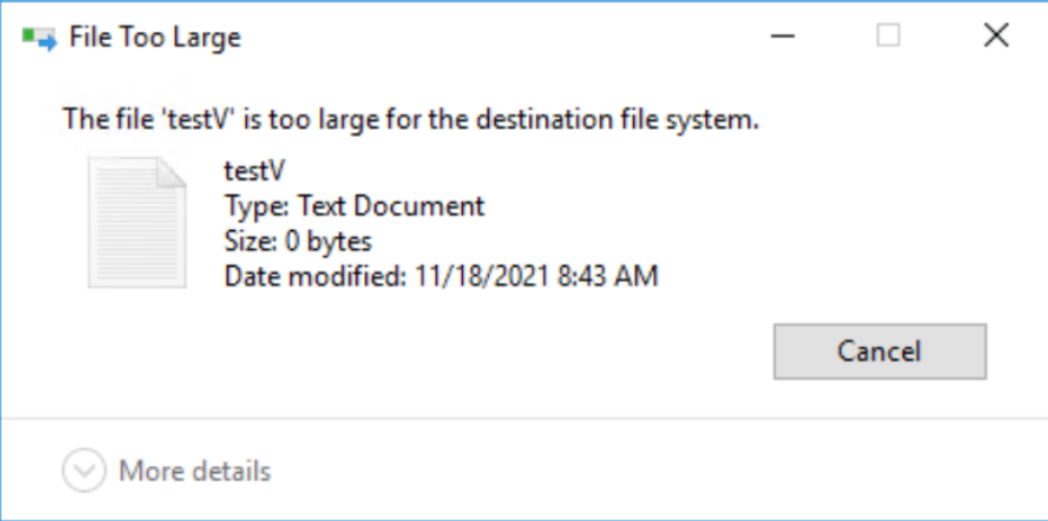
sdnas_active.log:
PS E:\> attrib .\testV.txt
A V E:\testV.txt 실패 스크린샷:
실패 메시지:
sdnas_active.log:
2021/11/25-05:04:13.637761 7f4aa1df1702 SMB: 7:[SDNAS-A18] smb_convertFileAttributes: 잘못된 FileAttribute(0x8020)
2021/11/25-05:04:13.637868 7f4aa1df1702 SMB:10:[sdnas-a18] <<<< SMB2 MSG len=73, Command=0x5(생성), NTStatus=INVALID_PARAMETER
Cause
현재 PowerStore 버전은 속성을 지원하지 않습니다.
Resolution
해결 방법:
PowerStore SMB 공유에 복사하기 전에 파일에서 속성을 제거합니다.
향후 릴리스에서는 동작이 개선될 예정입니다. PowerStore SMB 공유에 Vattr이 있는 파일을 복사하면 V attr이 손실되고 NTFS 또는 Windows SMB 공유에 복사됩니다.
PowerStore SMB 공유에 복사하기 전에 파일에서 속성을 제거합니다.
향후 릴리스에서는 동작이 개선될 예정입니다. PowerStore SMB 공유에 Vattr이 있는 파일을 복사하면 V attr이 손실되고 NTFS 또는 Windows SMB 공유에 복사됩니다.
Additional Information
속성은 ReFS 무결성 스트림 - 파일 무결성입니다.
ReFS 통합 스트림에 대한 일부 정보 - https://docs.microsoft.com/en-us/windows-server/storage/refs/integrity-streams
ReFS 통합 스트림에 대한 일부 정보 - https://docs.microsoft.com/en-us/windows-server/storage/refs/integrity-streams
Affected Products
PowerStoreArticle Properties
Article Number: 000194244
Article Type: Solution
Last Modified: 10 Dec 2021
Version: 1
Find answers to your questions from other Dell users
Support Services
Check if your device is covered by Support Services.