BMR de Avamar: activación de la depuración en el asistente de recuperación de bajo nivel de Avamar
Summary: En el artículo, se describe cómo habilitar la depuración durante la restauración de bajo nivel (BMR) del cliente de Windows.
This article applies to
This article does not apply to
This article is not tied to any specific product.
Not all product versions are identified in this article.
Instructions
Para habilitar la depuración durante BMR, agregue la marca "--debug" dos veces en Avamar Bare Metal Recovery Wizard.
N.º 1 En Select Server, haga clic en “Options” y escriba --debug (así habilitará “debug” en avtar)
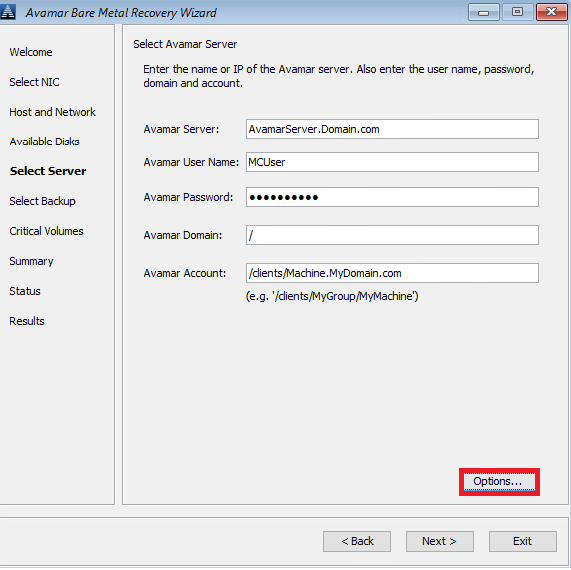
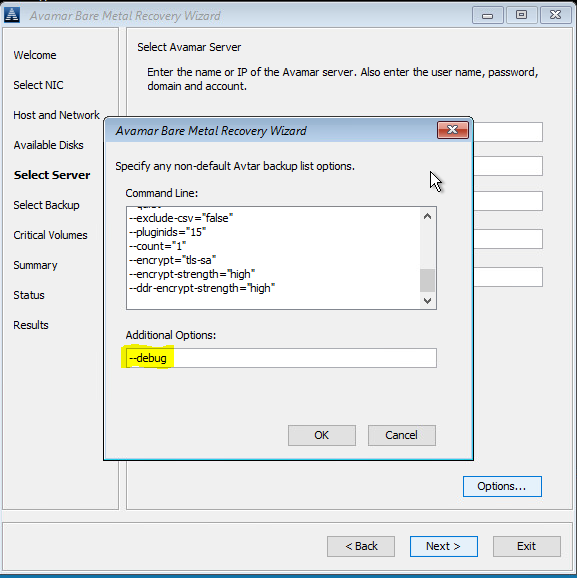
N.º 2 En Summary, haga clic en “Options” y escriba --debug (así habilitará “debug” en avvss).
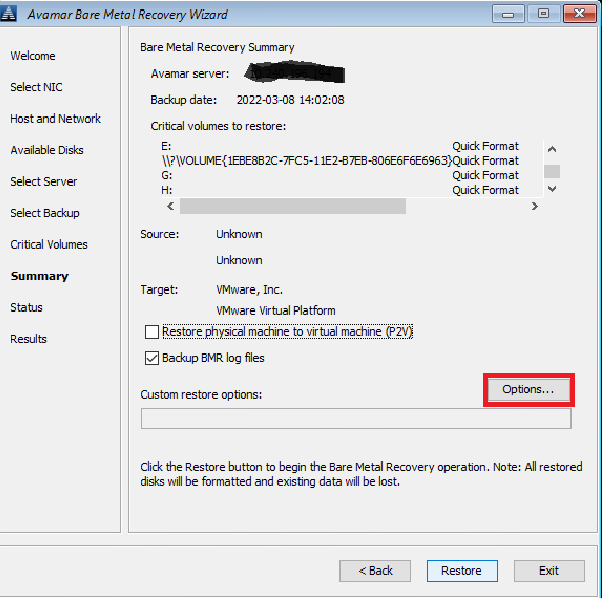
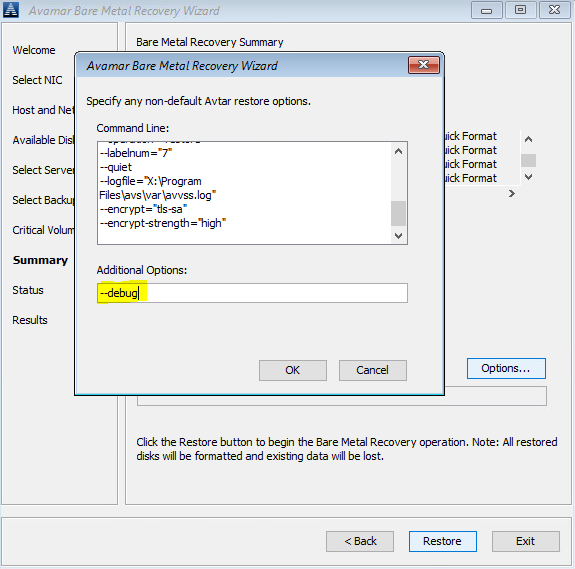
De manera alternativa, utilice una línea de comandos (haga clic en la ventana "cmd" detrás de Avamar BMR Wizard) para crear los archivos avtar.cmd y avvss.cmd en X:\Program Files\avs\var folder:
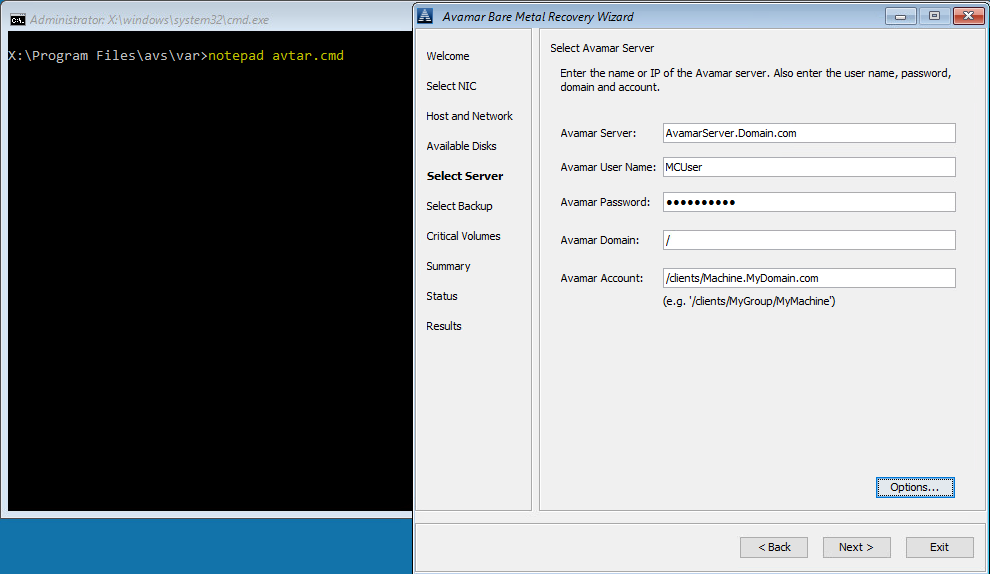
notepad avtar.cmd
agregue la marca --debug y guarde el archivo.
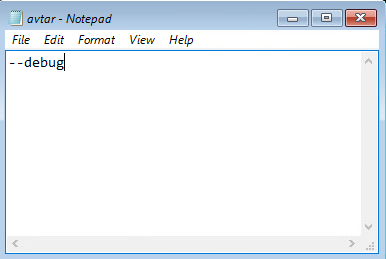
notepad avvss.cmd
agregue la marca --debug y guarde el archivo.
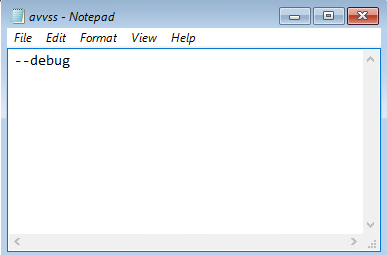
N.º 1 En Select Server, haga clic en “Options” y escriba --debug (así habilitará “debug” en avtar)
N.º 2 En Summary, haga clic en “Options” y escriba --debug (así habilitará “debug” en avvss).
De manera alternativa, utilice una línea de comandos (haga clic en la ventana "cmd" detrás de Avamar BMR Wizard) para crear los archivos avtar.cmd y avvss.cmd en X:\Program Files\avs\var folder:
notepad avtar.cmd
agregue la marca --debug y guarde el archivo.
notepad avvss.cmd
agregue la marca --debug y guarde el archivo.
Affected Products
AvamarProducts
Avamar Client for WindowsArticle Properties
Article Number: 000197689
Article Type: How To
Last Modified: 11 Sep 2026
Version: 8
Find answers to your questions from other Dell users
Support Services
Check if your device is covered by Support Services.