BMR Avamar: abilitazione del debug nella procedura guidata di ripristino bare-metal di Avamar
Summary: L'articolo descrive come abilitare il debug durante il ripristino bare-metal del client Windows.
This article applies to
This article does not apply to
This article is not tied to any specific product.
Not all product versions are identified in this article.
Instructions
Per abilitare il debug durante il BMR aggiungere due volte il flag "--debug" nella procedura guidata di Avamar Bare Metal Recovery.
#1 In Selezionare Server, cliccare su 'Options' e digitare --debug ('debug' viene abilitato in avtar)
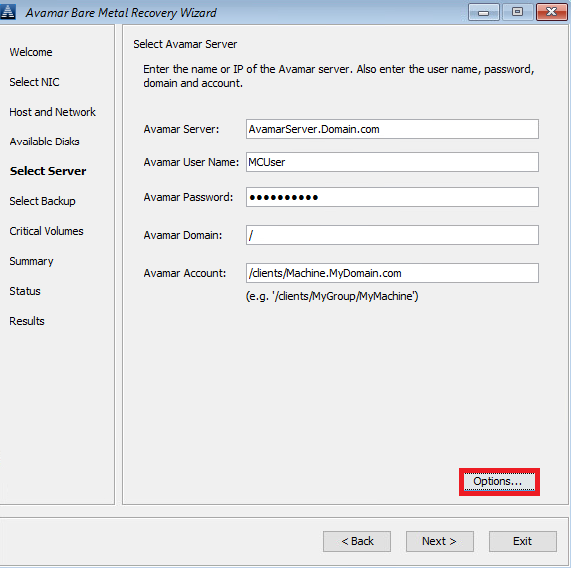
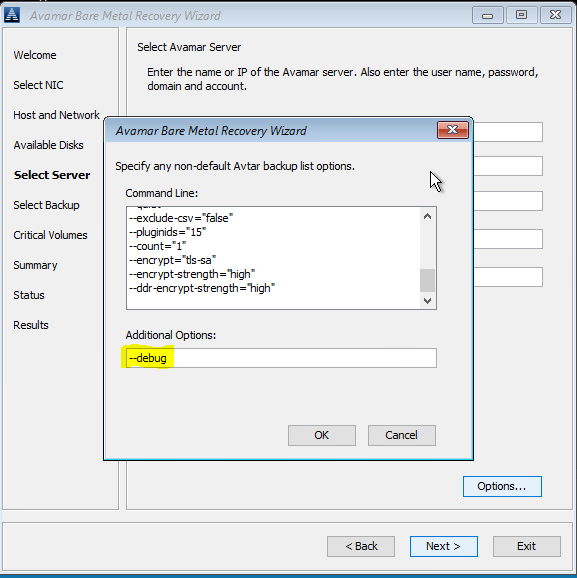
#2 In Summary, cliccare su 'Options' e digitare --debug ('debug' viene abilitato in avvss)
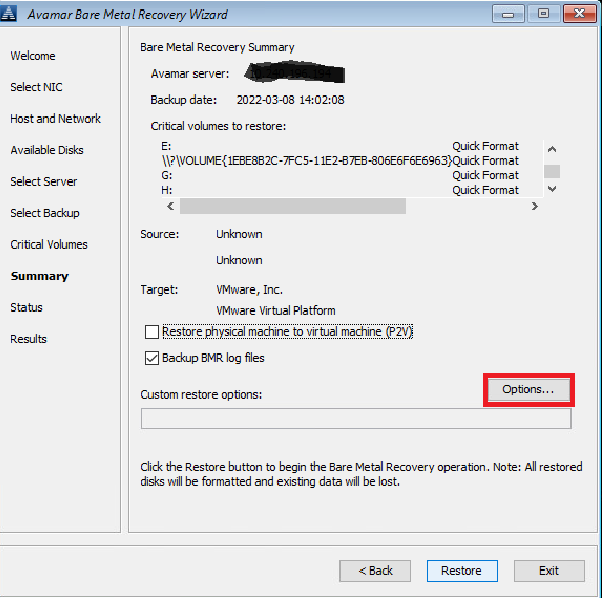
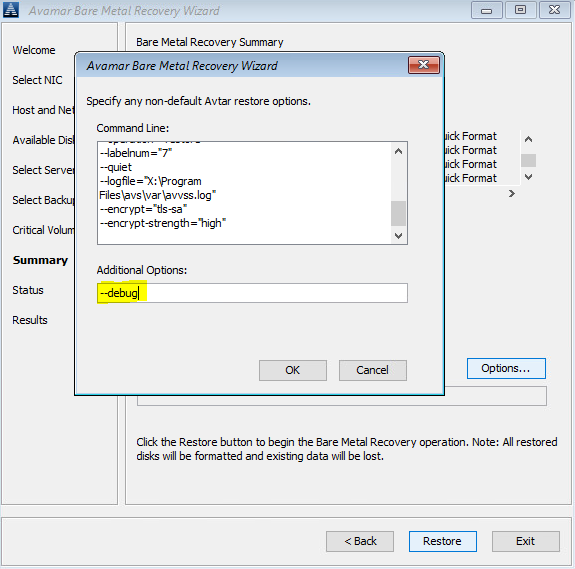
In alternativa, utilizzare una riga di comando (cliccare sulla finestra "cmd" dietro ad Avamar BMR Wizard) per creare i file avtar.cmd e avvss.cmd nella cartella X:\Program Files\avs\var:
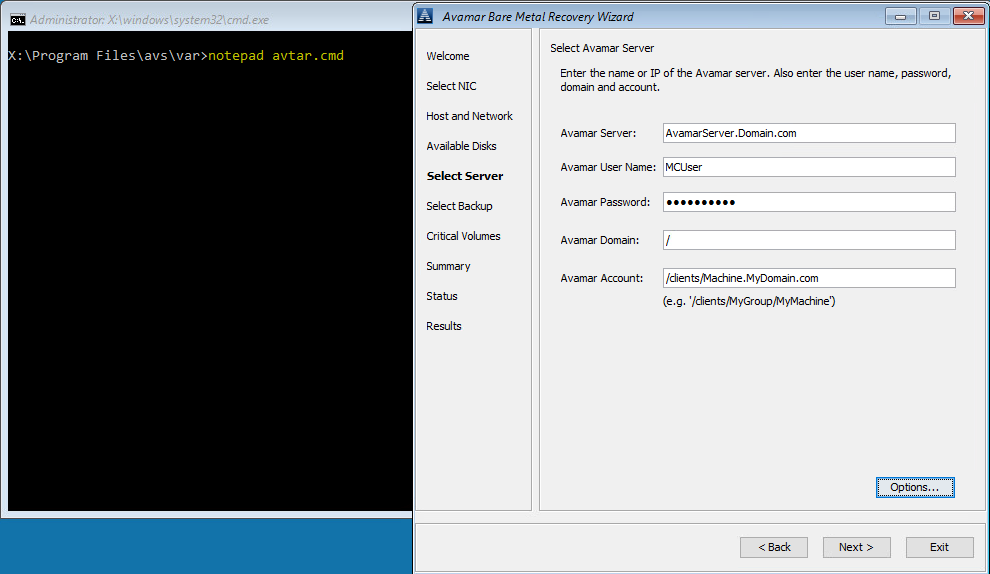
notepad avtar.cmd
aggiungere il flag --debug e salvare il file.
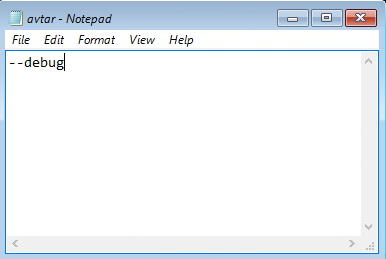
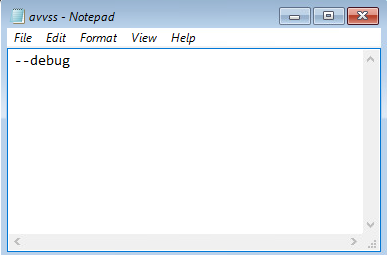
notepad avvss.cmd
aggiungere il flag --debug e salvare il file.
#1 In Selezionare Server, cliccare su 'Options' e digitare --debug ('debug' viene abilitato in avtar)
#2 In Summary, cliccare su 'Options' e digitare --debug ('debug' viene abilitato in avvss)
In alternativa, utilizzare una riga di comando (cliccare sulla finestra "cmd" dietro ad Avamar BMR Wizard) per creare i file avtar.cmd e avvss.cmd nella cartella X:\Program Files\avs\var:
notepad avtar.cmd
aggiungere il flag --debug e salvare il file.
notepad avvss.cmd
aggiungere il flag --debug e salvare il file.
Affected Products
AvamarProducts
Avamar Client for WindowsArticle Properties
Article Number: 000197689
Article Type: How To
Last Modified: 11 Sep 2026
Version: 8
Find answers to your questions from other Dell users
Support Services
Check if your device is covered by Support Services.