Avamar BMR:Avamarベア メタル リカバリー ウィザードでデバッグを有効にする
Summary: この記事では、Windowsクライアントのベア メタル リストア(BMR)中にデバッグを有効にする方法について説明します。
This article applies to
This article does not apply to
This article is not tied to any specific product.
Not all product versions are identified in this article.
Instructions
BMR中にデバッグを有効にするには、Avamarベア メタル リカバリー ウィザードで「--debug」フラグを2回追加します。
#1 [Select Server]で[Options]をクリックし、「--debug」と入力します(これでavtarの「debug」が有効になります)
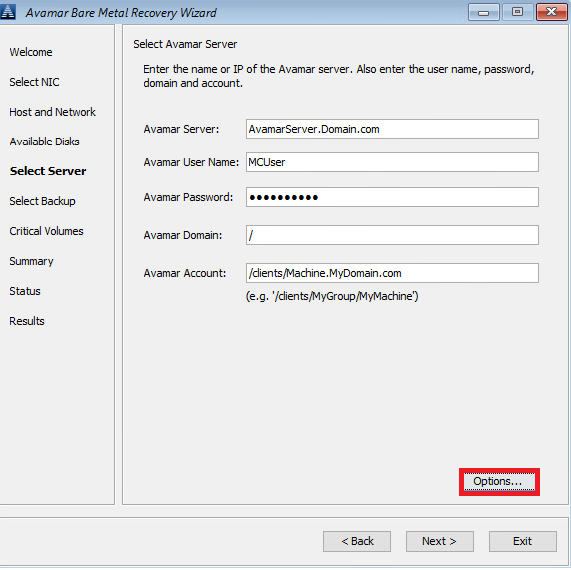
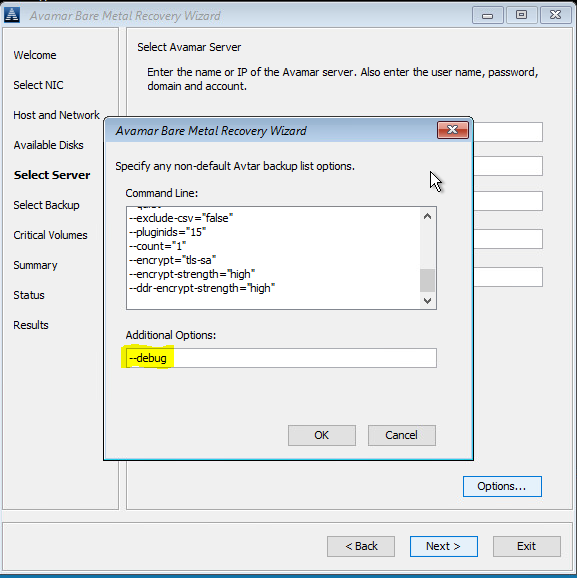
#2 [Summary]で、[Options]をクリックし、「--debug」と入力します(これでavvssの「debug」が有効になります)。
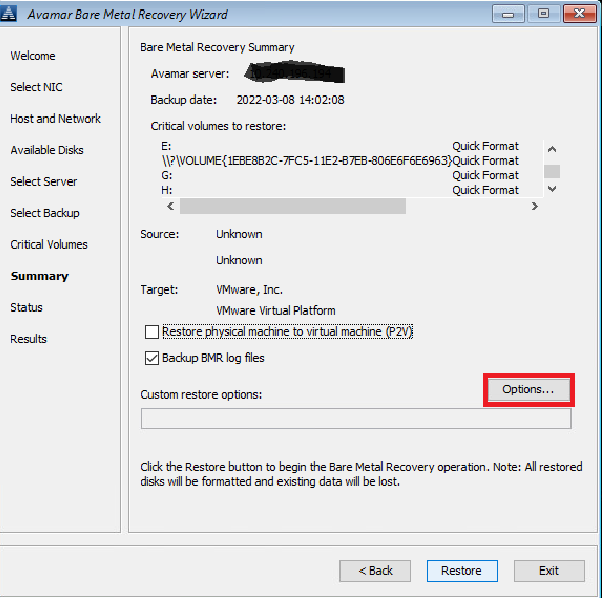
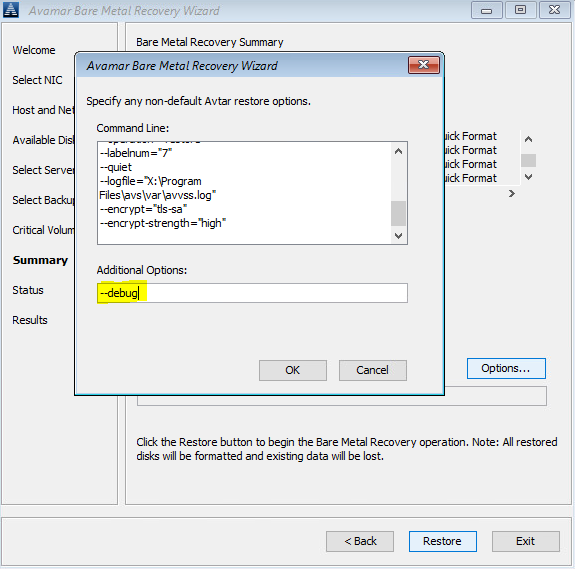
または、コマンド ライン(Avamar BMRウィザードの背後にある「cmd」ウィンドウをクリック)を使用して、 X:\Program Files\avs\varフォルダーにavtar.cmdおよびavvss.cmdファイルを作成します。
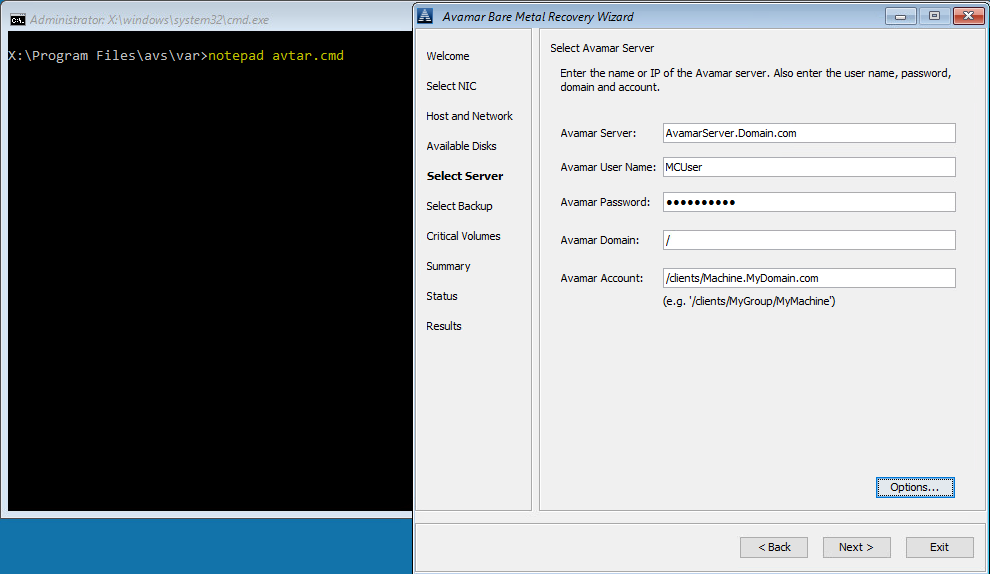
notepad avtar.cmd
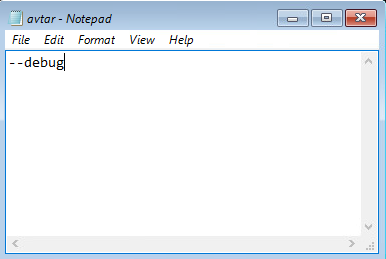
--debugフラグを追加してファイルを保存します。
notepad avvss.cmd
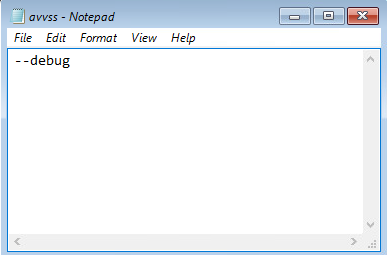
--debugフラグを追加してファイルを保存します。
#1 [Select Server]で[Options]をクリックし、「--debug」と入力します(これでavtarの「debug」が有効になります)
#2 [Summary]で、[Options]をクリックし、「--debug」と入力します(これでavvssの「debug」が有効になります)。
または、コマンド ライン(Avamar BMRウィザードの背後にある「cmd」ウィンドウをクリック)を使用して、 X:\Program Files\avs\varフォルダーにavtar.cmdおよびavvss.cmdファイルを作成します。
notepad avtar.cmd
--debugフラグを追加してファイルを保存します。
notepad avvss.cmd
--debugフラグを追加してファイルを保存します。
Affected Products
AvamarProducts
Avamar Client for WindowsArticle Properties
Article Number: 000197689
Article Type: How To
Last Modified: 11 Sep 2026
Version: 8
Find answers to your questions from other Dell users
Support Services
Check if your device is covered by Support Services.