Avamar BMR - Avamar Bare Metal Recovery 마법사에서 디버그 활성화
Summary: 이 문서에서는 Windows 클라이언트 BMR(Bare Metal Restore) 중에 디버깅을 활성화하는 방법에 대해 설명합니다.
This article applies to
This article does not apply to
This article is not tied to any specific product.
Not all product versions are identified in this article.
Instructions
BMR 중에 디버그를 활성화하려면 Avamar Bare Metal Recovery Wizard에서 "--debug" 플래그를 두 번 추가합니다.
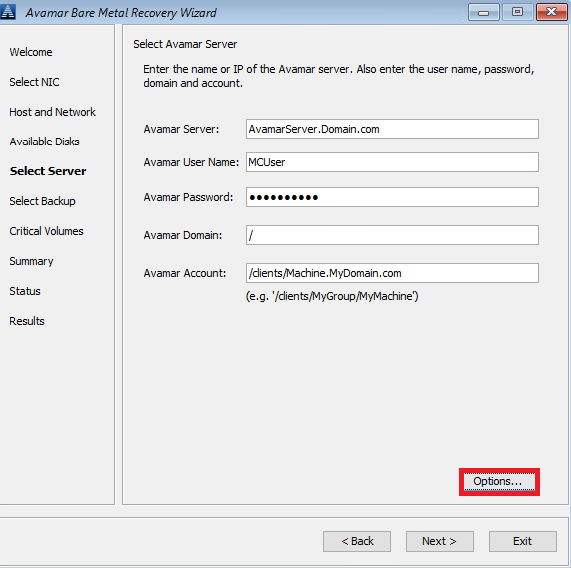
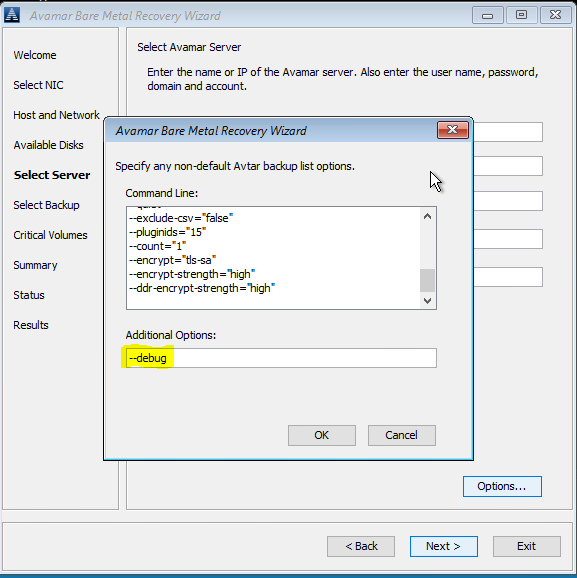
1. Select Server에서'Options'를 클릭하고 --debug를 입력합니다(이렇게 하면 avtar에서 'debug'가 활성화됨).
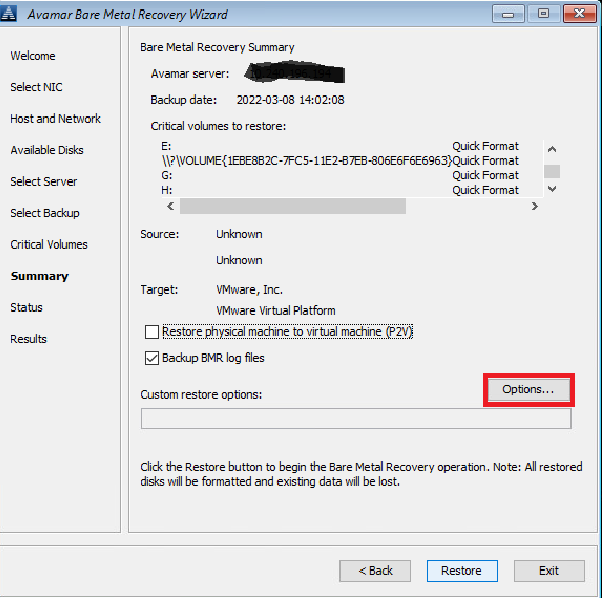
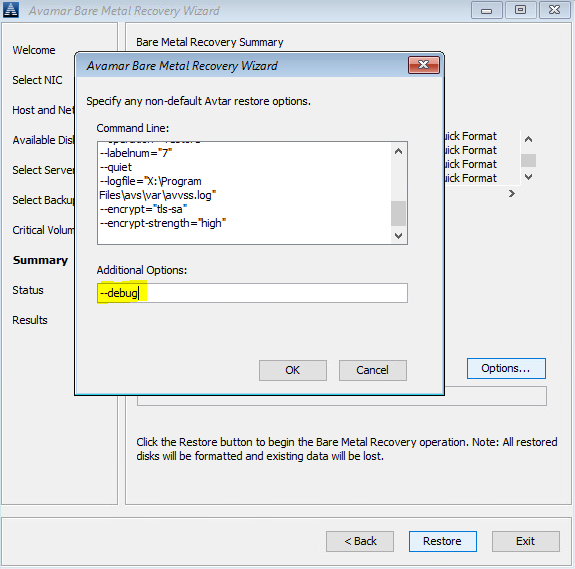
2. Summary에서 'Options'를 클릭하고 -debug를 입력합니다(이렇게 하면 avvss에서 'debug'가 활성화됨).
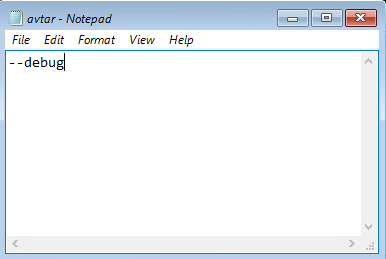
또는 명령줄을 사용하여 X:\Program Files\avs\var 폴더에서 avtar.cmd 및 avvss.cmd 파일을 추가합니다.
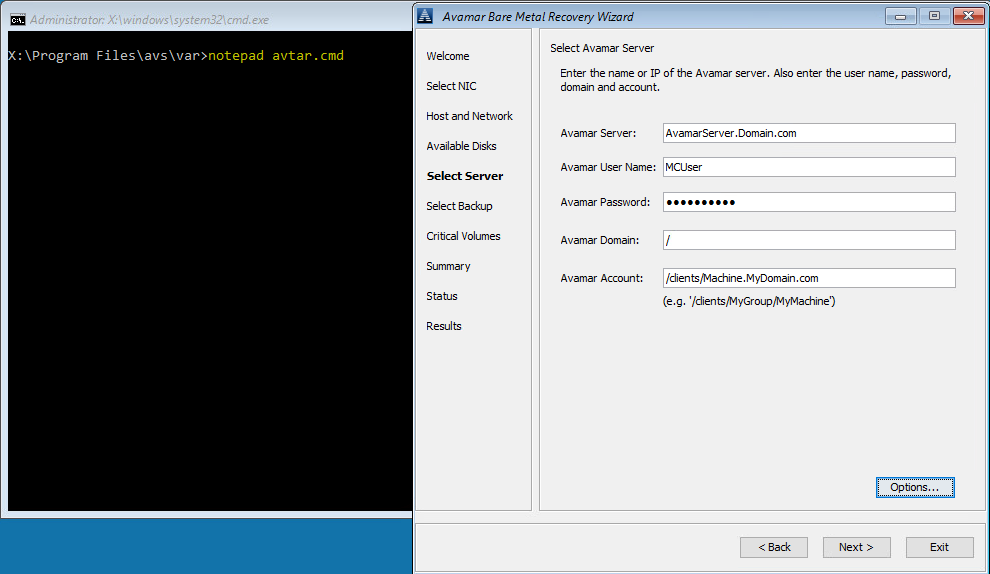
notepad avtar.cmd
--debug 플래그를 추가하고 파일을 저장합니다.
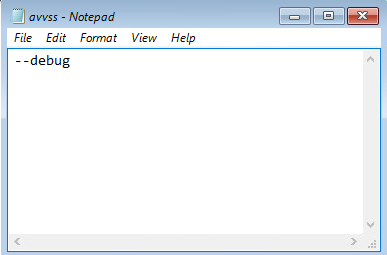
notepad avvss.cmd
--debug 플래그를 추가하고 파일을 저장합니다.
1. Select Server에서'Options'를 클릭하고 --debug를 입력합니다(이렇게 하면 avtar에서 'debug'가 활성화됨).
2. Summary에서 'Options'를 클릭하고 -debug를 입력합니다(이렇게 하면 avvss에서 'debug'가 활성화됨).
또는 명령줄을 사용하여 X:\Program Files\avs\var 폴더에서 avtar.cmd 및 avvss.cmd 파일을 추가합니다.
notepad avtar.cmd
--debug 플래그를 추가하고 파일을 저장합니다.
notepad avvss.cmd
--debug 플래그를 추가하고 파일을 저장합니다.
Affected Products
AvamarProducts
Avamar Client for WindowsArticle Properties
Article Number: 000197689
Article Type: How To
Last Modified: 11 Sep 2026
Version: 8
Find answers to your questions from other Dell users
Support Services
Check if your device is covered by Support Services.