Avamar BMR - Foutopsporing inschakelen in Avamar Bare Metal Recovery Wizard
Summary: In het artikel wordt beschreven hoe u foutopsporing inschakelt tijdens Bare Metal Restore (BMR) van windows-client.
This article applies to
This article does not apply to
This article is not tied to any specific product.
Not all product versions are identified in this article.
Instructions
Om foutopsporing tijdens BMR in te schakelen, voegt u de vlag "--debug" twee keer toe in de Avamar Bare Metal Recovery Wizard.
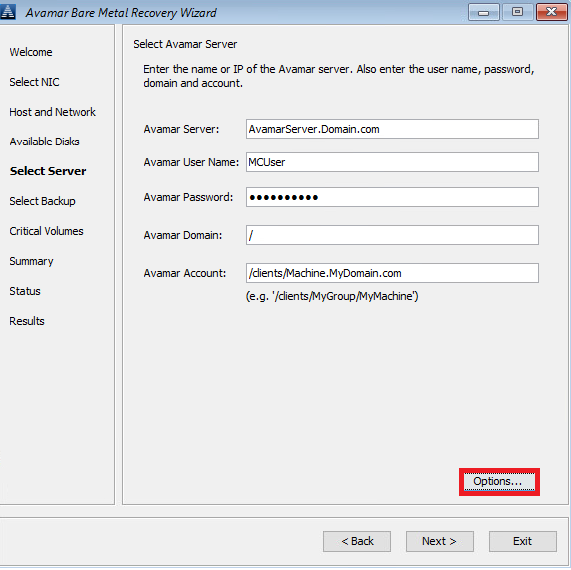
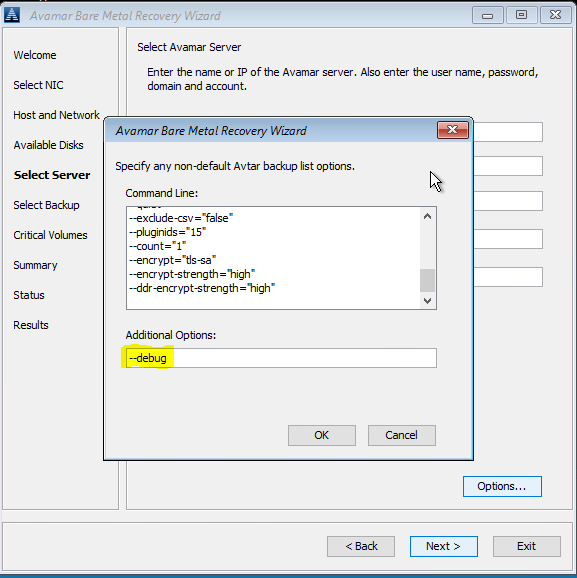
#1 Klik in Select Server op 'Options' en typ in --debug (hiermee schakelt u 'debug' in avtar in)
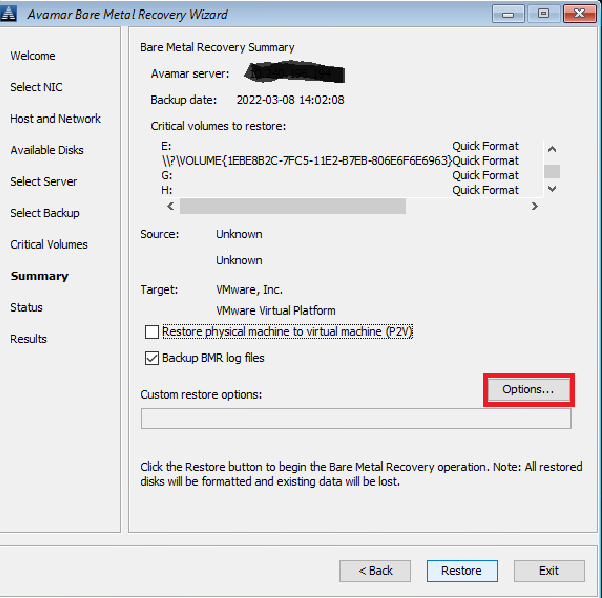
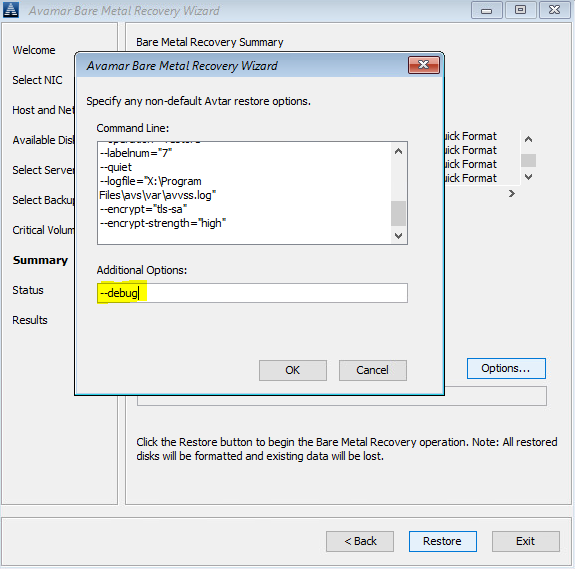
#2 In Summary, klikt u op 'Options' en typt u in --debug (hiermee wordt 'debug' in avvss ingeschakeld)
U kunt ook een opdrachtregel gebruiken (klik op het venster 'cmd' achter avamar BMR Wizard) om avtar.cmd en avvss.cmd te maken bestanden in X:\Program Files\avs\var folder:
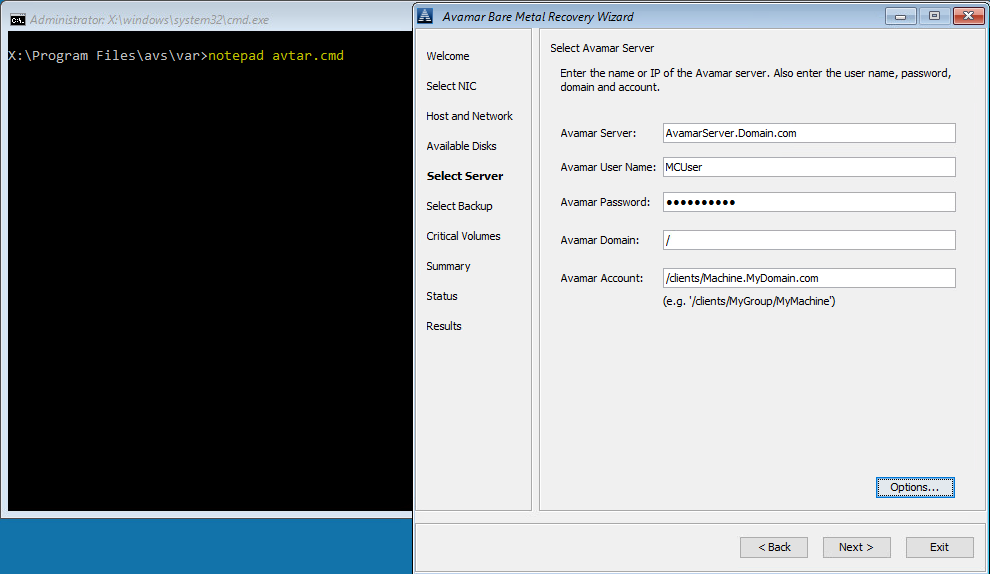
notepad avtar.cmd
add --debug flag en sla het bestand op.
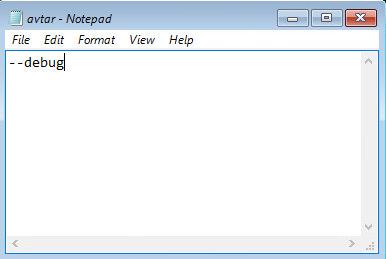
kladblok avvss.cmd
voeg de vlag --debug toe en sla het bestand op.
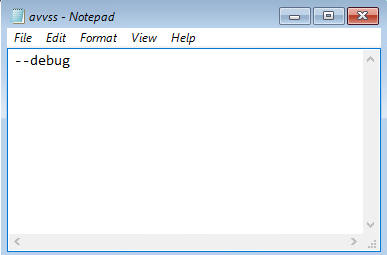
#1 Klik in Select Server op 'Options' en typ in --debug (hiermee schakelt u 'debug' in avtar in)
#2 In Summary, klikt u op 'Options' en typt u in --debug (hiermee wordt 'debug' in avvss ingeschakeld)
U kunt ook een opdrachtregel gebruiken (klik op het venster 'cmd' achter avamar BMR Wizard) om avtar.cmd en avvss.cmd te maken bestanden in X:\Program Files\avs\var folder:
notepad avtar.cmd
add --debug flag en sla het bestand op.
kladblok avvss.cmd
voeg de vlag --debug toe en sla het bestand op.
Affected Products
AvamarProducts
Avamar Client for WindowsArticle Properties
Article Number: 000197689
Article Type: How To
Last Modified: 11 Sep 2026
Version: 8
Find answers to your questions from other Dell users
Support Services
Check if your device is covered by Support Services.