Avamar BMR - 在 Avamar 裸機復原精靈中啟用偵錯
Summary: 本文說明如何在 Windows 用戶端裸機還原 (BMR) 期間啟用偵錯。
This article applies to
This article does not apply to
This article is not tied to any specific product.
Not all product versions are identified in this article.
Instructions
若要在 BMR 期間啟用偵錯,請在 Avamar 裸機復原精靈中新增兩次「--debug」旗標。
第 1 次:在選取伺服器中,按一下「選項」並輸入 --debug (這會在 avtar 中啟用「偵錯」)
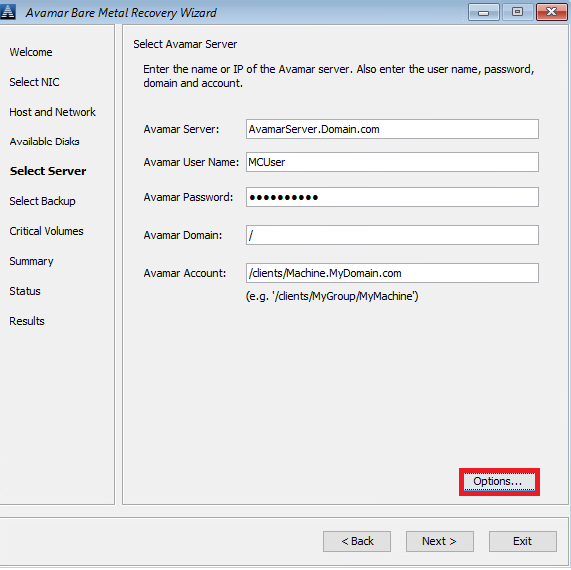
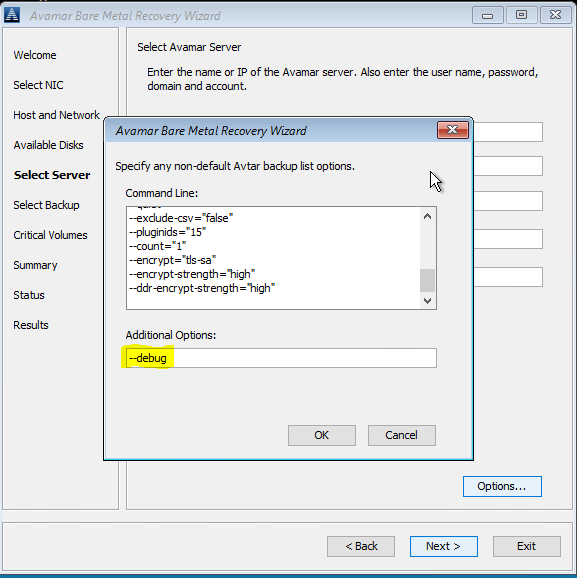
第 2 次:在摘要中,按一下「選項」並輸入 --debug (這會在avvss 中啟用「偵錯」)
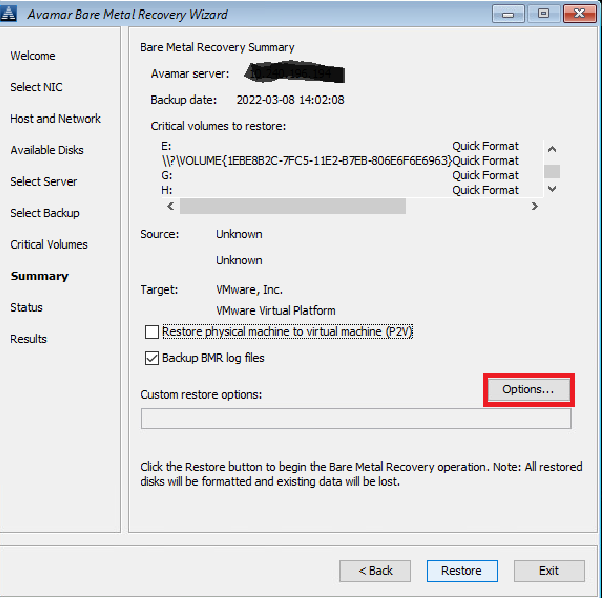
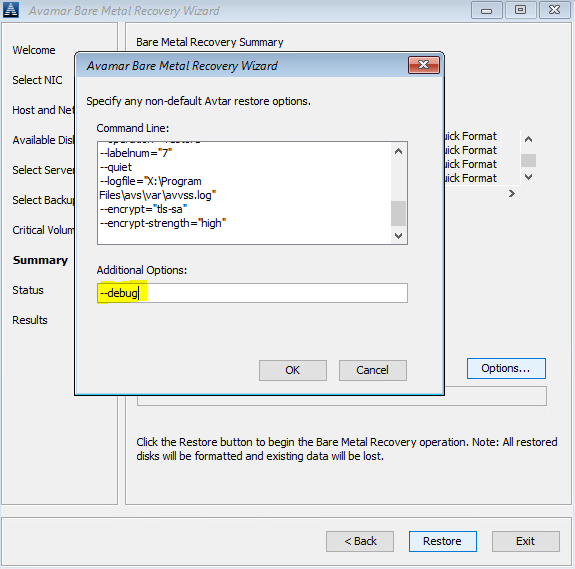
或者,使用命令列 (按一下 Avamar BMR 精靈之後的「cmd」視窗) 以在 X:\Program Files\avs\var 資料夾中建立 avtar.cmd 和 avvss.cmd 檔案:
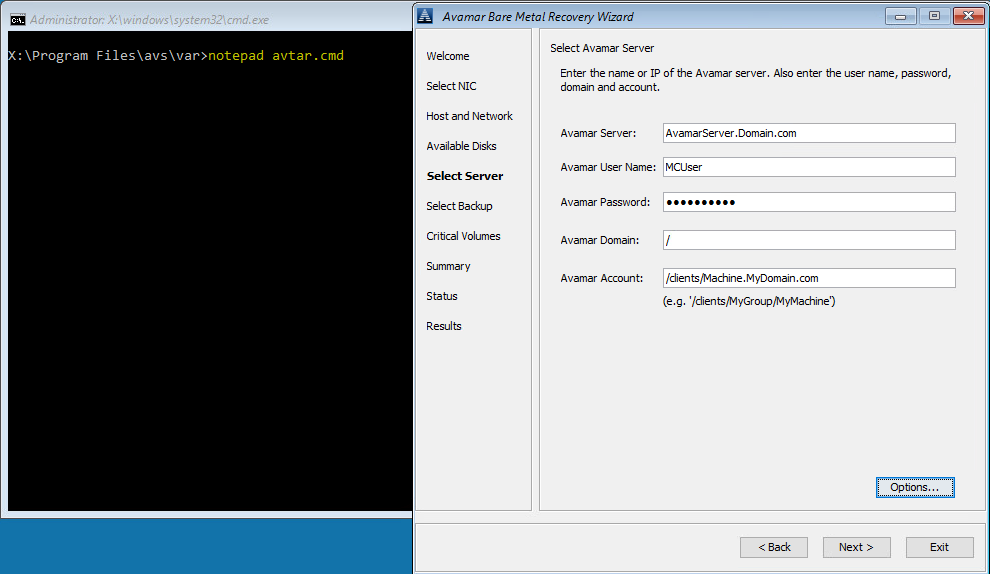
notepad avtar.cmd
新增 --debug 旗標並儲存檔案。
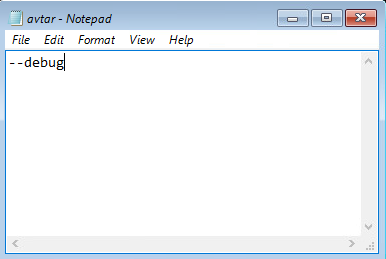
notepad avvss.cmd
新增 --debug 旗標並儲存檔案。
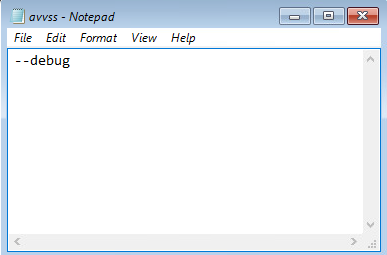
第 1 次:在選取伺服器中,按一下「選項」並輸入 --debug (這會在 avtar 中啟用「偵錯」)
第 2 次:在摘要中,按一下「選項」並輸入 --debug (這會在avvss 中啟用「偵錯」)
或者,使用命令列 (按一下 Avamar BMR 精靈之後的「cmd」視窗) 以在 X:\Program Files\avs\var 資料夾中建立 avtar.cmd 和 avvss.cmd 檔案:
notepad avtar.cmd
新增 --debug 旗標並儲存檔案。
notepad avvss.cmd
新增 --debug 旗標並儲存檔案。
Affected Products
AvamarProducts
Avamar Client for WindowsArticle Properties
Article Number: 000197689
Article Type: How To
Last Modified: 11 Sep 2026
Version: 8
Find answers to your questions from other Dell users
Support Services
Check if your device is covered by Support Services.