Avamar BMR - 在 Avamar 裸机恢复向导中启用调试
Summary: 本文介绍如何在 Windows 客户端裸机还原 (BMR) 期间启用调试。
This article applies to
This article does not apply to
This article is not tied to any specific product.
Not all product versions are identified in this article.
Instructions
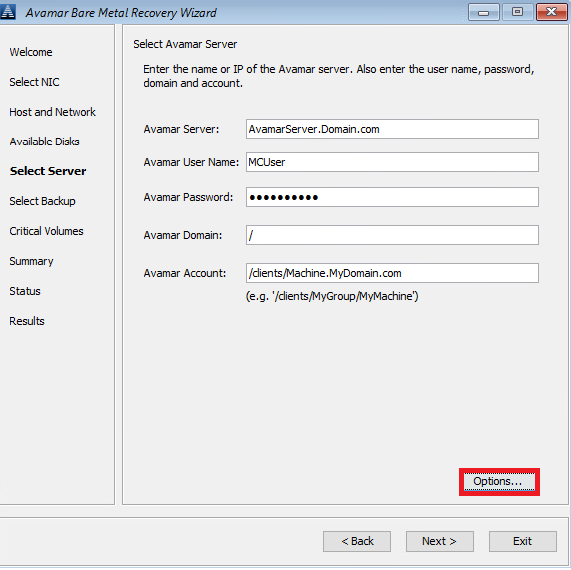
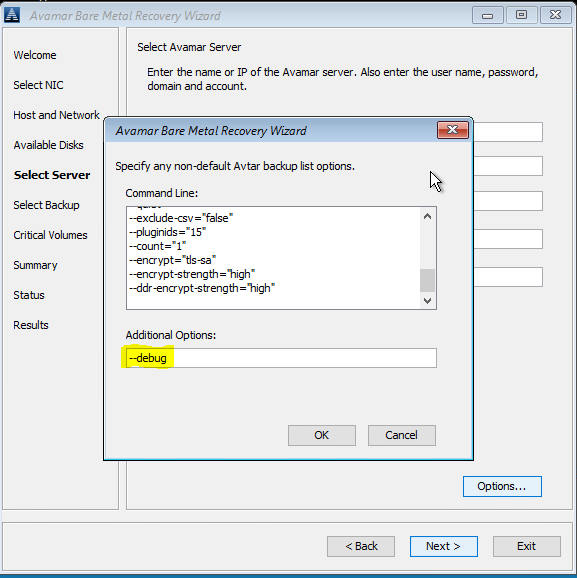
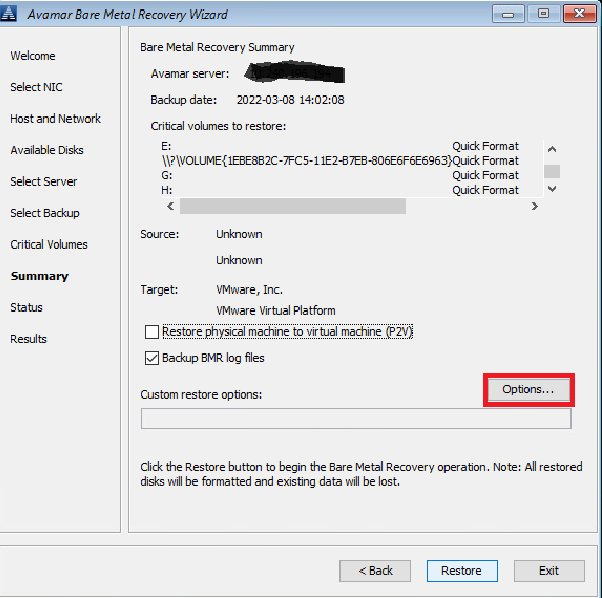
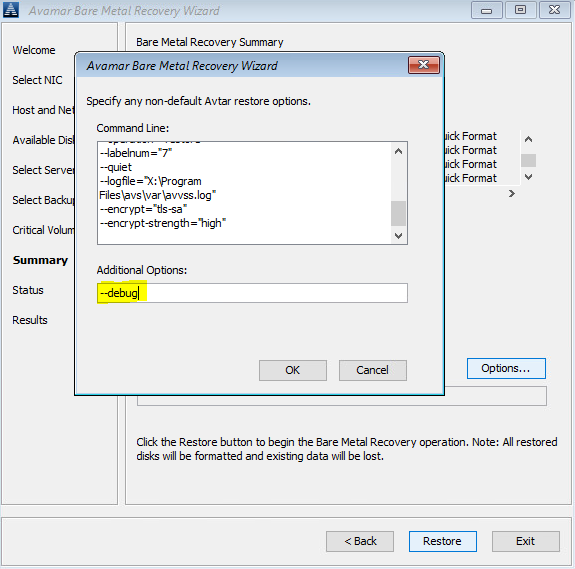
要在 BMR 期间启用调试,请在 Avamar 裸机恢复向导中添加“--debug”标记两次。
#1 在 Select Server 中,单击“Options”,然后输入 --debug(这将在 avtar 中启用“调试”)
#2 在 Summary 中,单击“Options”,然后输入 --debug(这将在 avvss 中启用“调试”)
或者,使用命令行(单击在 Avamar BMR 向导之后出现的“cmd”窗口),以便在 X:\Program Files\avs\var 文件夹中创建 avtar.cmd 和 avvss.cmd 文件:
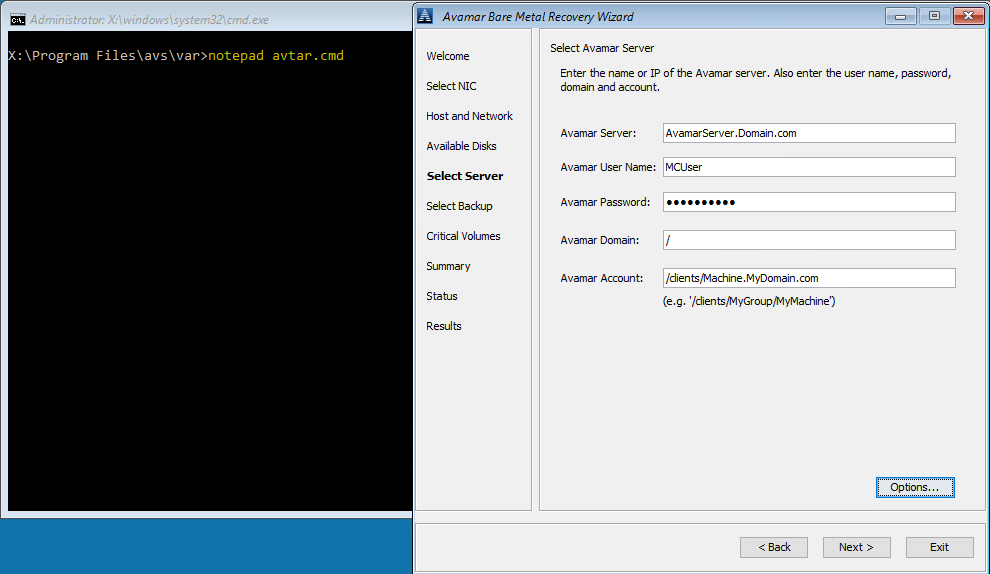
notepad avtar.cmd
添加 --debug 标记,然后保存该文件。
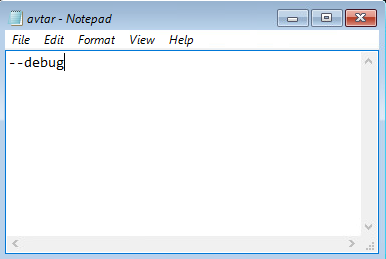
notepad avvss.cmd
添加 --debug 标记,然后保存该文件。
#1 在 Select Server 中,单击“Options”,然后输入 --debug(这将在 avtar 中启用“调试”)
#2 在 Summary 中,单击“Options”,然后输入 --debug(这将在 avvss 中启用“调试”)
或者,使用命令行(单击在 Avamar BMR 向导之后出现的“cmd”窗口),以便在 X:\Program Files\avs\var 文件夹中创建 avtar.cmd 和 avvss.cmd 文件:
notepad avtar.cmd
添加 --debug 标记,然后保存该文件。
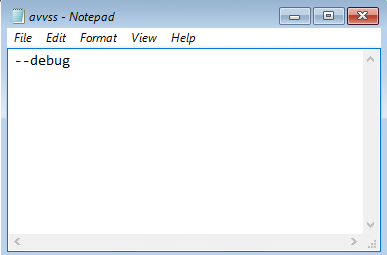
notepad avvss.cmd
添加 --debug 标记,然后保存该文件。
Affected Products
AvamarProducts
Avamar Client for WindowsArticle Properties
Article Number: 000197689
Article Type: How To
Last Modified: 11 Sep 2026
Version: 8
Find answers to your questions from other Dell users
Support Services
Check if your device is covered by Support Services.