PowerEdge: Lifecycle Controller 용도 변경 프로세스를 사용하여 NVRAM을 지우는 방법
Summary: 사용 중지 및 용도 변경 프로세스를 사용하여 원격으로 Lifecycle Controller를 사용해 NVRAM을 지우는 방법에 대한 단계입니다.
This article applies to
This article does not apply to
This article is not tied to any specific product.
Not all product versions are identified in this article.
Instructions
LifeCycle Controller를 사용하여 NVRAM을 지우는 방법
물리적 액세스가 없거나 NVRAM 점퍼를 사용하기 위해 시스템을 종료할 수 없는 경우 다음 단계에 따라 폐기 또는 용도 변경 프로세스를 통해 LCC에서 지우기를 수행할 수 있습니다.
•부팅 중에 F10 키를 사용하여 Lifecycle controller로 부팅합니다.
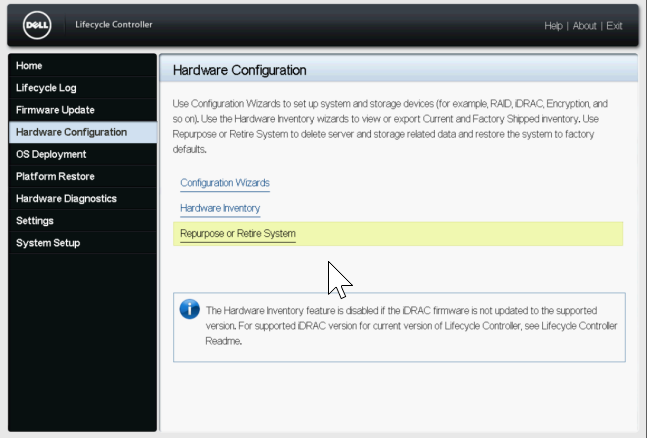
•LCC에서 왼쪽의 하드웨어 구성을 선택한 다음 시스템 용도 변경 또는 사용 중지를 선택합니다.
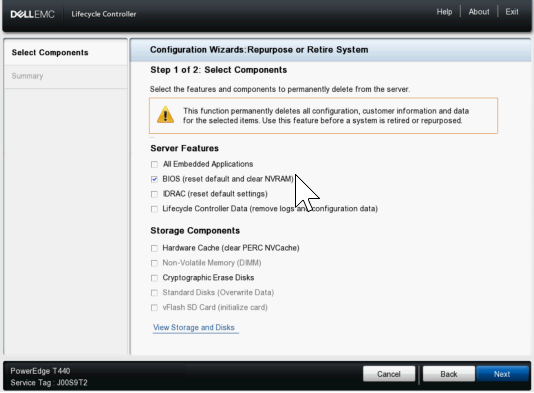
•구성 요소 선택 화면에서 BIOS 상자만 선택합니다(기본값 재설정 및 NVRAM 지우기)
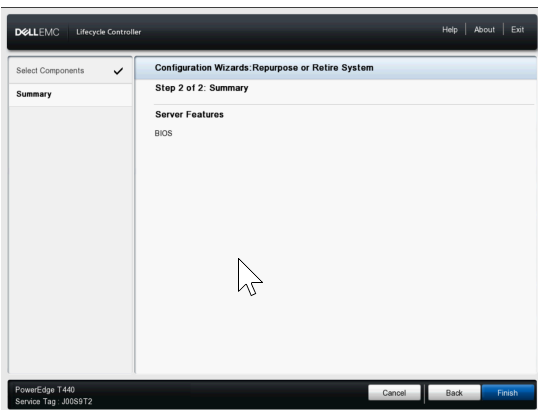
•그런 다음 다음을 클릭하고 다음 페이지에 BIOS만 나열되는지 확인한 후 마침을 클릭합니다.
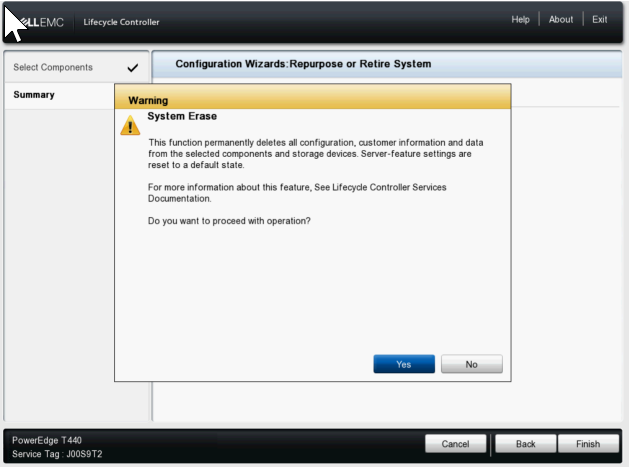
• 예를 선택하여 시스템 지우기 프로세스를 진행합니다.
•그런 다음 서버가 다시 시작되고 NVRAM 지우기 설정을 활성화한 다음 지우기를 수행하기 위해 다시 시작되고 마지막으로 전원이 꺼집니다.
•그런 다음 전원을 다시 켜고 LCC로 부팅하여 NVRAM 설정을 다시 정상으로 변경한 다음 완료되면 다시 종료됩니다.
•이 시점에서 서버 전원을 수동으로 켜야 합니다. IDRAC의 수명주기 로그를 확인하여 다음 항목이 표시되는지 확인할 수 있습니다. System Erase job completed successfully.
Affected Products
C Series, Modular Infrastructure, Rack Servers, XE Servers, XR Servers, OEM Server Solutions, PowerEdge T130, PowerEdge T140, PowerEdge T150, PowerEdge T160, PowerEdge T330, PowerEdge T340, PowerEdge T350, PowerEdge T360, PowerEdge T430
, PowerEdge T440, PowerEdge T550, PowerEdge T560, PowerEdge T630, PowerEdge T640
...
Products
PowerFlex appliance R650, PowerFlex appliance R6525, PowerFlex appliance R660, PowerFlex appliance R6625, Powerflex appliance R750, PowerFlex appliance R760, PowerFlex appliance R7625, PowerFlex appliance R640, PowerFlex appliance R740XD
, PowerFlex appliance R7525, PowerFlex appliance R840
...
Article Properties
Article Number: 000198446
Article Type: How To
Last Modified: 13 May 2026
Version: 5
Find answers to your questions from other Dell users
Support Services
Check if your device is covered by Support Services.