PowerEdge: Tilføjelse og fjernelse af VMNic-uplink i ESXI
Summary: Tilføjelse og fjernelse af VMNICS til VSS (Standard Switch) og VDS (Distributed Switch)
This article applies to
This article does not apply to
This article is not tied to any specific product.
Not all product versions are identified in this article.
Instructions
- Se den aktuelle
vSwitchkonfiguration ogvmkernelInterfacekonfiguration ved hjælp af disse kommandoer:esxcli network vswitch standard list # list current vswitch configuration esxcli network vswitch dvs vmware list # list Distributed Switch configuration esxcli network ip interface list # list vmkernel interfaces and their configuration esxcli network nic list # display listing of physical adapters and their link state
- Tilføj eller fjern netværkskort (kendt som vmnics) til eller fra en Standard vSwitch ved hjælp af disse kommandoer:
esxcli network vswitch standard uplink remove --uplink-name=vmnic --vswitch-name=vSwitch # unlink an uplink
esxcli network vswitch standard uplink add --uplink-name=vmnic --vswitch-name=vSwitch # add an uplink
- Tilføj eller fjern netværkskort (kendt som vmnics) til eller fra en vNetwork Distributed Switch (vDS) ved hjælp af disse kommandoer:
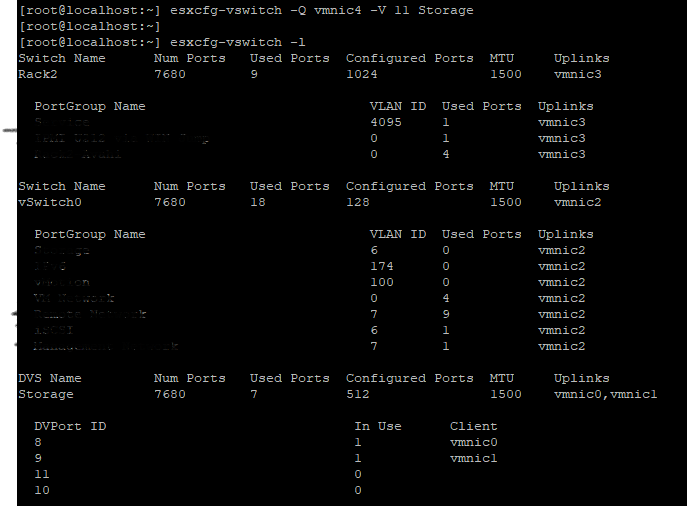
esxcfg-vswitch -Q vmnic -V dvPort_ID_of_vmnic dvSwitch # unlink/remove a vDS uplink
esxcfg-vswitch -P vmnic -V unused_dvPort_ID dvSwitch # add a vDS uplink
Bemærk: Hvis forbindelsen går tabt ved migrering af administrationsnetværk til en distribueret switch, kan det være nødvendigt at fjerne eller deaktivere den eksisterende administrations-VMkernel-grænseflade og genoprette den i en Standard vSwitch-portgruppe med samme IP-konfiguration.
Eksempel:-
Tilføjelse af Vmnci4 til
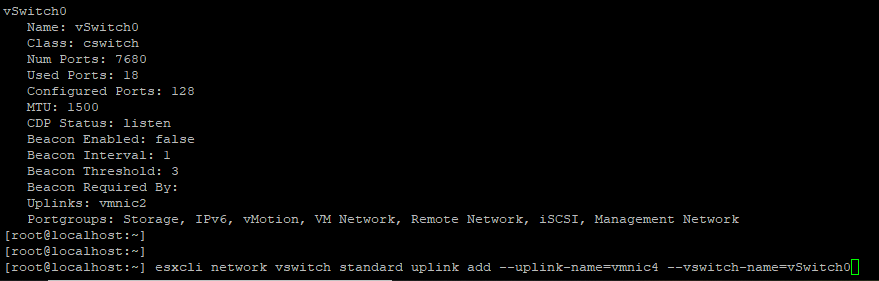
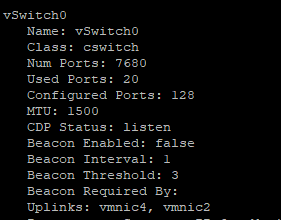
Kontroller
Sådan fjernes VMNIC fra uplink


0 Tilføjelse
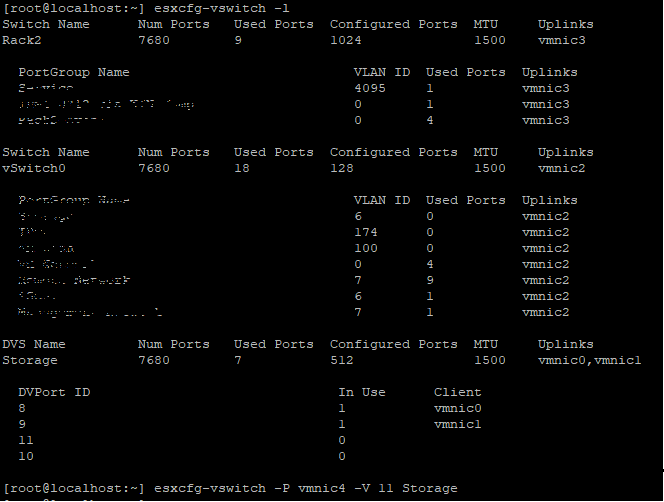
Før du tilføjer uplink-porten, skal du sørge for DVS-navnet og
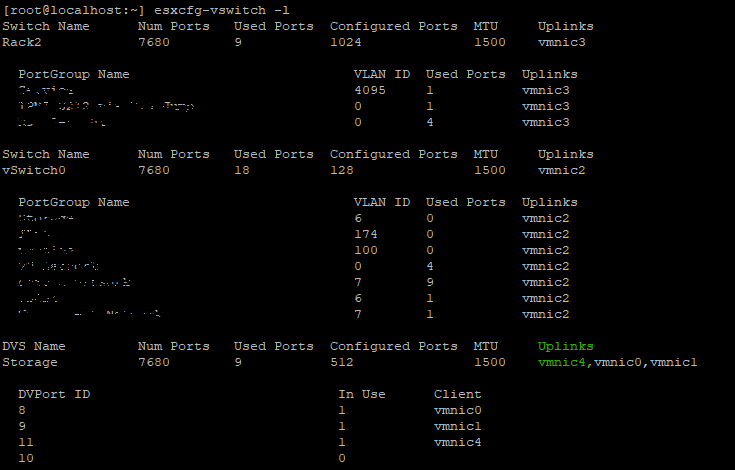
Kontrollér, om VMNIC er føjet til
Fjern
Tilføjelse af Vmnci4 til
vSwitch (Standard)
Kontroller
vswitch Nu er vmnic 4 er tilføj til uplink.
Sådan fjernes VMNIC fra uplink
vSwitch 0 Tilføjelse
VMNIC4 uplink til VDS (distribueret switch), Før du tilføjer uplink-porten, skal du sørge for DVS-navnet og
DVPort ID skal være frihavn i dette eksempel var port nr. 11 ikke i brug.
Kontrollér, om VMNIC er føjet til
DVS uplink.
Fjern
VMNIC Uplink fra VDS,
Affected Products
VMware ESXi 6.7.X, VMware ESXi 6.x, VMware ESXi 7.xArticle Properties
Article Number: 000198710
Article Type: How To
Last Modified: 02 Apr 2025
Version: 2
Find answers to your questions from other Dell users
Support Services
Check if your device is covered by Support Services.