PowerEdge: Adición y eliminación del enlace ascendente de VMNic en ESXI
Summary: Adición y eliminación de VMNICS a VSS (switch estándar) y VDS (switch distribuido)
This article applies to
This article does not apply to
This article is not tied to any specific product.
Not all product versions are identified in this article.
Instructions
- Ver la vista actual
vSwitchConfiguración yvmkernelconfiguración de la interfaz mediante estos comandos:esxcli network vswitch standard list # list current vswitch configuration esxcli network vswitch dvs vmware list # list Distributed Switch configuration esxcli network ip interface list # list vmkernel interfaces and their configuration esxcli network nic list # display listing of physical adapters and their link state
- Agregue o quite tarjetas de red (conocidas como vmnics) hacia o desde un vSwitch estándar mediante estos comandos:
esxcli network vswitch standard uplink remove --uplink-name=vmnic --vswitch-name=vSwitch # unlink an uplink
esxcli network vswitch standard uplink add --uplink-name=vmnic --vswitch-name=vSwitch # add an uplink
- Agregue o elimine tarjetas de red (conocidas como vmnics) hacia o desde un vNetwork Distributed Switch (vDS) mediante estos comandos:
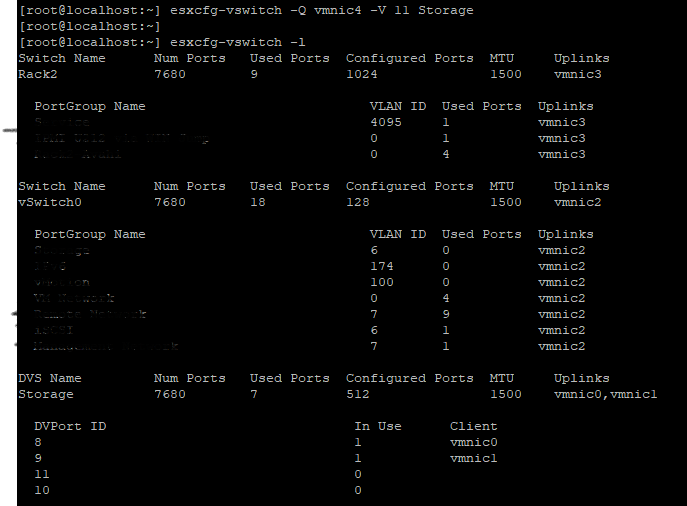
esxcfg-vswitch -Q vmnic -V dvPort_ID_of_vmnic dvSwitch # unlink/remove a vDS uplink
esxcfg-vswitch -P vmnic -V unused_dvPort_ID dvSwitch # add a vDS uplink
Nota: Si se pierde conectividad durante la migración de redes de administración a un switch distribuido, es posible que sea necesario eliminar o deshabilitar la interfaz VMkernel de administración existente y volver a crearla en un grupo de puertos de vSwitch estándar con la misma configuración de IP.
Ejemplo: adición de
vmnci4 a
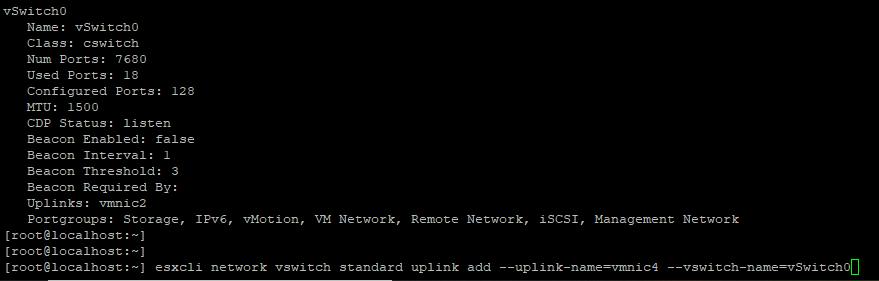
Verifique el

Extracción de la VMNIC del enlace ascendente

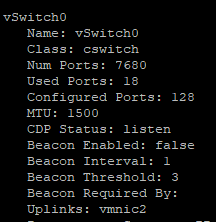
0 Añadiendo
antes de agregar el puerto de enlace ascendente, asegúrese de que el nombre de DVS y
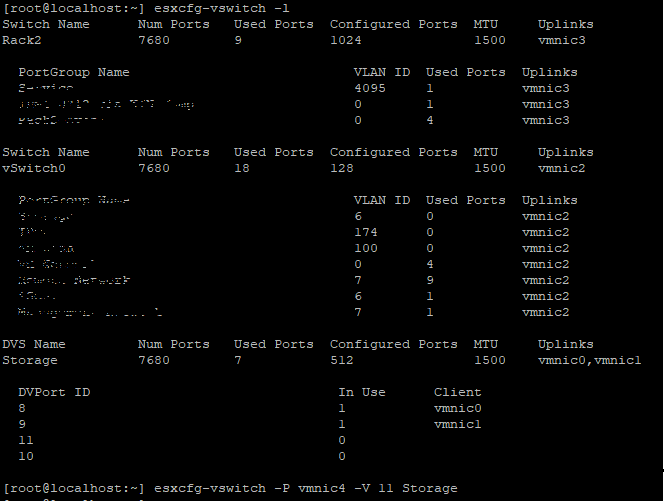
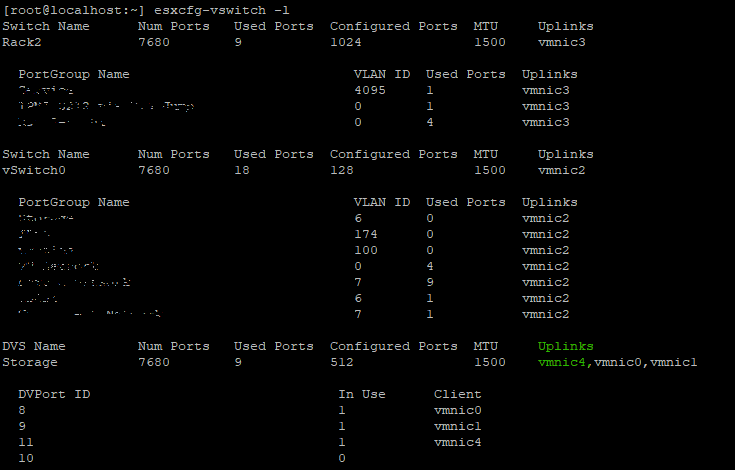
Verifique si VMNIC se agregó a
Remove
vmnci4 a
vSwitch (Estándar)
Verifique el
vswitch Ahora el vmnic 4 es agregar al enlace ascendente.
Extracción de la VMNIC del enlace ascendente
vSwitch 0 Añadiendo
VMNIC4 enlace ascendente a VDS (switch distribuido), antes de agregar el puerto de enlace ascendente, asegúrese de que el nombre de DVS y
DVPort El ID debe ser un puerto libre: en este ejemplo, el puerto n.º 11 no estaba en uso.
Verifique si VMNIC se agregó a
DVS Uplink.
Remove
VMNIC Enlace ascendente desde VDS,
Affected Products
VMware ESXi 6.7.X, VMware ESXi 6.x, VMware ESXi 7.xArticle Properties
Article Number: 000198710
Article Type: How To
Last Modified: 02 Apr 2025
Version: 2
Find answers to your questions from other Dell users
Support Services
Check if your device is covered by Support Services.