Connectrix: Webtools, elementhanteraren, visar inte portens hälsostatus under instrumentpanelen för FOS-versioner efter 9.x
Summary: Det här problemet uppstår på Webtools, elementhanterare för switchar som har fast programvara efter 9.x där porthälsodata inte visas trots att portar är online.
This article applies to
This article does not apply to
This article is not tied to any specific product.
Not all product versions are identified in this article.
Symptoms
Porthälsan visar inga data:
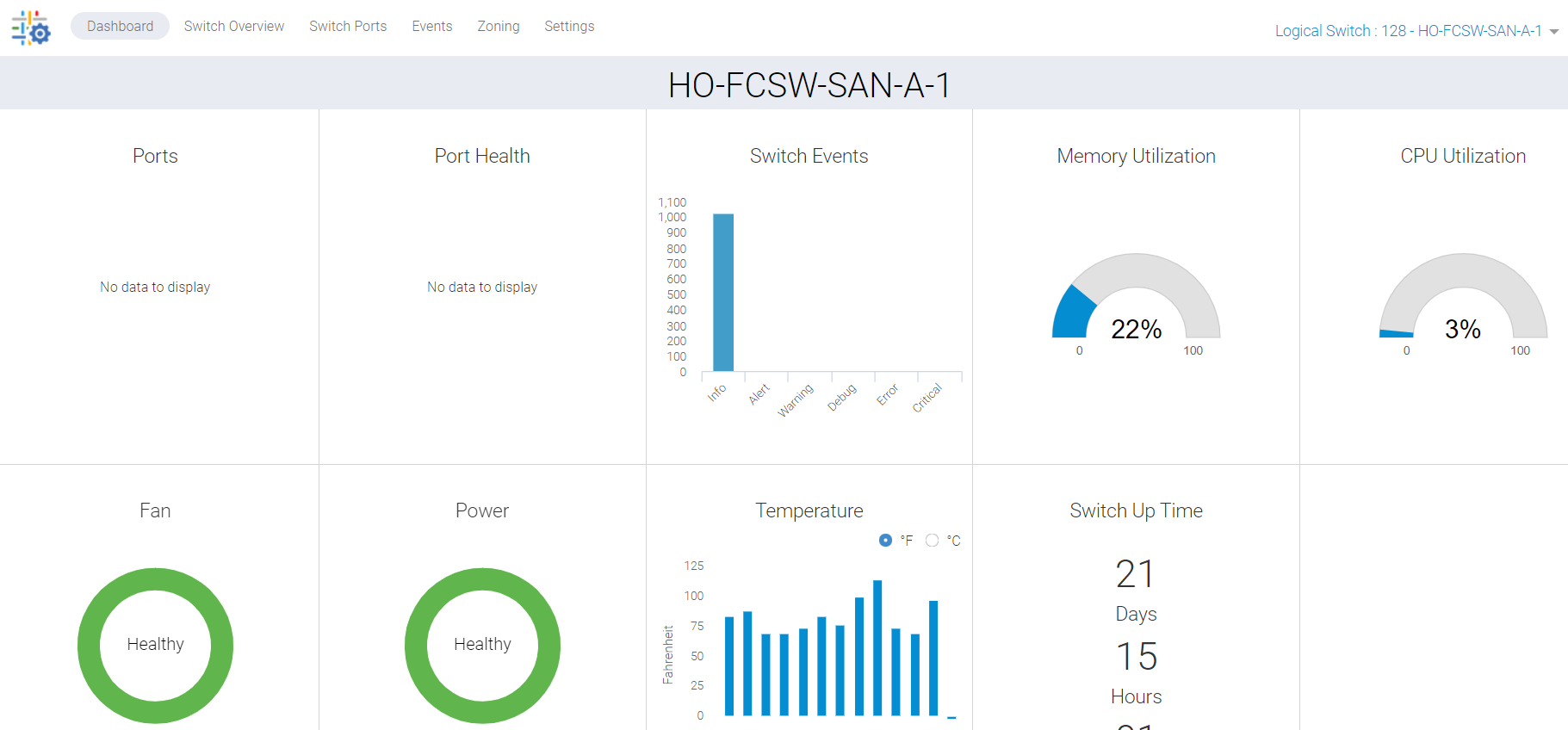
Bild 1: Skärmbild av porthälsa som inte visar några data
Cause
Det här problemet beror på följande orsaker:
- Portar visas inte grönt på switchens översiktsflik, vilket innebär att portens hälsostatus inte visas på instrumentpanelen
- Synkroniseringsmiss på grund av att processen har fastnat i bakgrunden
Resolution
Vi måste uppdatera dessa data och det finns två handlingsplaner:
PLAN 1:
Rotåtkomst krävs för att utföra den här aktiviteten på switchen. Starta om HTTP-tjänsterna för webbverktyg.
SAN-SWITCH1:root> /fabos/libexec/webdconfigure
http attributes (yes, y, no, n): [no] y

HTTP Restart (yes, y, no, n): [no] y
HTTP enabled (yes, y, no, n): [yes] y
ErrorLog Enabled (yes, y, no, n): [no]
AccessLog Enabled (yes, y, no, n): [no]
SSLLog Enabled (yes, y, no, n): [no]
HTTP Port: (1..60000) [80]
Secure HTTP Port: (1..60000) [443]
HTTP IsAlive Check Enabled (yes, y, no, n): [yes]
HTTP Max HeapSize: (256..1024) [512]

webtools attributes (yes, y, no, n): [no]
cal attributes (yes, y, no, n): [no]
Eller
PLAN 2:
Utför följande kommando:
Departmental model: #hareboot

Director class model: #hafailover
Affected Products
Connectrix B-Series Fabric OS 9.X, Connectrix B-Series SoftwareArticle Properties
Article Number: 000201036
Article Type: Solution
Last Modified: 14 May 2026
Version: 6
Find answers to your questions from other Dell users
Support Services
Check if your device is covered by Support Services.