PowerEdge:進行硬體變更後的 Windows Server 升級和轉換選項
Summary: 本文是解決在進行硬體變更後系統要求提供 eh 產品金鑰的問題的解決方案。
This article applies to
This article does not apply to
This article is not tied to any specific product.
Not all product versions are identified in this article.
Symptoms
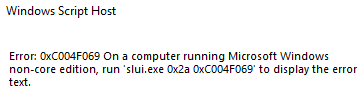
對伺服器進行硬體變更,並重新安裝 Windows 伺服器時,遇到啟動錯誤: run 'slui.exe 0x2a 0xC004F069'。
完整錯誤的螢幕截圖:
Cause
在伺服器上進行硬體變更時。
Resolution
-
若要檢查作業系統的版本,請執行下列步驟:
DISM /online /Get-CurrentEdition -
執行下列命令,這會套用至一般大量授權金鑰
DISM /online /Set-Edition:<edition ID> /ProductKey:XXXXX-XXXXX-XXXXX-XXXXX-XXXXX /AcceptEula注意:請務必使用以下來源的通用鍵:https://learn.microsoft.com/en-us/windows-server/get-started/kms-client-activation-keys範例:
DISM /online /Set-Edition:ServerDatacenter /ProductKey:XXXXX-XXXXX-XXXXX-XXXXX-XXXXX /AcceptEula -
執行下列命令
slmgr.vbs /ipk XXXXX-XXXXX-XXXXX-XXXXX-XXXXX,在此階段,您將使用自己的產品密鑰,這會將通用密鑰替換為您自己的產品密鑰,但不會啟動操作系統。 - 若要啟用作業系統,您必須執行下列命令
slmgr /ato啟動授權

末
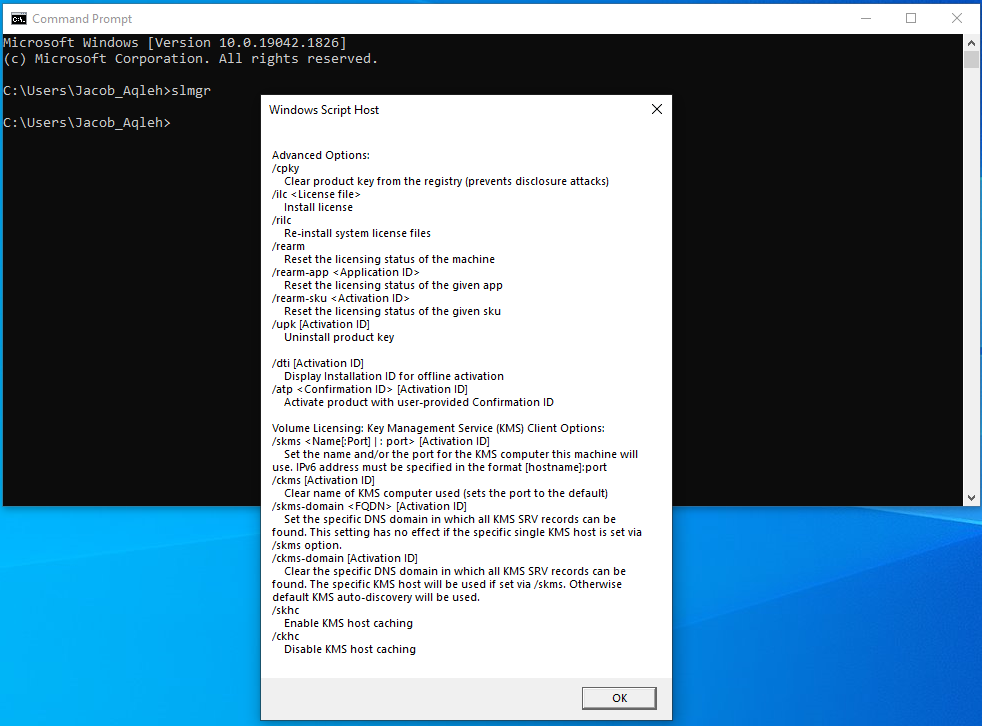
如果您在命令提示字元中執行 slmgr,則會出現「Windows Script Host」視窗。
如果您按下底部的 OK (確定),系統會顯示所有 slmgr 可以使用的命令/開關。
Affected Products
Microsoft Windows Server 2022Products
C Series, HS Series, Modular Infrastructure, Rack Servers, Tower Servers, XE Servers, XR Servers, OEM Server SolutionsArticle Properties
Article Number: 000201865
Article Type: Solution
Last Modified: 13 May 2026
Version: 5
Find answers to your questions from other Dell users
Support Services
Check if your device is covered by Support Services.