Dell Unity:フォレスト レベルの認証が構成されている場合に、LDAPユーザーのロール マッピングを追加できませんでした
Summary: お客様が UI 管理のために Unity でフォレスト レベルの LDAP 認証を構成しました。LDAP接続は正常に検証されましたが、お客様がLDAPユーザーのロール マッピングを追加できませんでした。(ユーザー修正可能)(英語)」
This article applies to
This article does not apply to
This article is not tied to any specific product.
Not all product versions are identified in this article.
Symptoms
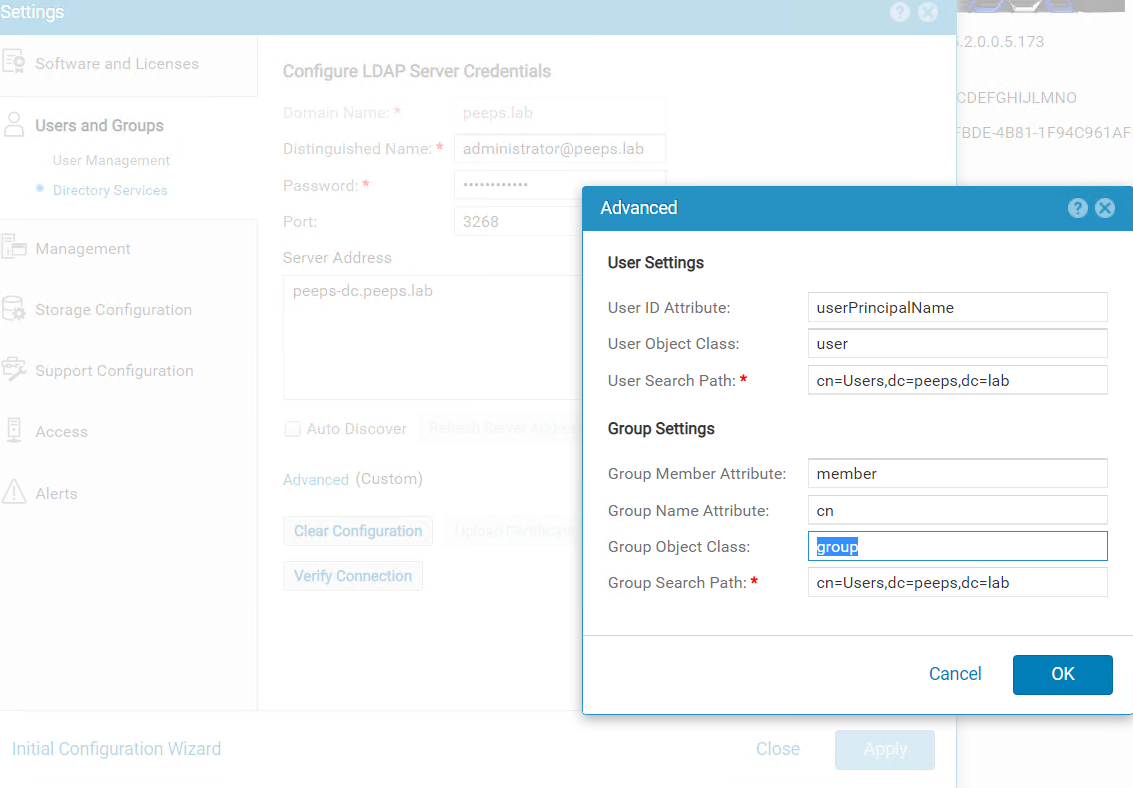
Unisphere管理用にLDAPサーバー ポート3268でフォレスト レベルのLDAP認証をお客様が構成しました。お客様は、セキュリティ構成ガイドに従って、[Advanced]ウィンドウの[User ID Attribute]フィールドにuserPrincipalNameを指定します。
Dell EMC Unityファミリー セキュリティ構成ガイド(delltechnologies.com)
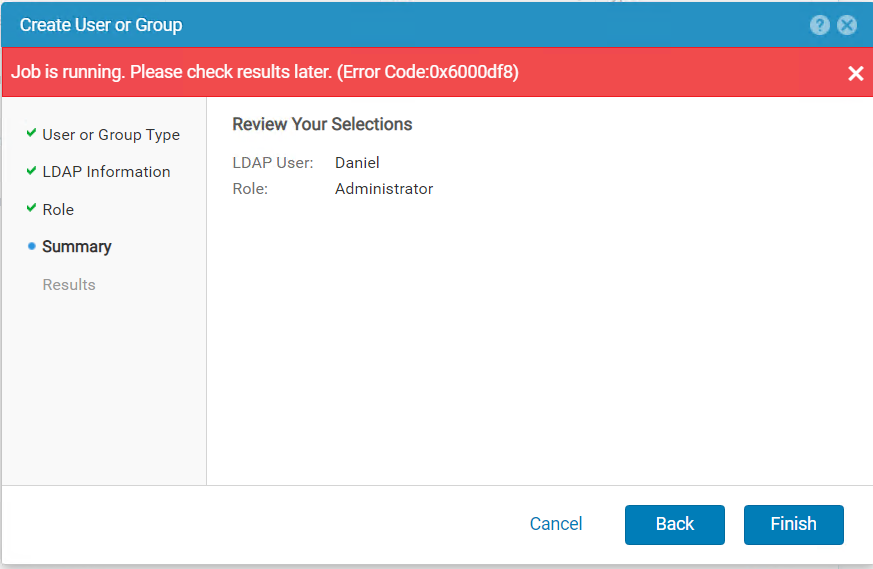
Users and Groups -->User Management -->Manage Users & GroupsにLDAPユーザーを追加しようとすると、次のエラーが表示されました。
Cause
フォレスト レベルのLDAP認証が構成されている場合、ロール マッピング用のLDAPユーザーのユーザー名は、 <username>@<domain> の形式で構成する必要があります。これは、お客様がLDAPサーバーでユーザーに対して構成したuserPincipalNameとまったく同じです。
Resolution
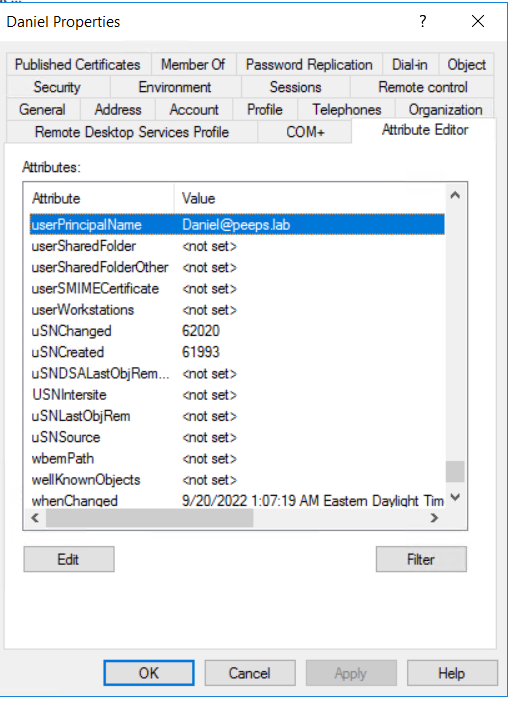
Windows ドメイン コントローラーが LDAP サーバーの場合は、 Active Directory ユーザーとコンピューターを使用して、ユーザーのプロパティから userPrincipalName を再試行できます。
注:ユーザーの属性エディタ(Attribute Editor)を表示するには、ビューの高度な機能(Advanced Features in View)タブを有効にする必要があります。
Affected Products
Dell EMC UnityArticle Properties
Article Number: 000203550
Article Type: Solution
Last Modified: 03 Jun 2026
Version: 5
Find answers to your questions from other Dell users
Support Services
Check if your device is covered by Support Services.