NetWorker: New VMware Proxy Wizard Does Not List vProxies Deployed on vCenter Server
Summary: When attempting to register a new vProxy appliance deployed on a VMware hypervisor, the vProxy does not appear in the New VMware Proxy Wizard.
This article applies to
This article does not apply to
This article is not tied to any specific product.
Not all product versions are identified in this article.
Symptoms
- The NetWorker VMware Protection (NVP) vProxy appliance has been deployed on a VMware vCenter or standalone ESXi host.
- The vCenter or standalone ESXi host has been registered in the NetWorker server under VMware View.
- While using the "New VMware Proxy Wizard" from within the NetWorker Management Console (NMC), the vProxy is not listed after expanding the vCenter and data center the vProxy resides on:
Example: vProxy nsr-vproxy02.amer.lan exists in VMware on a cluster called "vSAN Cluster"
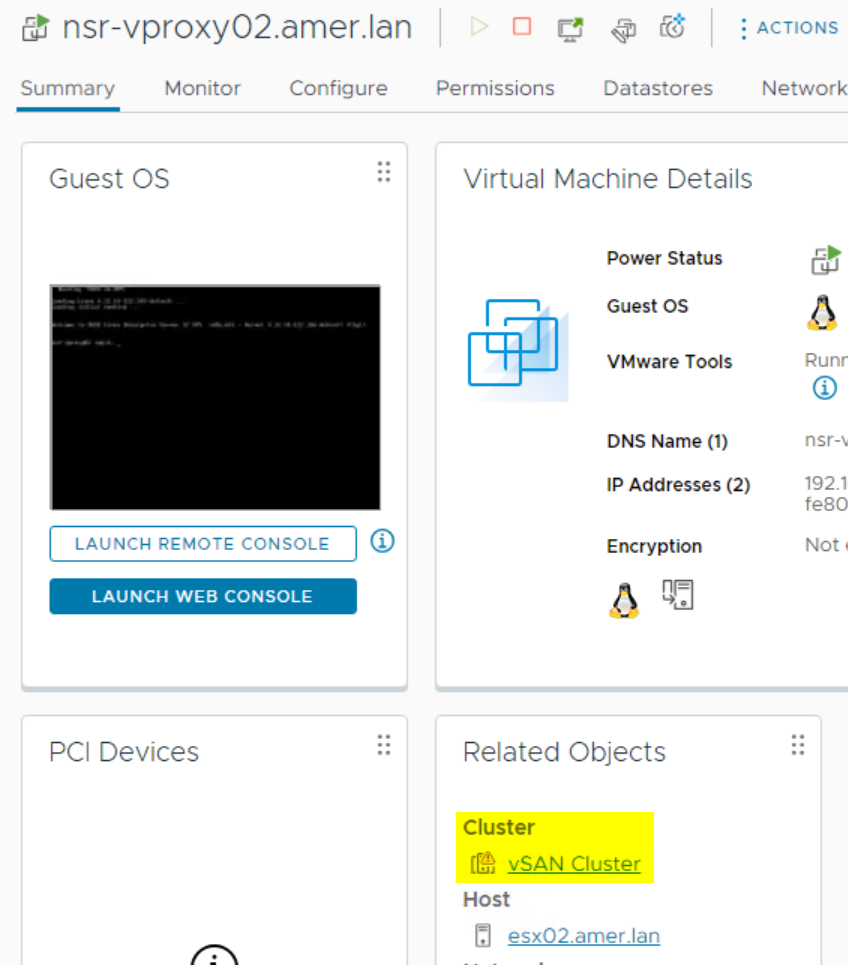
However, nsr-vproxy02.amer.lan is not listed in the New VMware Proxy Wizard:
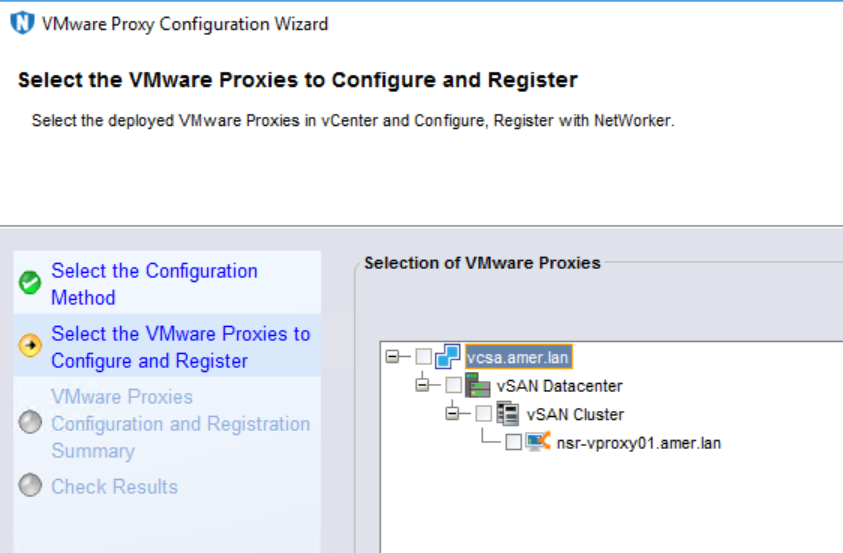
- Manually registering the vProxy completes successfully.
Cause
The "Notes" field of the vProxy Virtual Machine (VM) was modified in VMware:
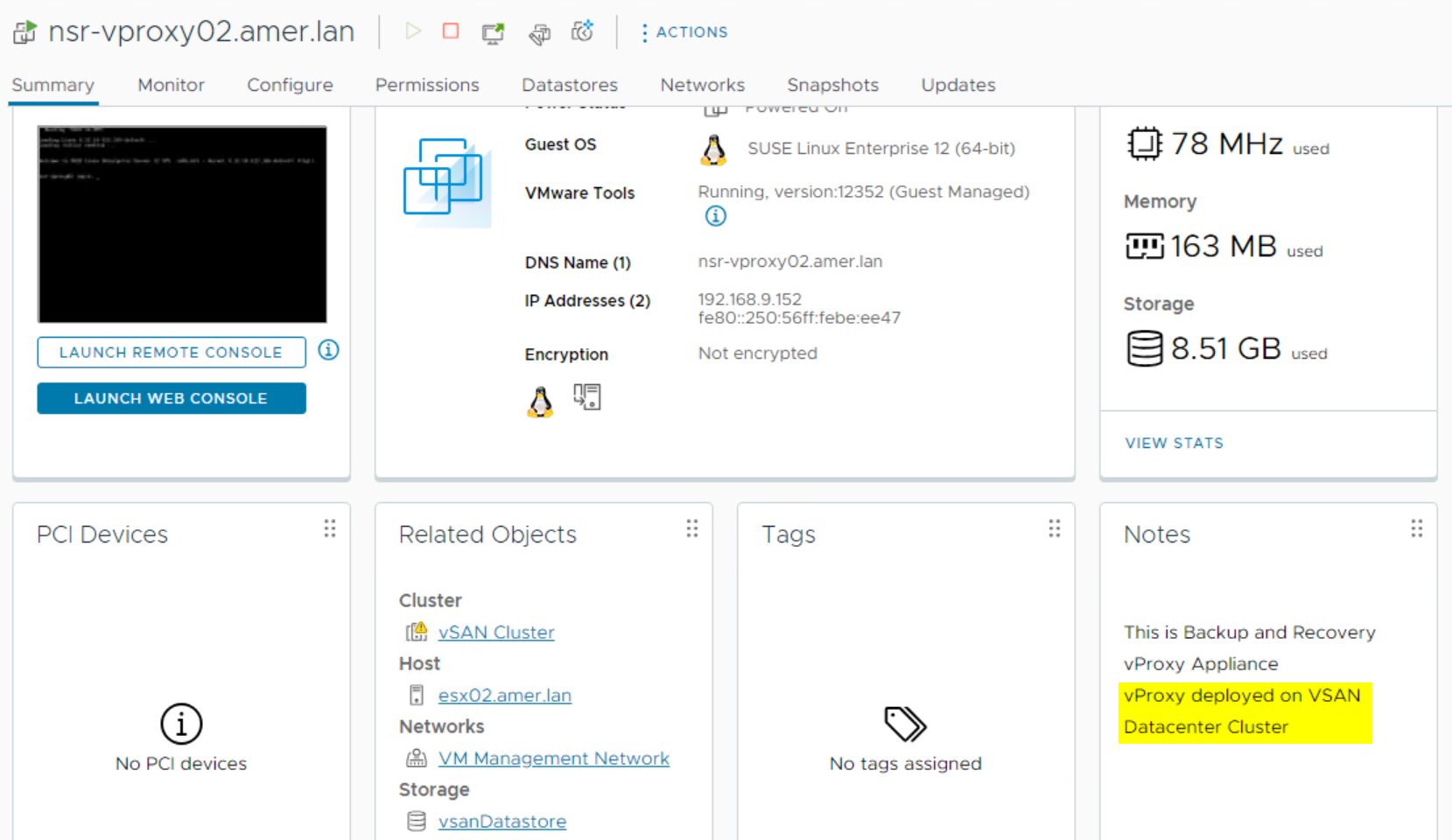
The Notes field should only contain: This is Backup and Recovery vProxy Appliance
Resolution
1. Close the New VMware Proxy Wizard window.
2. From VMware vSphere, modify the Notes field of the vProxy VM to only state:
This is Backup and Recovery vProxy Appliance.
3. Return to the NMC and reattempt to register the vProxy using the New VMware Proxy Wizard:
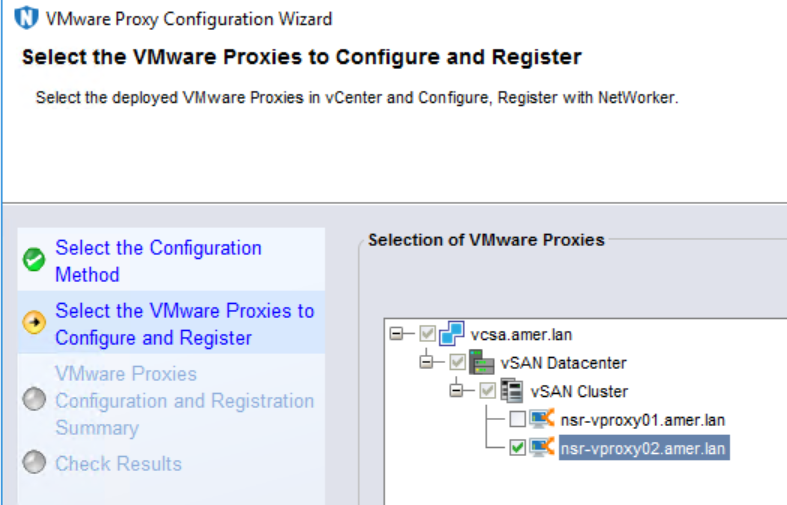
Additional Information
NVP vProxy: How To Unregister/Re-Register a vProxy Appliance?
Additional information is available in the NetWorker VMware Integration Guide available under NetWorker Support Information.
Logs:
| Log File | Location on NetWorker Server | Description |
|---|---|---|
<job-uuid>.log |
|
vProxy management job log file is created during the redeployment of the associated vProxy. |
vproxy_upgrade_sessio
n_<vProxyidentifier>_<
jobuuid> |
|
Associated nsrvisd log file is created during redeployment of the vProxy. |
nsrvisd-daemon.log |
|
Associated nsrvisd detailed log file is created. |
ProxySessions-<uuid> .log |
|
Associated ProxySessions log file is created during redeployment of the vProxy. |
nsrvisd logs |
|
Associated inventory sessions log file is created. |
Affected Products
NetWorkerProducts
NetWorker Family, NetWorker SeriesArticle Properties
Article Number: 000203950
Article Type: Solution
Last Modified: 15 May 2026
Version: 7
Find answers to your questions from other Dell users
Support Services
Check if your device is covered by Support Services.