VxRail: Verify vSAN on-disk format version when using a shared witness to deploy vSAN 2-node cluster
Summary: The ESXi node version and the shared witness vSAN on-disk format version must be compatible.
This article applies to
This article does not apply to
This article is not tied to any specific product.
Not all product versions are identified in this article.
Symptoms
When deploying a vSAN 2-node cluster with customer-provided vCenter and shared witness, the deployment fails with error "Failed to convert standard cluster to stretched cluster LAG-NAM."
Check VxRail manager /var/log/microservice_log/dayone.log, there is vim.fault.VsanFault about "cannot meet the capability requirement of shared witness."
2022-05-05-14:01:57 microservice.do-cluster "[2022-05-05 14:01:57,066: WARNING/MainProcess] pyVmomi.VmomiSupport.vim.fault.VsanFault: (vim.fault.VsanFault) {"
2022-05-05-14:01:57 microservice.do-cluster "   dynamicType = <unset>,"
2022-05-05-14:01:57 microservice.do-cluster "   dynamicProperty = (vmodl.DynamicProperty) [],"
2022-05-05-14:01:57 microservice.do-cluster "   msg = 'cannot meet the capability requirement of shared witness.'"
Cause
The ESXi node version is not compatible with the shared witness vSAN on-disk format version.
Resolution
1. Check the vSAN on-disk format version of the shared witness by: vSphere Web Client: [vSAN Cluster] >Configure > vSAN > Disk Management.
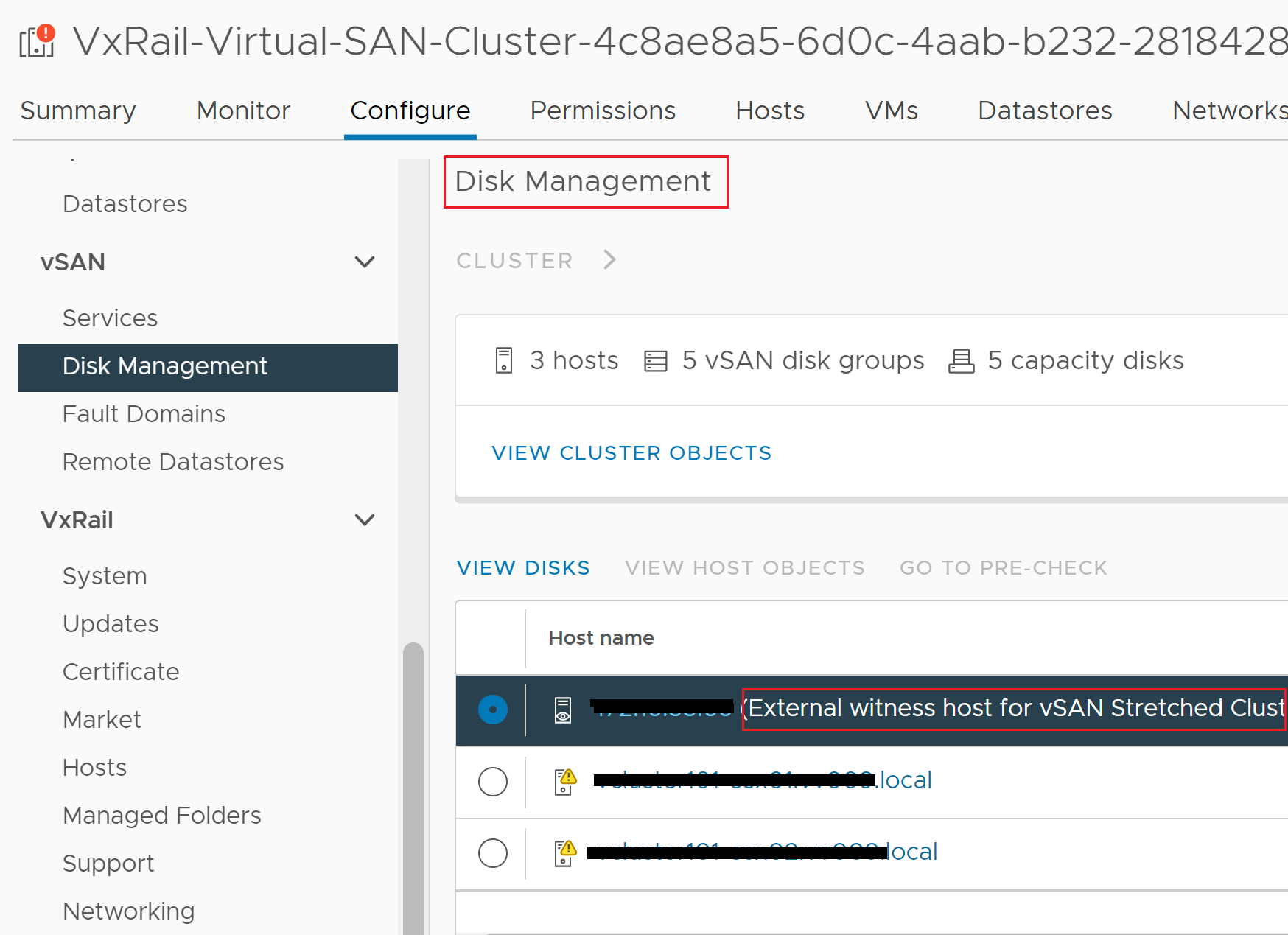
Select the shared witness > VIEW DISKS.
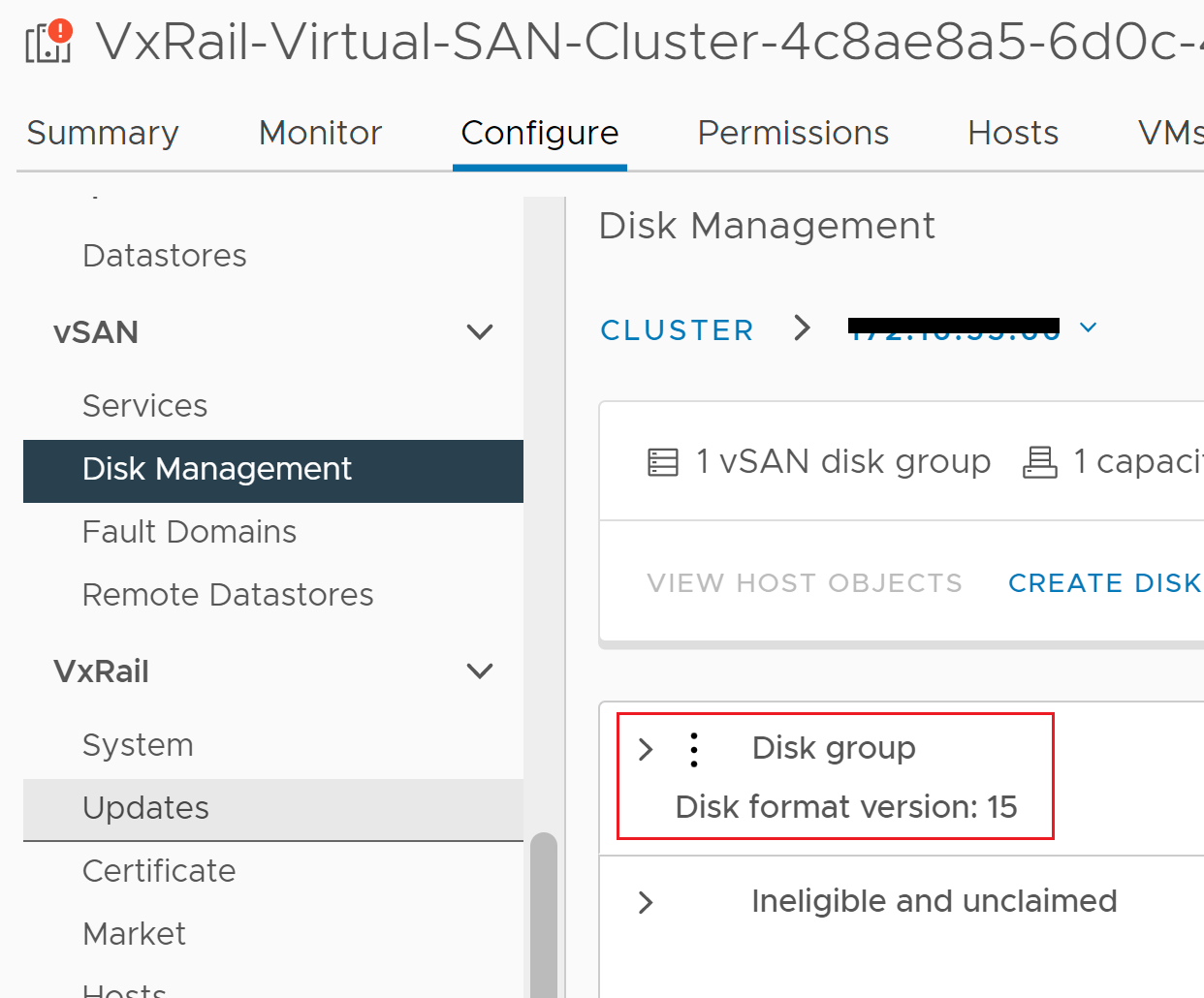
Select the shared witness > VIEW DISKS.
2. Check vSAN on-disk format version support matrix to determine which ESXi version is compatible with the shared witness vSAN on-disk format version.
3. If the vSAN on-disk format version of the shared witness is not supported by the ESXi node, there are two options to resolve the issue:
Option 1. Upgrade the ESXi node version to support the shared witness vSAN on-disk format.
Engage Dell Support engineer to upgrade the ESXi node using "Rapid Appliance Self-Recovery (RASR) Factory Image Upgrade Procedure"
Then deploy the vSAN 2-node cluster with the new code version.
Option 2. Use a standalone witness to deploy the vSAN 2-node cluster.
Article Properties
Article Number: 000204180
Article Type: Solution
Last Modified: 26 Mar 2026
Version: 3
Find answers to your questions from other Dell users
Support Services
Check if your device is covered by Support Services.