Unisphere for PowerMax: Järjestelmätietojen etämääritys epäonnistuu ja näyttöön tulee virheilmoitus java.net.SocketException: Yhteyden nollaus"
Summary: Etäsyslog-määritys epäonnistuu ja näyttää virheen java.net.SocketException: Yhteyden nollaus."
This article applies to
This article does not apply to
This article is not tied to any specific product.
Not all product versions are identified in this article.
Symptoms
Kun Remote Syslog yritetään määrittää avaamalla Setting > Security > Remote syslog Unisphere for PowerMaxissa, se epäonnistuu ja näyttää virheen:
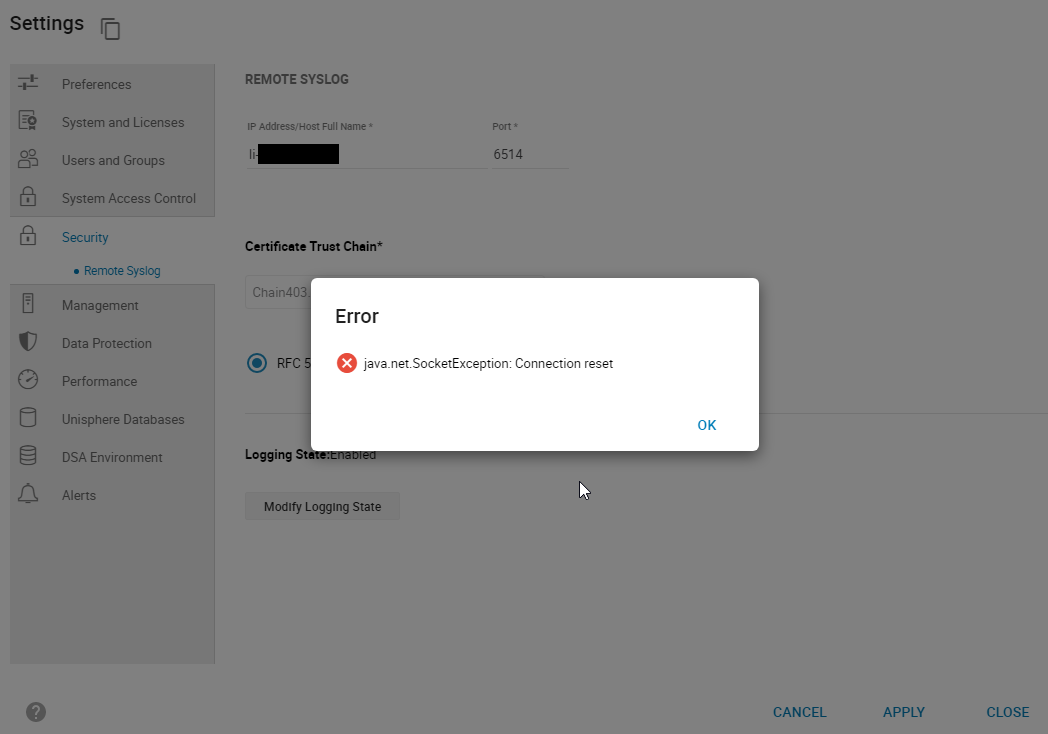
smas.log on vain seuraavat merkinnät:
java.net.SocketException: Connection reset
Kuva 1: Error:
java.net.SocketException: Yhteyden nollaaminen
smas.log on vain seuraavat merkinnät:
2022-03-04 14:49:11,568 ERROR [em.bp.SECURITY] (default task-40) SecurityCommandProcessor.processConfigureRemoteSyslogCommand:java.net.SocketException: Connection reset
2022-03-04 14:51:39,978 ERROR [em.bp.SECURITY] (default task-14) SecurityCommandProcessor.processConfigureRemoteSyslogCommand:java.net.SocketException: Connection reset
2022-03-07 15:50:51,998 ERROR [em.bp.SECURITY] (default task-31) SecurityCommandProcessor.processConfigureRemoteSyslogCommand:java.net.SocketException: Connection reset
Cause
Tämä virhe johtuu verkko-ongelmasta.
Resolution
Käyttäjän verkkotiimi havaitsi, että portin 6514 liikenne oli estetty. Kun verkko-ongelma on ratkaistu, etäjärjestelmäloki voidaan määrittää.
Affected Products
Unisphere for PowerMaxArticle Properties
Article Number: 000204186
Article Type: Solution
Last Modified: 11 Jul 2024
Version: 3
Find answers to your questions from other Dell users
Support Services
Check if your device is covered by Support Services.