Unisphere voor PowerMax: Remote Syslog-configuratie mislukt met foutmelding "java.net.SocketException: Connection reset"
Summary: Configuratie van externe syslog mislukt met foutmelding "java.net.SocketException: Verbinding opnieuw ingesteld."
This article applies to
This article does not apply to
This article is not tied to any specific product.
Not all product versions are identified in this article.
Symptoms
Wanneer u Remote Syslog probeert te configureren via Beveiliging >> instellen Remote Syslog in Unisphere voor PowerMax, mislukt deze met de fout:
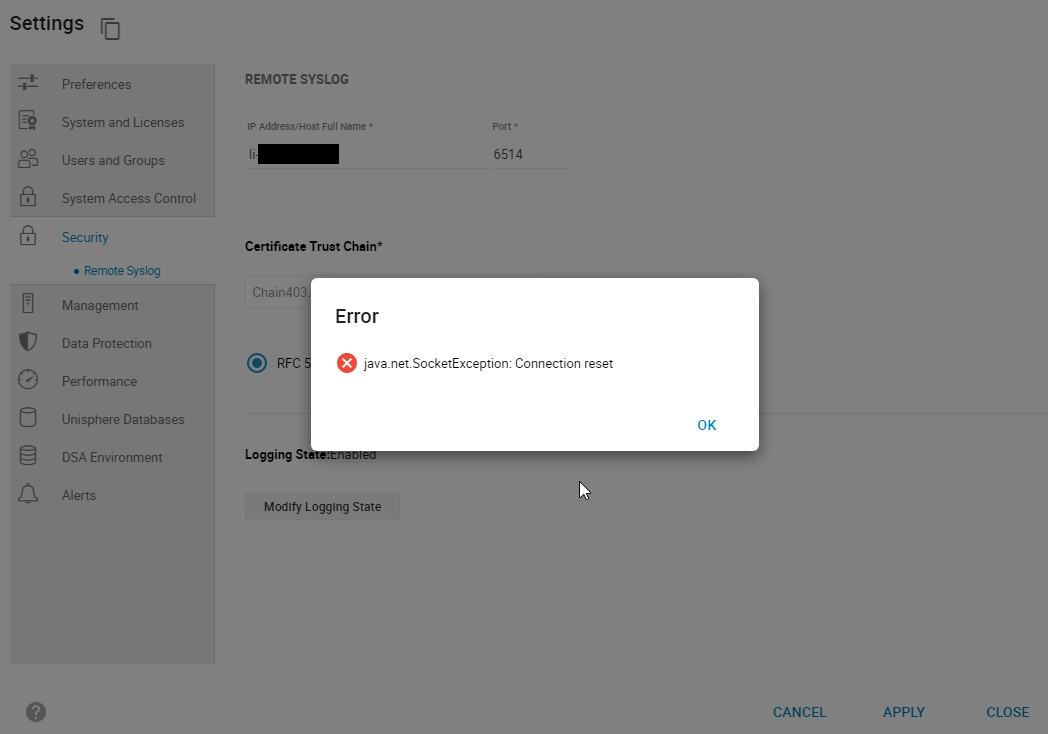
smas.log heeft alleen de volgende vermeldingen:
java.net.SocketException: Connection reset
Afbeelding 1: Fout:
java.net.SocketException: Verbinding opnieuw instellen
smas.log heeft alleen de volgende vermeldingen:
2022-03-04 14:49:11,568 ERROR [em.bp.SECURITY] (default task-40) SecurityCommandProcessor.processConfigureRemoteSyslogCommand:java.net.SocketException: Connection reset
2022-03-04 14:51:39,978 ERROR [em.bp.SECURITY] (default task-14) SecurityCommandProcessor.processConfigureRemoteSyslogCommand:java.net.SocketException: Connection reset
2022-03-07 15:50:51,998 ERROR [em.bp.SECURITY] (default task-31) SecurityCommandProcessor.processConfigureRemoteSyslogCommand:java.net.SocketException: Connection reset
Cause
Deze fout is te wijten aan een netwerkprobleem.
Resolution
Het netwerkteam van de gebruiker ontdekte dat het verkeer was geblokkeerd voor poort 6514. Zodra het netwerkprobleem was opgelost, konden ze Remote Syslog configureren.
Affected Products
Unisphere for PowerMaxArticle Properties
Article Number: 000204186
Article Type: Solution
Last Modified: 11 Jul 2024
Version: 3
Find answers to your questions from other Dell users
Support Services
Check if your device is covered by Support Services.