Avamar: How to Upgrade VMware Tools on Avamar Proxy
Summary: How to upgrade VMware Tools on Avamar proxy.
This article applies to
This article does not apply to
This article is not tied to any specific product.
Not all product versions are identified in this article.
Symptoms
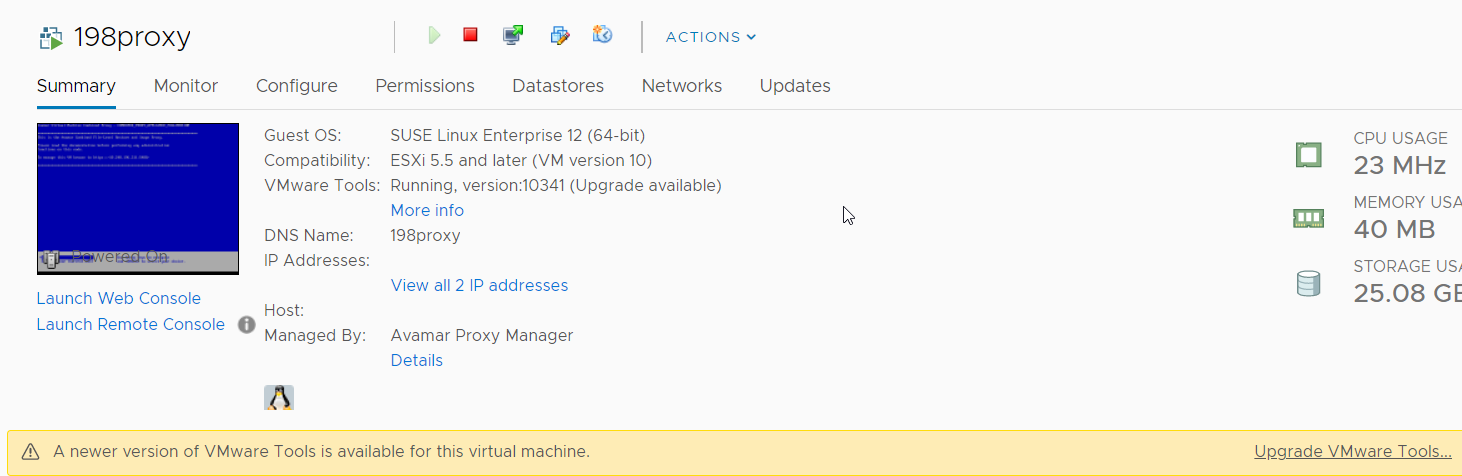
In VMware vSphere Client, there is a warning that a newer version of VMware Tools is available for the Avamar proxy virtual machine.
The VMware toolbox and
The VMware toolbox and
vmtoolsd commands report the version as 10.3.5.7752 (build-10430147)
198proxy:/home/admin # vmware-toolbox-cmd -v
10.3.5.7752 (build-10430147)
198proxy:/home/admin # /usr/sbin/vmtoolsd.vami/vmtoolsd --version
VMware Tools daemon, version 10.3.5.7752 (build-10430147)
Cause
According to VMware Tools 10.3.25 Release Notes 
Resolution
Upgrade the VMware tools on an Avamar proxy using either the automatic or manual method.
The following these steps should be followed:
The following these steps should be followed:
Method 1 (Automatic)
Note: This method is only available when ESXi server is running hypervisor image that includes VMware tools.
- Open the vSphere client and select the Avamar Proxy.
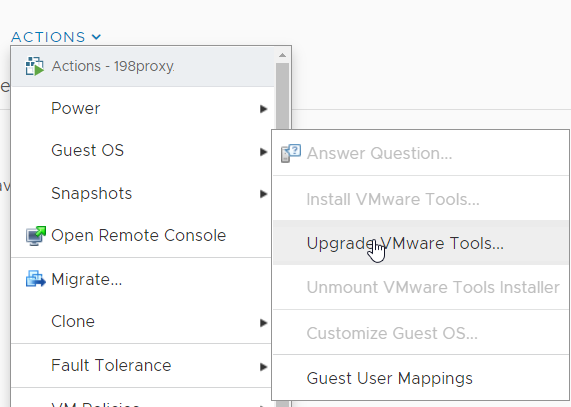
- Choose Actions > Guest OS > Upgrade VMware Tools.
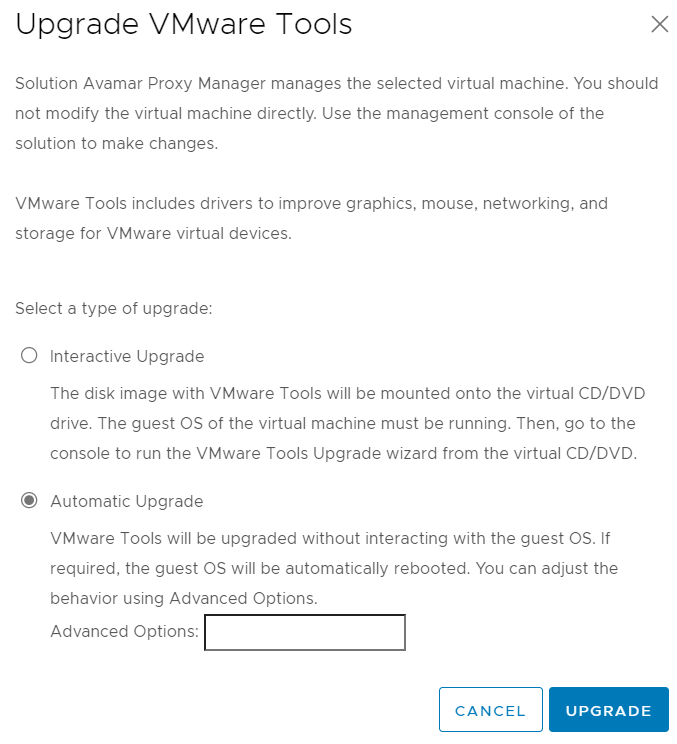
- Choose the Automatic option.
- Wait for the VMware tools to upgrade automatically.
Method 2 (Manual):
- Download the latest OCP version of VMware Tools for Linux from VMware Product Download
- Transfer the file to the /home/admin directory on the proxy using a tool like WinSCP.
- Log in to the proxy as the admin user and elevate to root using the command:
su -
- Extract the
linux.isofile from theVMware-Tools-core-10.3.25-20206839.tar.gzarchive and place it in the current directory using the below command:
tar -zxvf VMware-Tools-core-10.3.25-20206839.tar.gz VMware-Tools-core-10.3.25-20206839/vmtools/linux.iso --strip-components=2
- Create a new directory called
vmtools-updateand mount thelinux.isofile to it using the below command:
mkdir vmtools-update && mount -o loop VMware-Tools-core-10.3.25-20206839/vmtools/linux.iso vmtools-update
- Extract the contents of
vmtools-update/VMwareTools-10.3.25-20206839.tar.gzto the current working directory using the below command:
tar -zxf vmtools-update/VMwareTools-10.3.25-20206839.tar.gz
- Run the
vmware-install.plscript to start the VMware tools upgrade. Answer "yes" to the first question and accept the default values for all other questions.
./vmware-tools-distrib/vmware-install.pl
- Unmount the
linux.isofile and clean up thevmware-tools-distribfolder by running the following commands:
umount /home/admin/vmtools-update; rm -rf vmware-tools-distrib; rm linux.iso
Verify the VMware Tools version after upgrading.
Run the below command. The version should show as 10.3.25.1451 (build-20206839):
# vmware-toolbox-cmd -v
10.3.25.1451 (build-20206839)
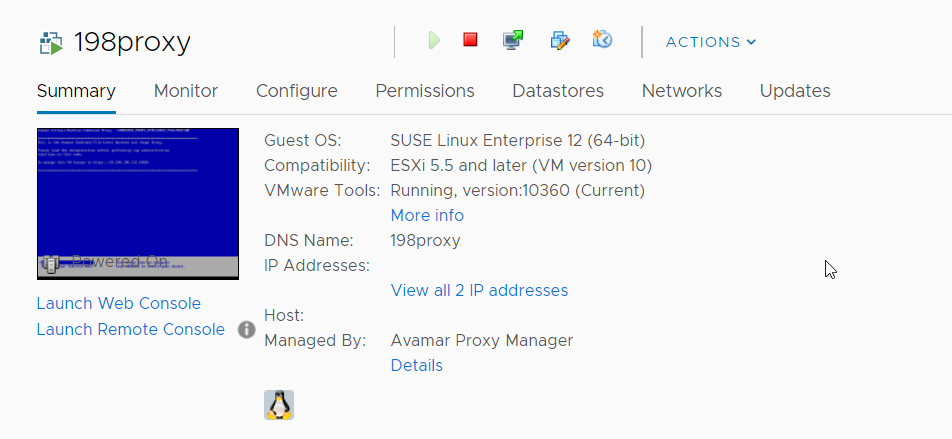
Alternatively, check the version in the vSphere client, where it should show as 10360 (Current):
Additional Information
Note: The Avamar proxy is packaged using VMware virtual provisioning software called VMware Studio. VMware Studio pre-installs the legacy VMware Tools Operating System Specific Packages (OCPs) version of VMware Tools. Other appliance packaging software uses the open-vm-tools version of tools instead. Open-vm-tools is now the recommended tools version for standard Linux distributions.
Affected Products
AvamarArticle Properties
Article Number: 000207041
Article Type: Solution
Last Modified: 16 May 2026
Version: 7
Find answers to your questions from other Dell users
Support Services
Check if your device is covered by Support Services.