Connectrix: San Nav 2.2.x: F-port trunk performance data graph not displaying as expected
Summary: F-port trunk performance data not displaying as expected. This issue is seen when San nav user is using the option Inventory > F Port Trunks > [Switch] > Investigate does not display any performance data ...
This article applies to
This article does not apply to
This article is not tied to any specific product.
Not all product versions are identified in this article.
Symptoms
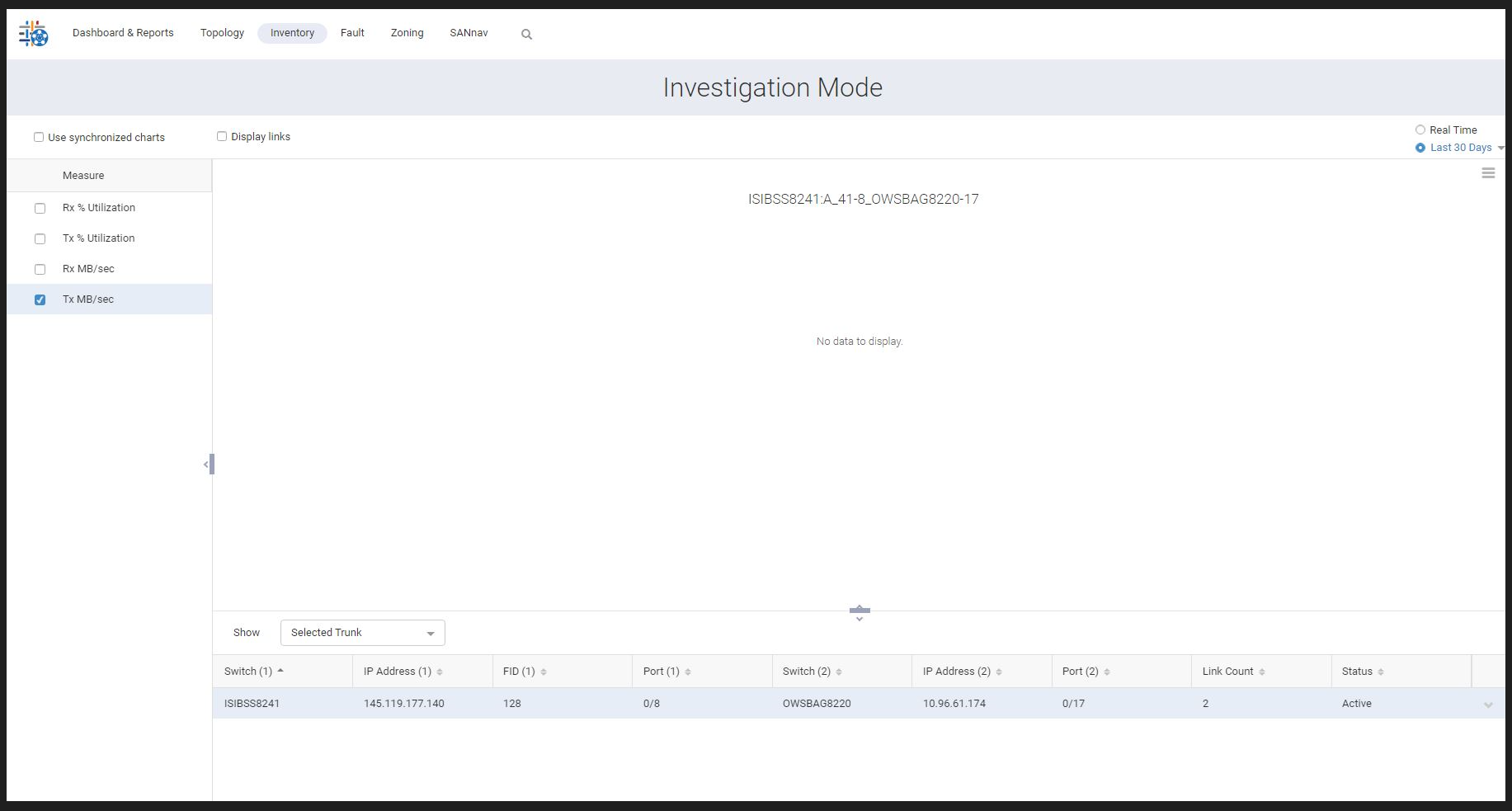
Errors from SANnav logs:
perfmon-ds - [ERROR] 2022-12-13 00:02:01.165 [perfmon-middleware-scheduler13] com.brocade.dcm.perfmon.datastore.persistence.PersistenceManager - Exception on saveTrunkStatsToDb
org.apache.ibatis.exceptions.PersistenceException:
### Error updating database.  Cause: org.postgresql.util.PSQLException: ERROR: column "trunk_type" of relation "trunk_stats_1day_1670457600" does not exist
trunk_stats_60min:
perfmon-ds - [ERROR] 2022-12-13 15:01:00.784 [perfmon-middleware-scheduler9] com.brocade.dcm.perfmon.datastore.persistence.PersistenceManager - Exception on saveTrunkStatsToDb
org.apache.ibatis.exceptions.PersistenceException:
### Error updating database.  Cause: org.postgresql.util.PSQLException: ERROR: column "trunk_type" of relation "trunk_stats_60min_1670889600" does not exist
trunk_stats_5min:
perfmon-ds - [ERROR] 2022-12-13 00:00:01.853 [pool-5-thread-6] com.brocade.dcm.perfmon.datastore.persistence.PersistenceManager - Exception on saveTrunkStatsToDb
org.apache.ibatis.exceptions.PersistenceException:
### Error updating database.  Cause: org.postgresql.util.PSQLException: ERROR: column "trunk_type" of relation "trunk_stats_5min_1670803200" does not exist
Cause
Trunk_type column is missing from the SANnav db for the server migrated from v2.1.1 to v2.2.1.
We could see the PSQLException as "trunk_type" column does not exist while inserting the trunk data into the trunk_stats tables then trunk_stats tables are created with empty data and due to this reason investigation graphs are showing empty for trunks. The migration use case has been missed to add the trunk_type column, and hence the issue seems to be after migrating from 2.1.1 to 2.2.1.
Resolution
Work Around:
Use Inventory > F Port Trunks > [Switch] > Show Links > Investigate to display the F-port trunk performance graphs:
NOTE: This does not work for last 1-day DATA.
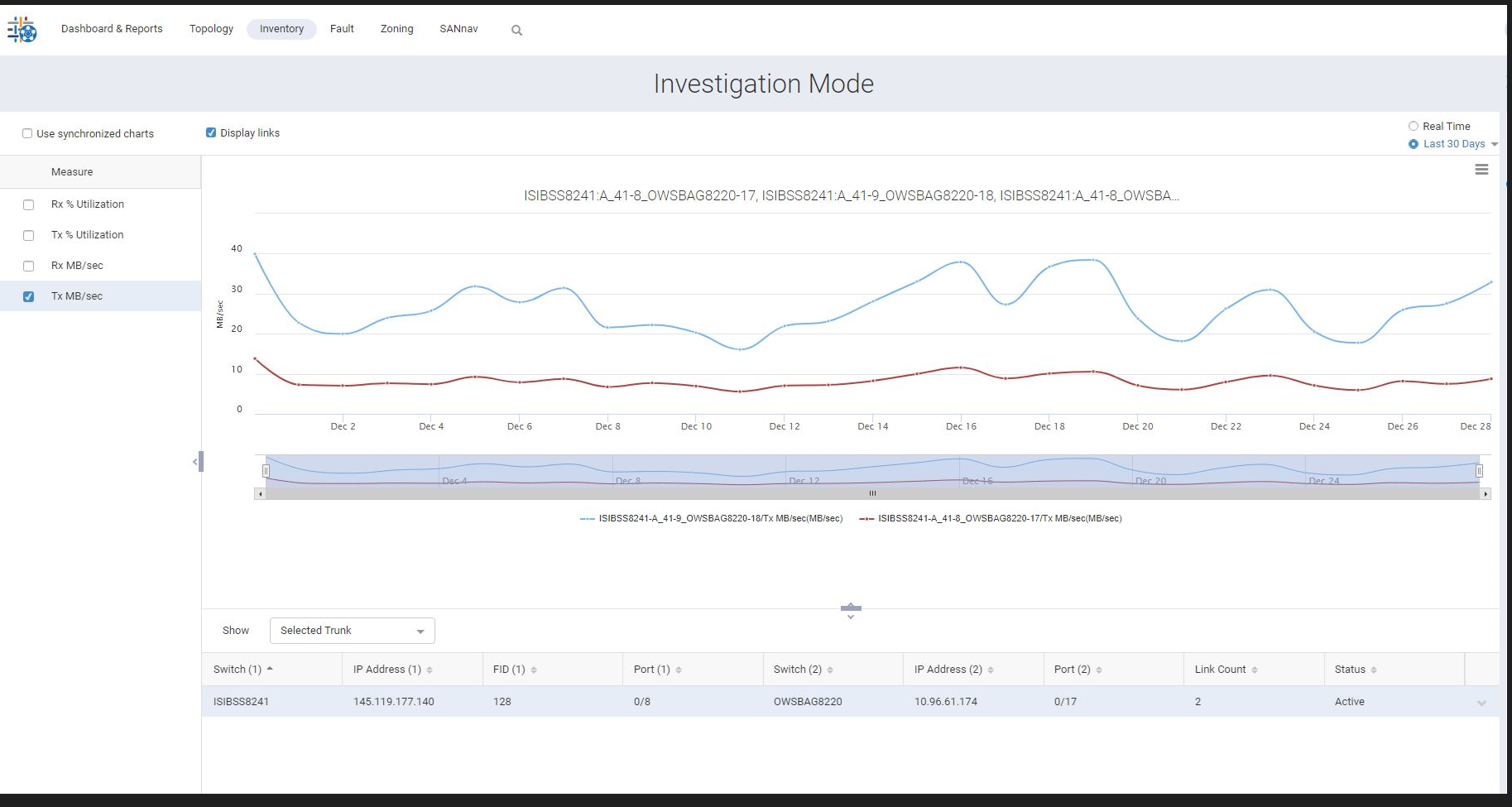
Fix:
To be fixed in SAN Nav release 2.3.0.
Fix:
To be fixed in SAN Nav release 2.3.0.
Products
Connectrix SANnavArticle Properties
Article Number: 000211301
Article Type: Solution
Last Modified: 17 May 2026
Version: 4
Find answers to your questions from other Dell users
Support Services
Check if your device is covered by Support Services.