PowerFlex 4.x: Login attempt fails with cookie-related error
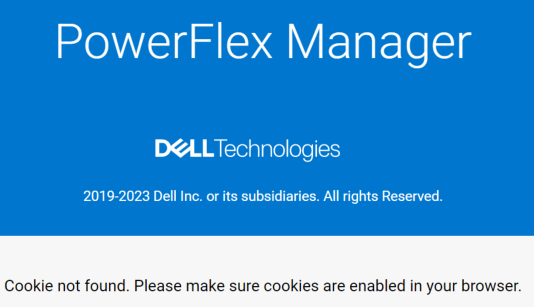
Summary: On a PowerFlex Manger 4.x system After entering a username and password to log in, an error is displayed: "Cookie not found Ensure cookies are enabled in your browser"
This article applies to
This article does not apply to
This article is not tied to any specific product.
Not all product versions are identified in this article.
Symptoms
When attempting to log in to a PowerFlex Manager 4.x system using the UI, the following error appears:
Any of the following actions will not resolve the error:
Any of the following actions will not resolve the error:
- Enabling cookies
- Clearing browser cache
- Log in on a different browser
Cause
An HTTP cookie (also called web cookies, Internet cookies, browser cookies, or simply cookies) is a small file created by a web server while a user is browsing a website, and is stored on the user's computer or other devices.
Cookies can also be used to save for subsequent use information that the user previously entered into form fields, such as web addresses.
As a result of cookie usage, the full URL saved for login is incorrect.
Resolution
In order to resolve this error and allow a successful login, the URL's irrelevant part must be removed (as seen in the screenshot below, marked in red), and then re-attempt login.
Once the URL is shortened, cookie tracking will not affect the login process.

Once the URL is shortened, cookie tracking will not affect the login process.
Affected Products
PowerFlex rack, VxFlex Ready Nodes, PowerFlex custom node, PowerFlex appliance connectivity, PowerFlex appliance R650, PowerFlex appliance R6525, PowerFlex appliance R660, PowerFlex appliance R6625, Powerflex appliance R750, PowerFlex appliance R760
, PowerFlex appliance R7625, PowerFlex rack RCM Software, PowerFlex appliance R640, PowerFlex appliance R740XD, PowerFlex appliance R7525, PowerFlex appliance R840
...
Article Properties
Article Number: 000211368
Article Type: Solution
Last Modified: 16 May 2025
Version: 4
Find answers to your questions from other Dell users
Support Services
Check if your device is covered by Support Services.