NetWorker: How to do a file level restore for a deleted/decommissioned client
Summary: This KB details the process required for recovering data from a system which still has valid NetWorker backups; however, the original system may no longer exist and the NetWorker client resource has been deleted. ...
This article applies to
This article does not apply to
This article is not tied to any specific product.
Not all product versions are identified in this article.
Instructions
1. Get the exact client name from the NetWorker server's mminfo output.
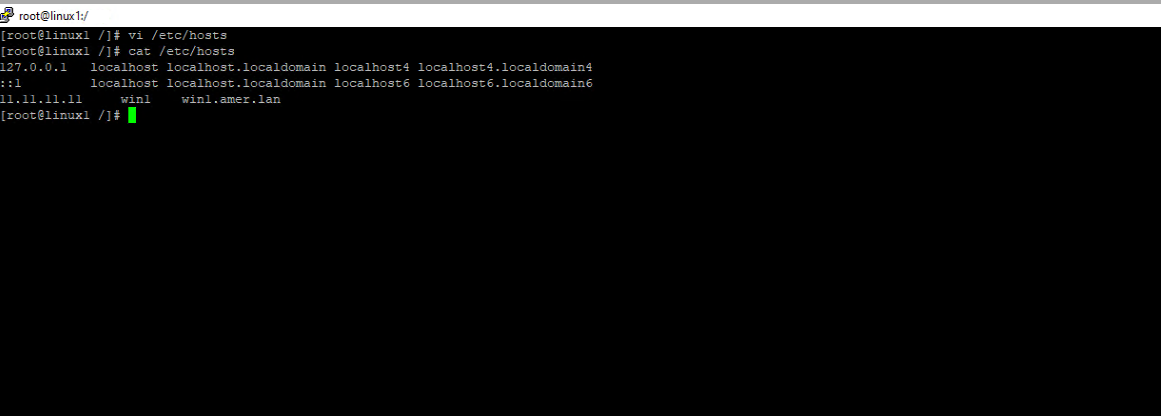
2. On the NetWorker Server, create an entry in the hosts file for the client that you want to restore. Specify, the IP (may be a fake one), the original client name collected from mminfo and any alias (shortname or Fully Qualified Domain Name (FQDN))
3. Re-create the deleted client (as it appears in the mminfo output). Do not assign it to any groups.
4. Perform the restore:
mminfo -avot
mminfo -avot -q ssid=ssid
mminfo -avot -q ssid=ssid
NOTE: If there are no save sets listed for the system, then it is not possible to perform a restore. NetWorker save sets are subject to a "retention period" as defined in the backup workflow. Once the retention period passes, the save set is deleted from the NetWorker media database (mm) and is deleted from the protection storage device.
2. On the NetWorker Server, create an entry in the hosts file for the client that you want to restore. Specify, the IP (may be a fake one), the original client name collected from mminfo and any alias (shortname or Fully Qualified Domain Name (FQDN))
Linux: /etc/hosts
Windows: C:\Windows\System32\drivers\etc\hosts
Windows: C:\Windows\System32\drivers\etc\hosts
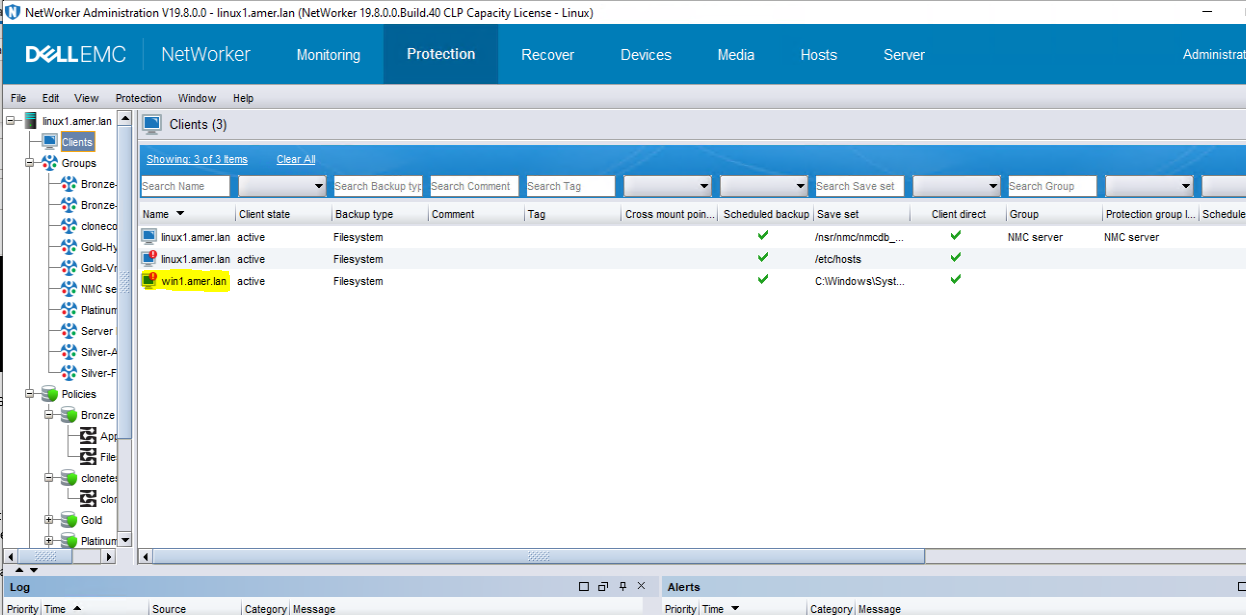
3. Re-create the deleted client (as it appears in the mminfo output). Do not assign it to any groups.
(From the NetWorker Management Console (NMC), go to Protection -> Clients -> right click New Client Properties-> Give the client name and fill the aliases create the client.)
NOTE: You cannot use New Client Wizard if the system does not physically exist with NetWorker installed. New Client Properties allows you to add a client without connecting to the system being added to NetWorker.
4. Perform the restore:
- If recovering the data of a deleted client from the NetWorker User software on another host, list the name of the destination client (this allows the destination client to recover the data of the source client, the deleted clients) in the Remote Access field of the new client resource. If recovering from the NMC, then this is not required.
- If recovery is performed from the NMC or NetWorker Web User Interface (NWUI), Go to the recover tab under the recover section select new and give the client's name and proceed with the further step to restore the file.
Affected Products
NetWorker Family, NetWorkerArticle Properties
Article Number: 000212075
Article Type: How To
Last Modified: 17 May 2026
Version: 5
Find answers to your questions from other Dell users
Support Services
Check if your device is covered by Support Services.