PowerFlex 3.6 清除 PowerFlex 簡報伺服器中的磁碟錯誤
Summary: 以下是清除 PowerFlex 簡報伺服器中的磁碟錯誤的步驟。
This article applies to
This article does not apply to
This article is not tied to any specific product.
Not all product versions are identified in this article.
Instructions
清除 PowerFlex 簡報伺服器中的磁碟錯誤
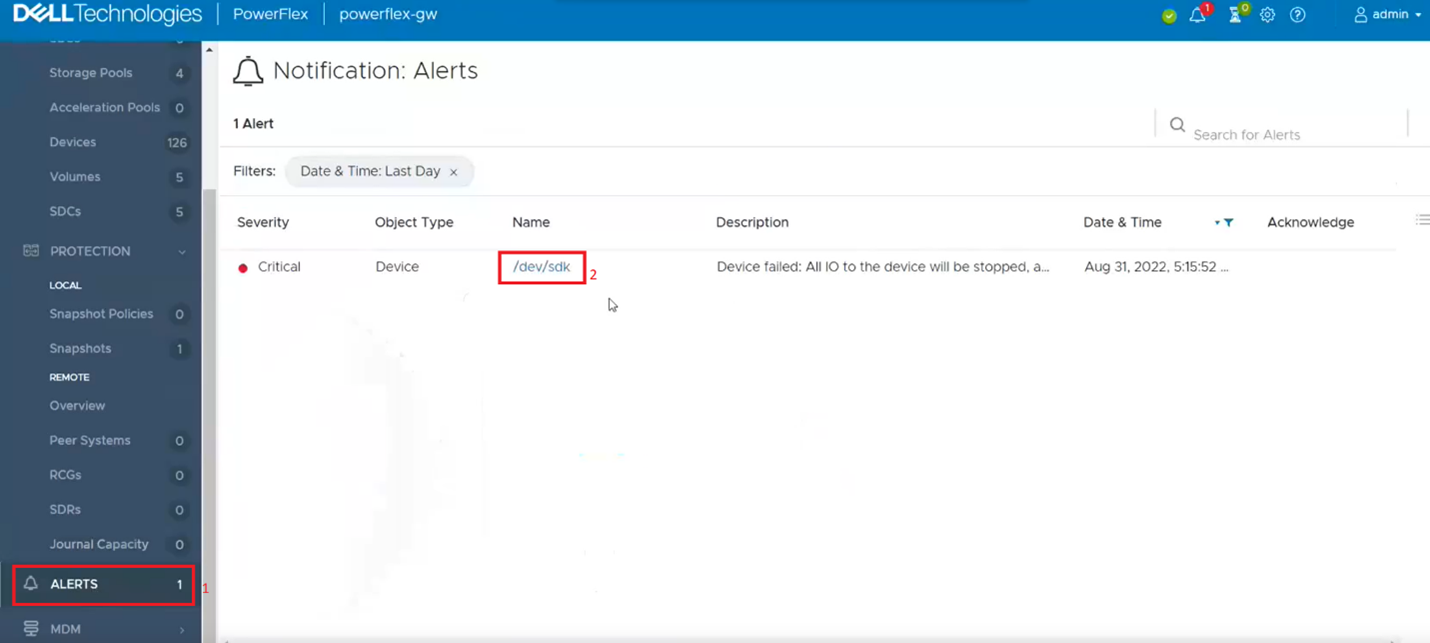
1.登錄到演示文稿伺服器,然後按下使用者介面左側的「警報」選項卡。 這會顯示顯示錯誤的磁碟機。接著,按一下發生錯誤的磁碟機如果列出多個磁碟機,則您將必須返回並重複此步驟,以清除下一個磁碟機錯誤。
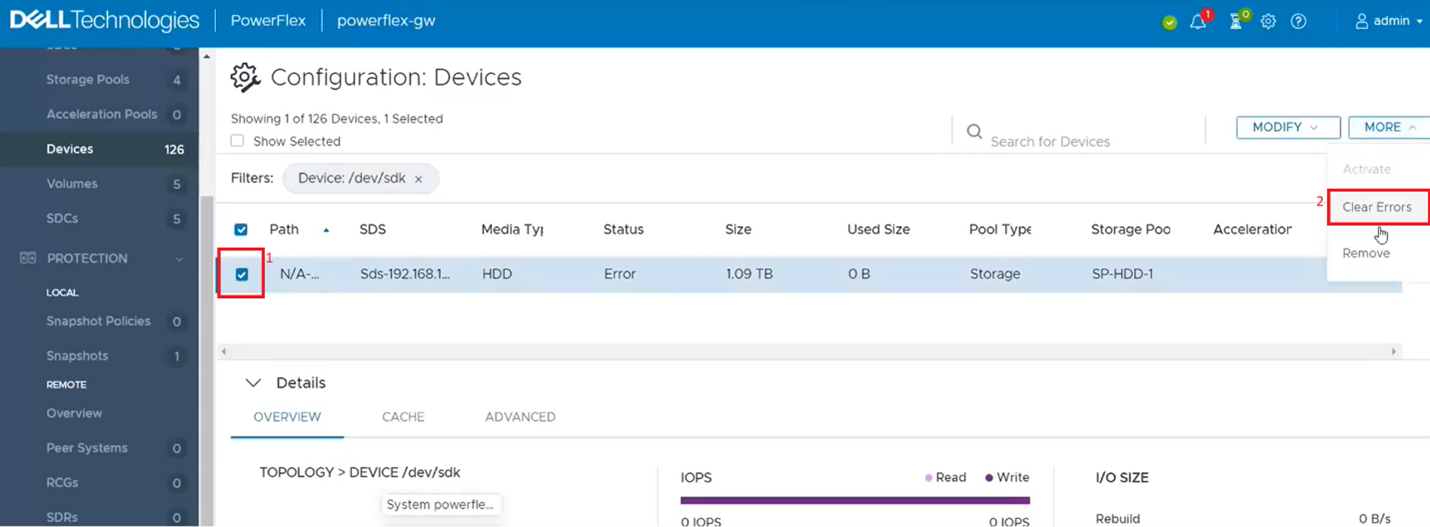
2.這會從設備清單中篩選出單個潛水。按一下單一磁碟機核取方塊 (1),然後在「更多」選單中,按一下 清除錯誤 (2)。
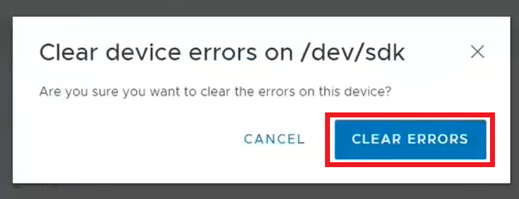
3.在彈出式方塊中,按一下 清除錯誤。
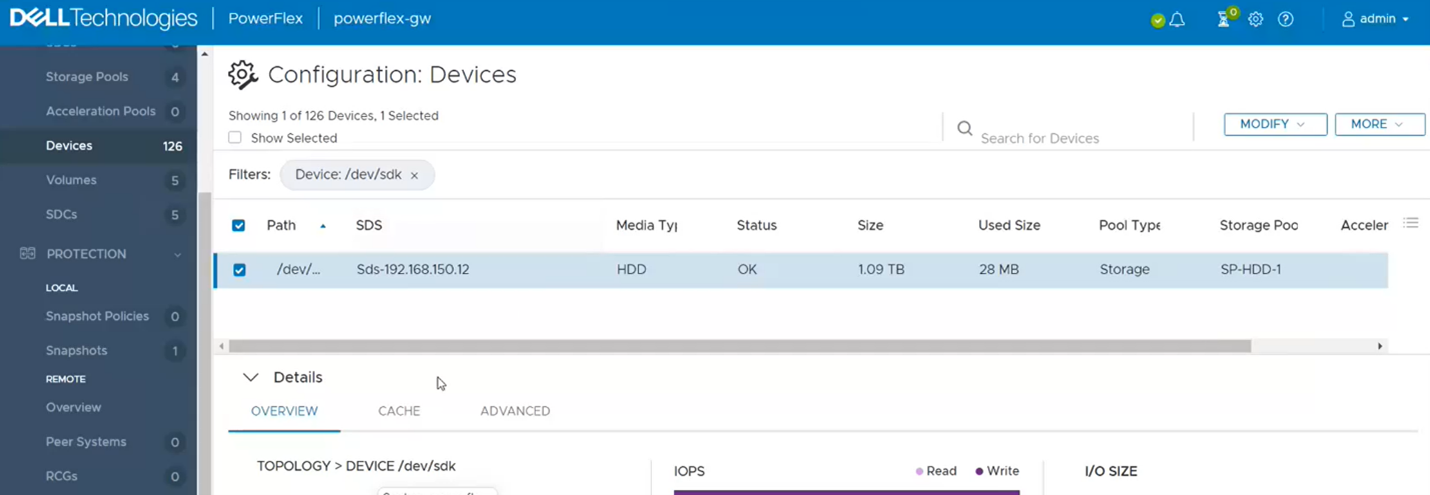
4.現在應顯示為「OK」。
5.如果您返回「警示」區段,現在應該會很清楚。如果沒有,請對其他顯示為錯誤的磁碟機重複上述步驟。
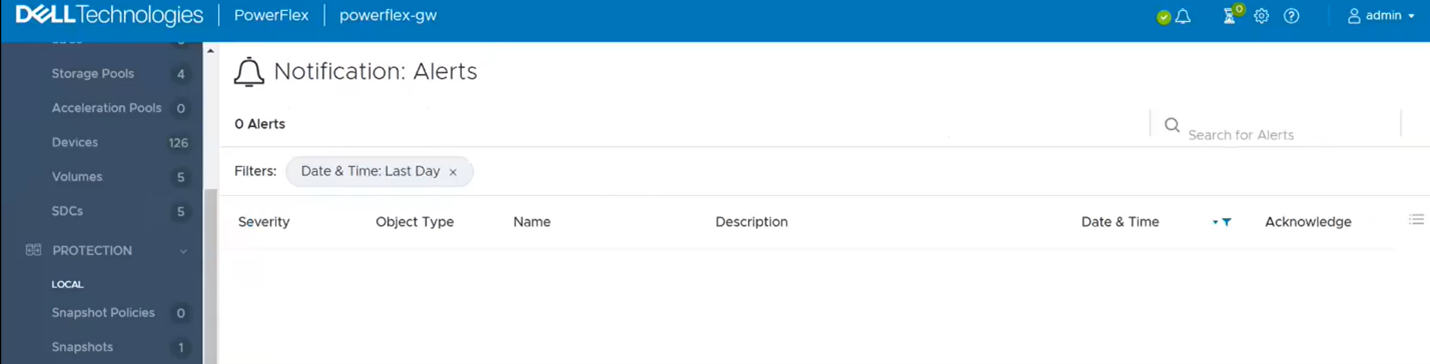
6.最後一個步驟是返回 PowerFlex Manager,並在閘道上執行清查,以確認是否顯示健康。
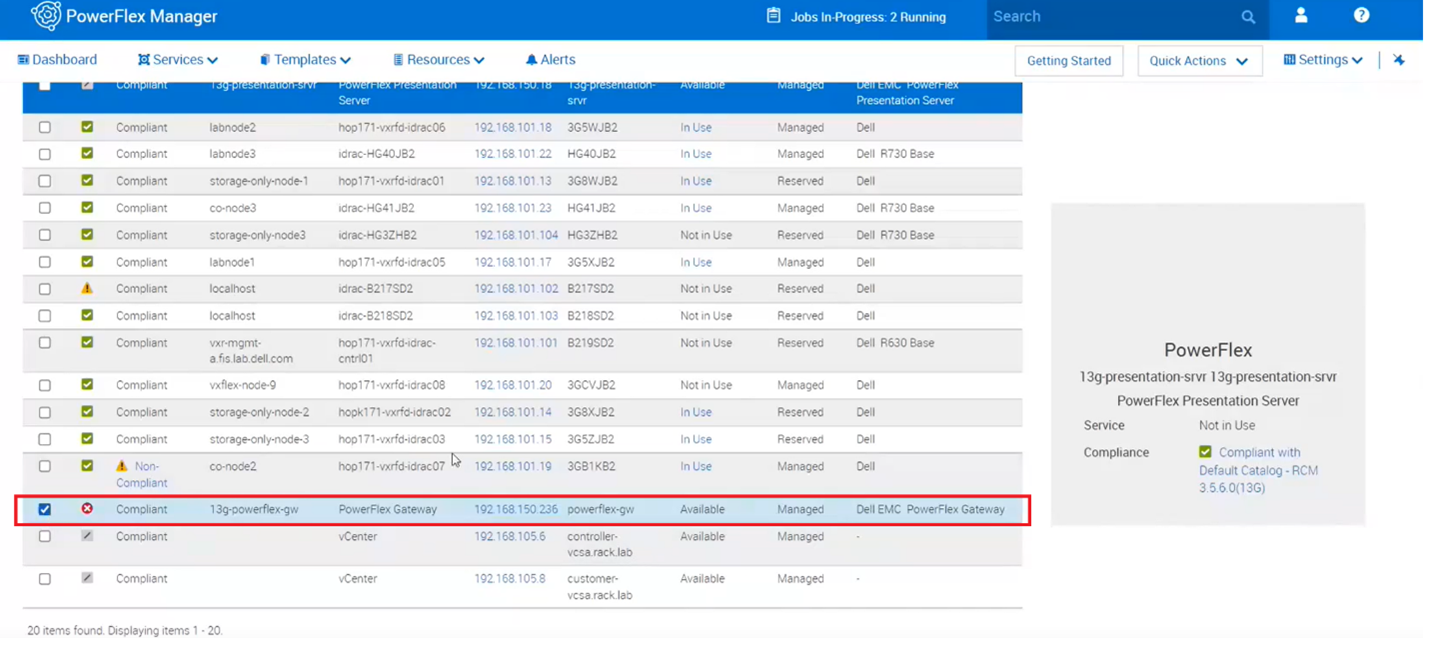
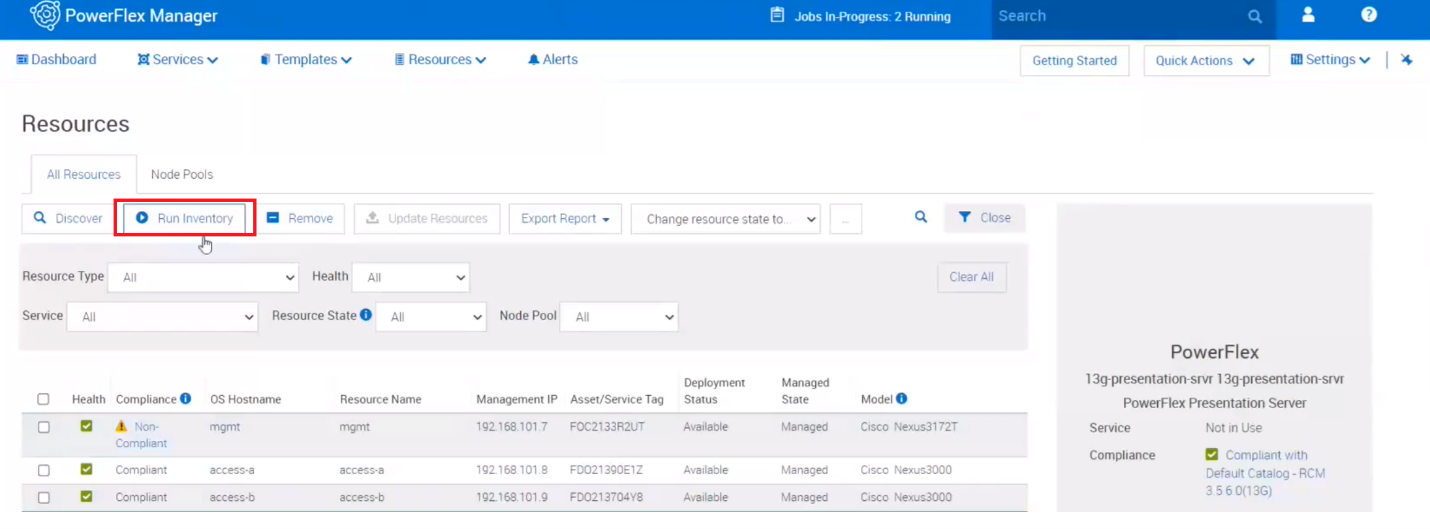
7.在頂部附近,按一下執行庫存。
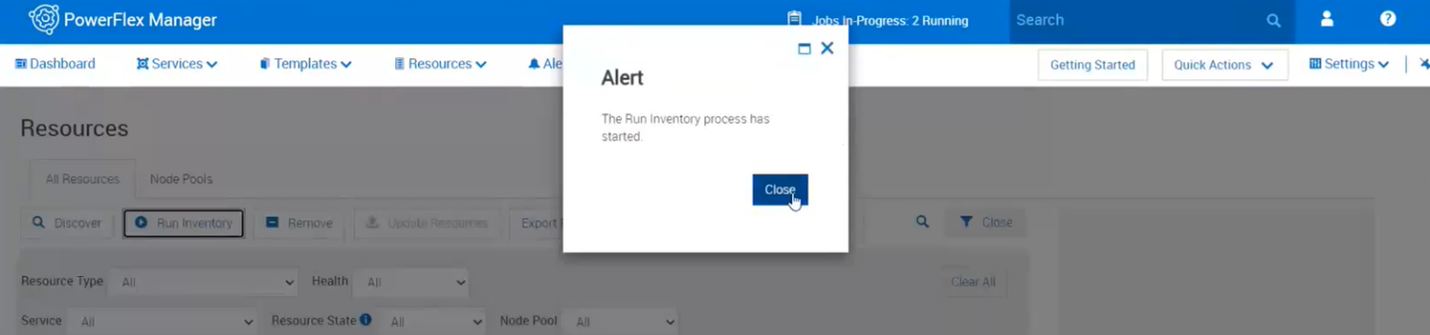
8.關閉該框,然後按兩下作業。等待它完成。
9.監控 PowerFlex Manager 中的資源和簡報伺服器中的警示,查看是否又會傳回錯誤。
Additional Information
若為 PowerFlex 4.x,請參閱 KB https://www.dell.com/support/kbdoc/000256801
相關錯誤:磁碟在過去某個時間生成了失敗狀態消息,指示存在潛在問題或它不再工作
Affected Products
PowerFlex rack HW, VxRack Flex-PowerEdge 14GArticle Properties
Article Number: 000213016
Article Type: How To
Last Modified: 07 Apr 2026
Version: 5
Find answers to your questions from other Dell users
Support Services
Check if your device is covered by Support Services.