PowerFlex 3.6 清除 PowerFlex 演示服务器中的磁盘错误
Summary: 这些是清除 PowerFlex 演示服务器中的磁盘错误的步骤。
This article applies to
This article does not apply to
This article is not tied to any specific product.
Not all product versions are identified in this article.
Instructions
在 PowerFlex 演示服务器中清除磁盘错误
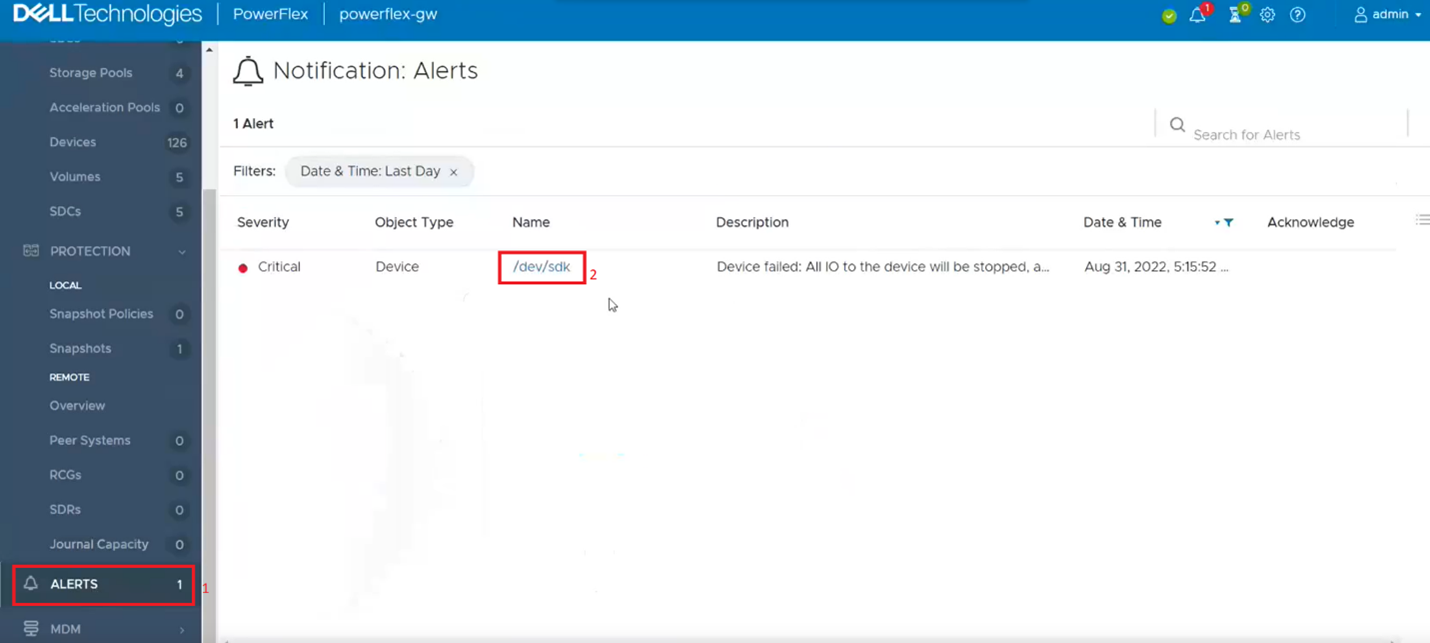
1.登录到演示服务器,然后单击用户界面左侧的“警报”选项卡。 这将向您显示显示错误的驱动器。接下来,单击出现错误的驱动器。如果列出了多个驱动器,则必须返回并重复此步骤以清除下一个驱动器错误。
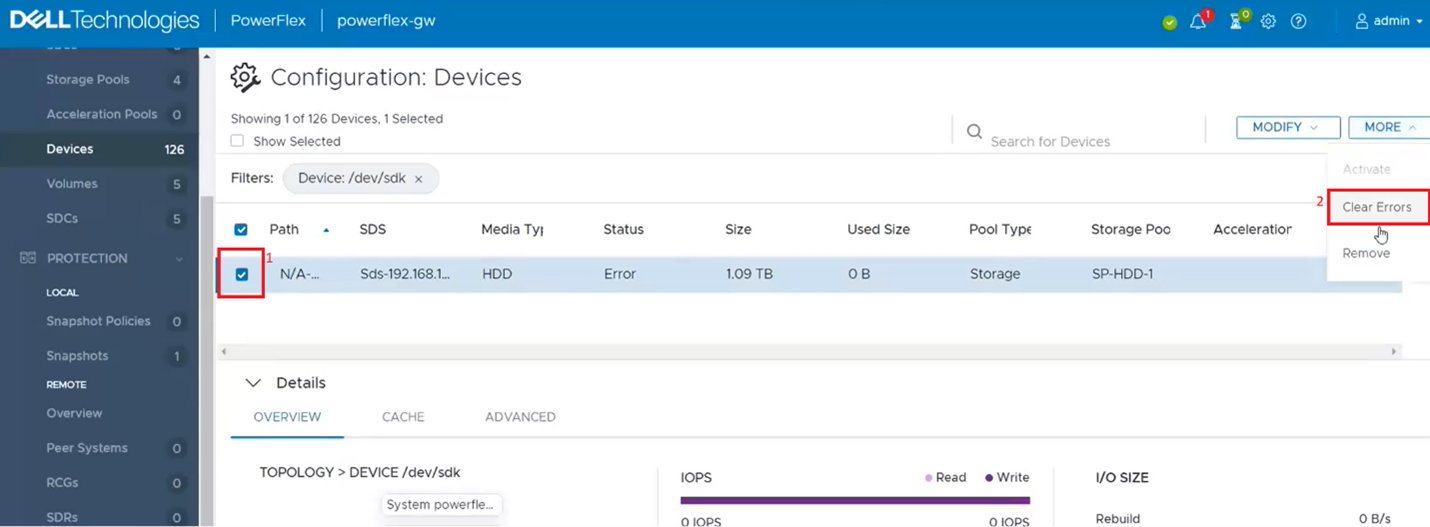
2.这将从设备列表中筛选出单次潜水。单击单个驱动器复选框 (1),然后从“更多”菜单中单击 清除错误 (2)。
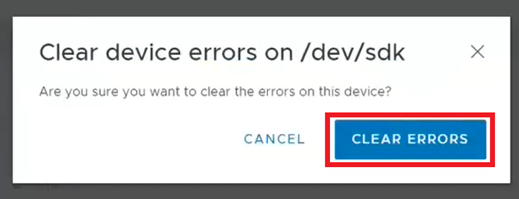
3.在弹出框中,单击 清除错误。
4.它现在应显示为 OK。
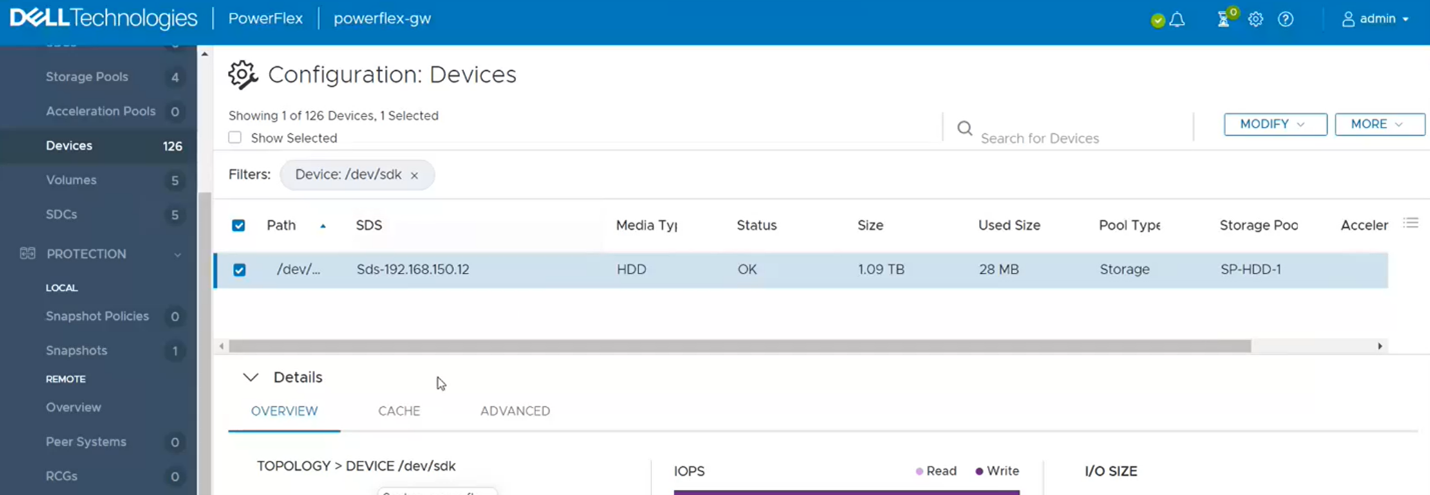
5.如果返回到 Alerts 部分,现在应该很清楚了。如果没有,请对显示为错误的任何其他驱动器重复上述步骤。
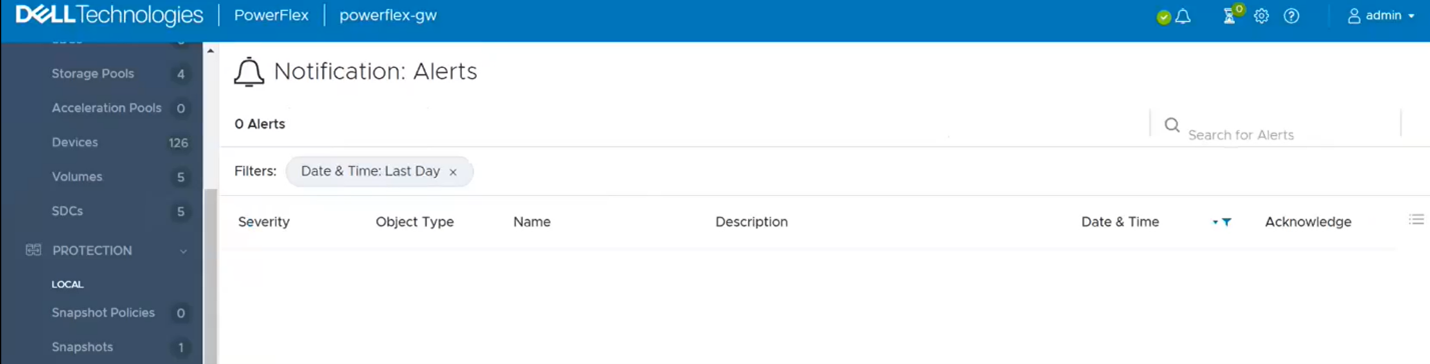
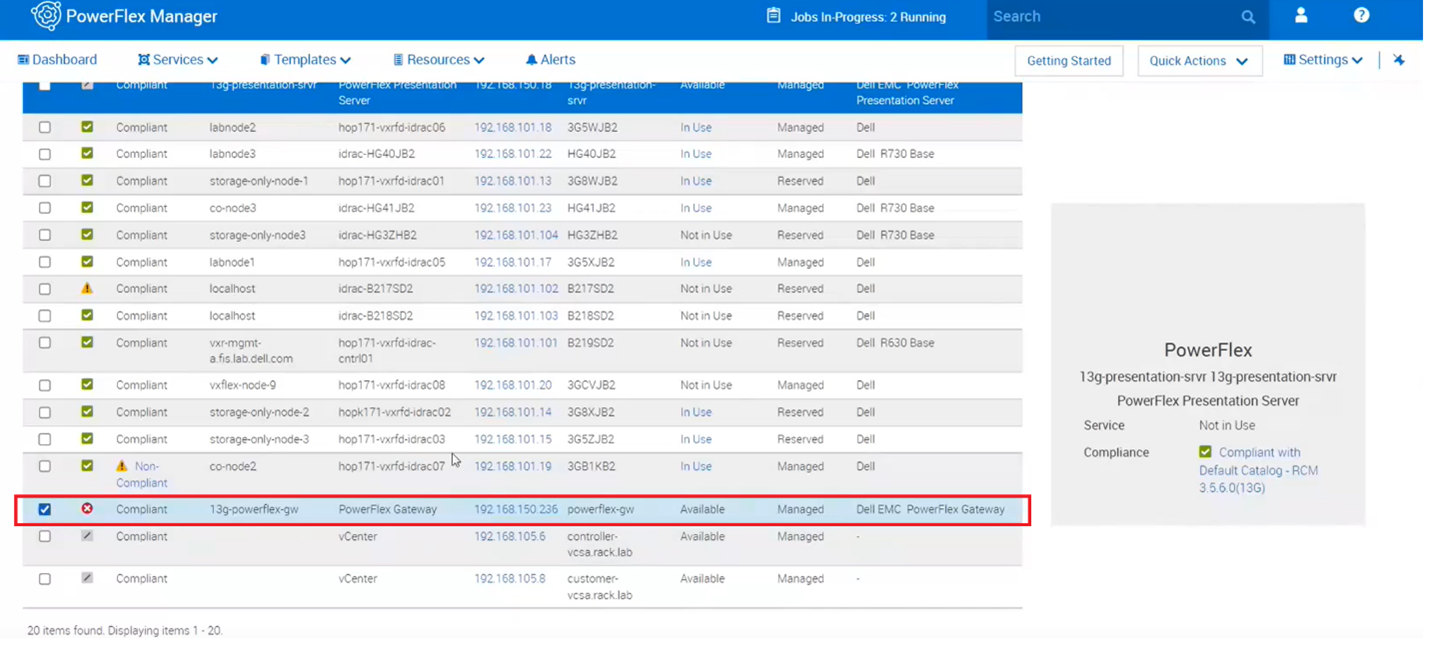
6.最后一步是返回到 PowerFlex Manager 并在网关上运行资源清册,以验证它是否显示运行状况良好。
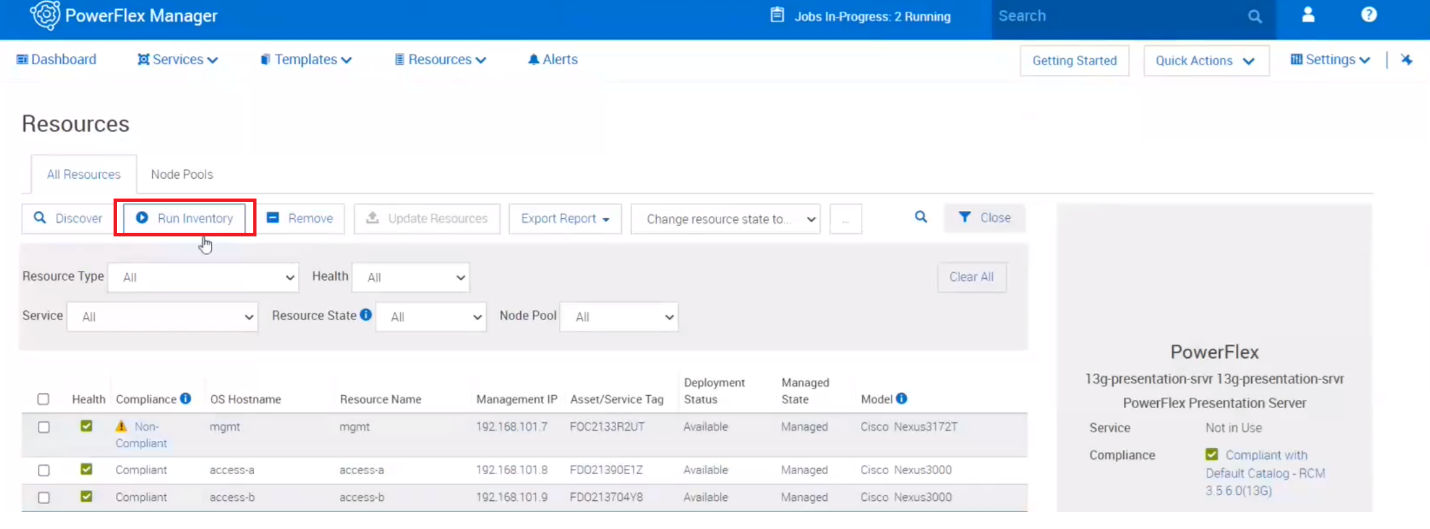
7.在顶部附近,单击运行资源清册。
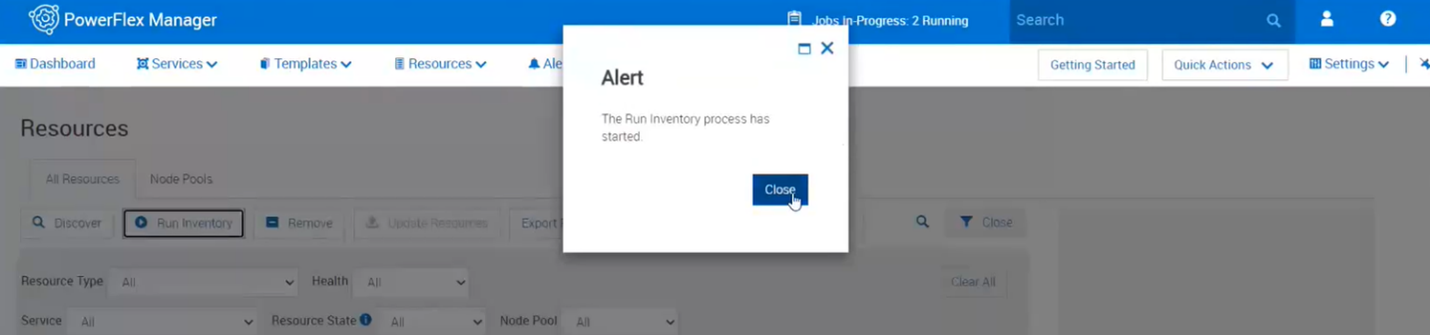
8.关闭该框,然后单击相应的作业。等待其完成。
9.监视 PowerFlex Manager中的资源和演示服务器中的警报,以查看错误是否再次出现。
Additional Information
对于 PowerFlex 4.X,请参阅知识库 文章 https://www.dell.com/support/kbdoc/000256801
相关错误:磁盘在过去某个时间生成了故障状态消息,指明存在潜在问题或不再工作
Affected Products
PowerFlex rack HW, VxRack Flex-PowerEdge 14GArticle Properties
Article Number: 000213016
Article Type: How To
Last Modified: 07 Apr 2026
Version: 5
Find answers to your questions from other Dell users
Support Services
Check if your device is covered by Support Services.