PowerProtect Data Manager:DM5500 管理網路閘道無法存取
Summary:
Data Manager 應用裝置錯誤代碼 CONN0097 - 管理網路閘道 無法訪問。
This article applies to
This article does not apply to
This article is not tied to any specific product.
Not all product versions are identified in this article.
Symptoms
Error message:
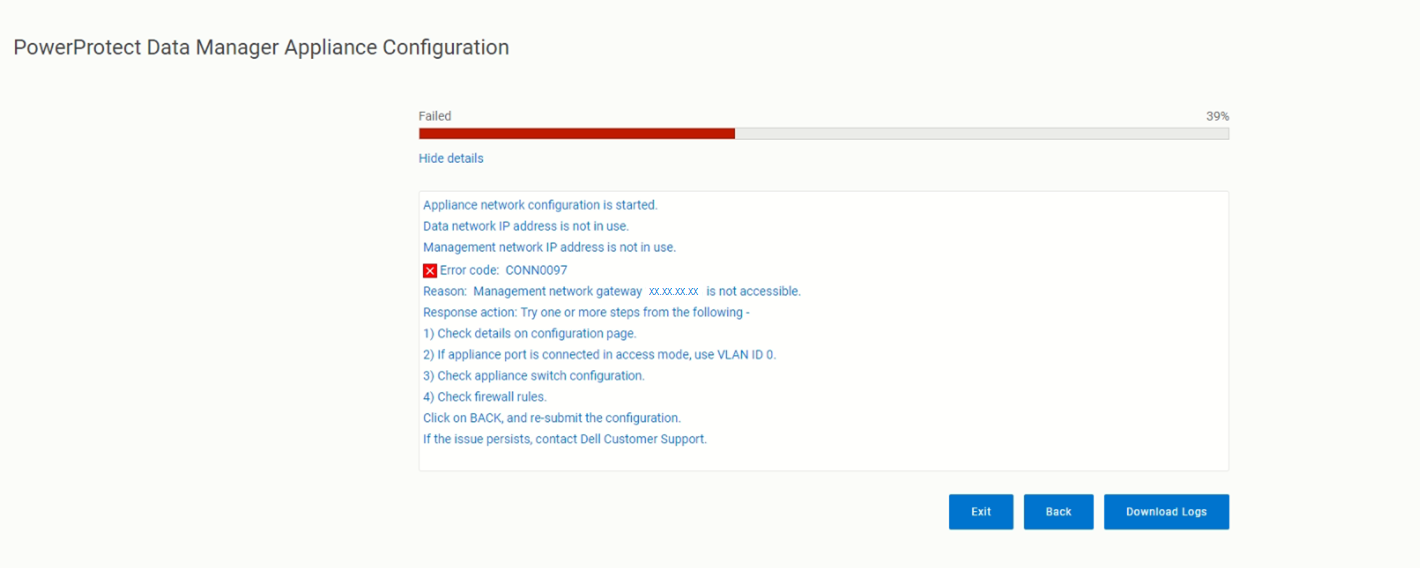
messageType:"ERROR",
    errorCause:{
        code:CONN0097
        reason: Management network gateway <ip address> is not accessible.
Cause
在部署 DM5500 裝置期間,在編譯網路組態後,進入驗證階段時,「錯誤」訊息代碼 CONN0097 出現,這意味著提供的IP無法訪問。
Resolution
記錄顯示組態失敗,兩者 VLAN ID 0 因為它無法到達網路閘道。
如果設備與交換機在接入模式或中繼模式下連接,則必須在正確的 VLAN 中配置埠或連接到正確的網路。
檢查使用同一交換器連接埠上的其他設備是否可連線至此網路閘道。請嘗試下列一或多個步驟:
- 查看「配置」頁上的詳細資訊。
- 如果裝置連接埠已在存取模式中連線,請使用
VLAN ID 0。 - 檢查應用裝置交換器組態。
- 檢查防火牆規則。
按一下返回,然後重新提交組態。如果問題仍然存在,請聯絡 Dell 支援。
Affected Products
PowerProtect Data Manager Appliance, PowerProtect Data Manager Software, PowerProtect DM5500Products
PowerProtect Data Manager Appliance, PowerProtect Data Manager Software, PowerProtect DM5500Article Properties
Article Number: 000215648
Article Type: Solution
Last Modified: 31 Mar 2026
Version: 3
Find answers to your questions from other Dell users
Support Services
Check if your device is covered by Support Services.