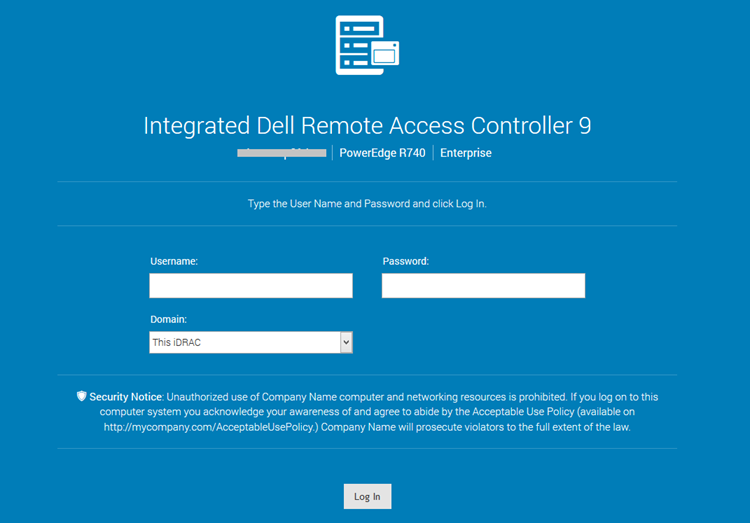
使用 RACADM 在 iDRAC9 登录页面中设置和自定义安全声明
Summary: 本文提供本地和远程 racadm 命令,以在 iDRAC9 登录页面上设置或配置安全横幅消息。
This article applies to
This article does not apply to
This article is not tied to any specific product.
Not all product versions are identified in this article.
Instructions
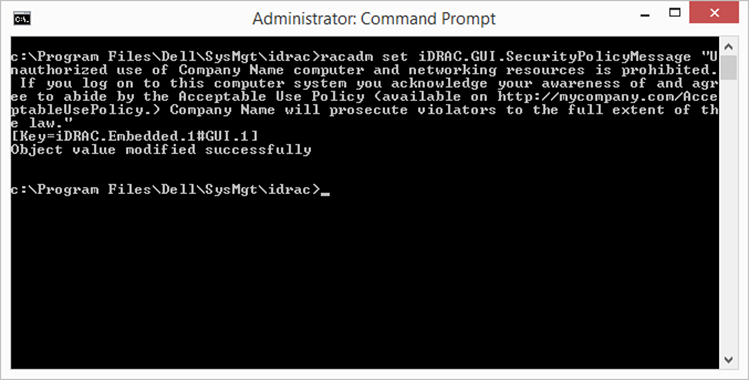
要使用 racadm 在 iDRAC9 登录页面中设置安全通知的自定义消息,请执行以下操作:
本地 racadm:
-
racadm set iDRAC.GUI.SecurityPolicyMessage “Message Here.”
远程 racadm:
-
racadm -i -r set iDRAC.GUI.SecurityPolicyMessage “Message Here.”
Affected Products
iDRAC9Article Properties
Article Number: 000215764
Article Type: How To
Last Modified: 01 Jan 2025
Version: 3
Find answers to your questions from other Dell users
Support Services
Check if your device is covered by Support Services.