Dell Pro Plus Wireless ANC Headset WL5024 or Dell Wireless Headset WL3024 Does Not Turn On Upon First Use
Summary: The Dell Pro Plus Wireless ANC Headset WL5024 or Dell Pro Wireless Headset WL3024 does not turn on the first time it is used when received.
This article applies to
This article does not apply to
This article is not tied to any specific product.
Not all product versions are identified in this article.
Symptoms
Pressing the power button on the Dell Pro Plus Wireless ANC Headset WL5024 or Dell Pro Wireless Headset WL3024 does not turn it on.
Affected Products:
- Dell Pro Plus Wireless ANC Headset WL5024
- Dell Pro Wireless Headset WL3024
Cause
The headset arrives in shipping mode to protect the battery from accidentally being turned on during transportation.
Resolution
- Ensure that the computer is turned on.
- Use the charging cable to connect the headset to the computer (Figure 1).
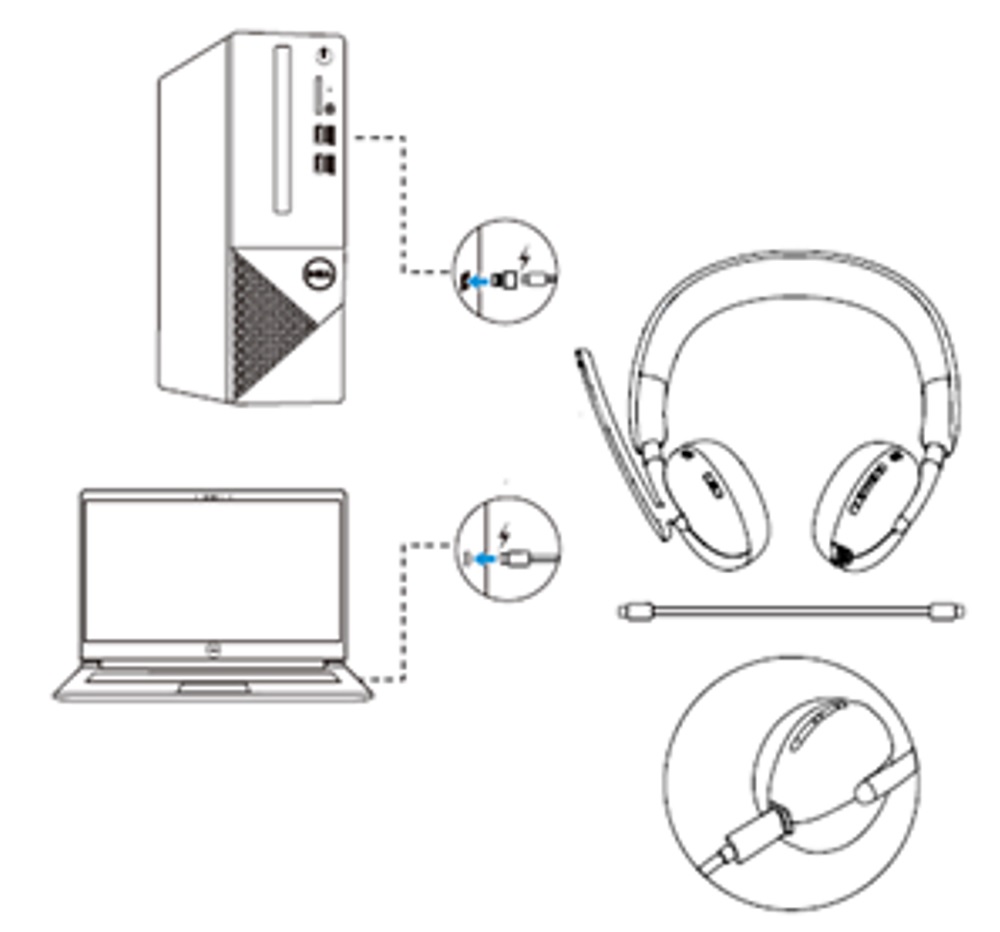
Figure 1: Charge cable connected to computer - Charge the headset by connecting the charging cable to a USB port on the computer.
This ends the shipping mode, and the headset can now turn on.
Affected Products
Dell Pro Wireless Headset WL3024, Dell Pro Plus Wireless ANC Headset WL5024Article Properties
Article Number: 000218463
Article Type: Solution
Last Modified: 19 May 2026
Version: 4
Find answers to your questions from other Dell users
Support Services
Check if your device is covered by Support Services.