SCG: vCenter 7.0 오류: OVF 패키지 배포 실패
Summary: 이 문서에서는 오류를 해결하는 방법을 설명합니다. vCenter 7.0에서 보안 연결 게이트웨이 Virtual Edition을 배포하려고 할 때 OVF 패키지 배포 실패가 발생하는 경우가 있습니다.
This article applies to
This article does not apply to
This article is not tied to any specific product.
Not all product versions are identified in this article.
Instructions
문제: OVF 패키지를 배포하지 못했습니다. ThrowableProxy.cause 일반 시스템 오류가 발생했습니다. 전송 실패: 신뢰할 수 없는 서버: certificate_unknown(46) 전송을 위해 HTTP/s 프록시가 구성됩니다.
오류 스크린 샷 :
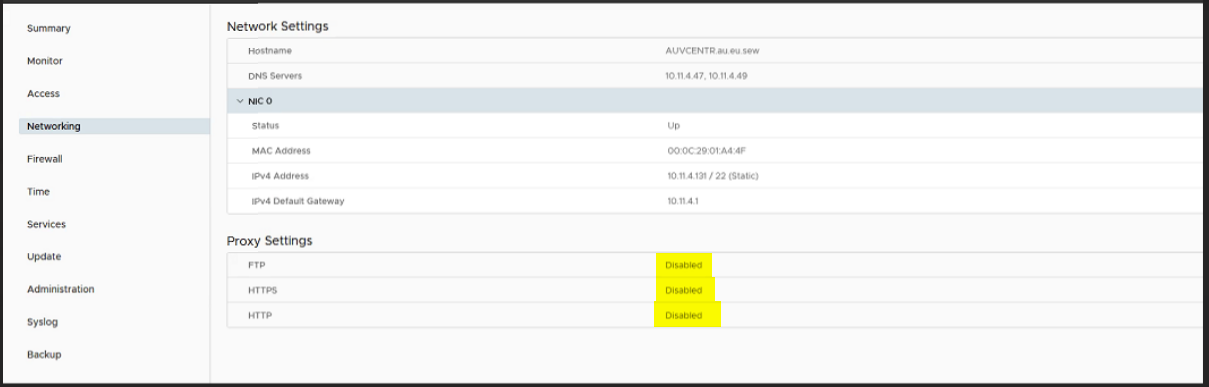
원인: VMware 설정에서 프록시가 활성화되어 있으므로 OVF를 배포하고 전송이 실패하는 동안 오류가 발생합니다.
해상도:
- 루트 자격 증명으로 https://vcentrename:5480 이동하여 VAMI에 로그인합니다.
- 탐색 메뉴에서 네트워킹을 클릭합니다.
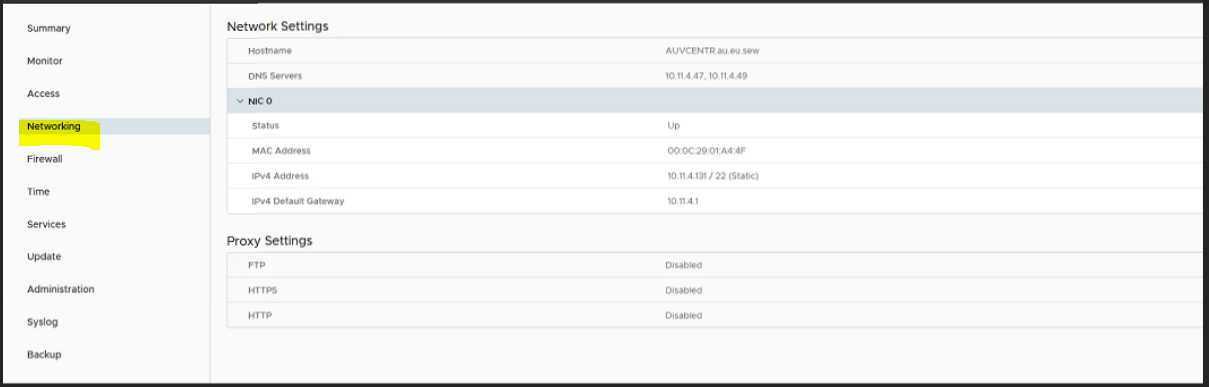
- 프록시 설정 옆의 편집을 클릭합니다.
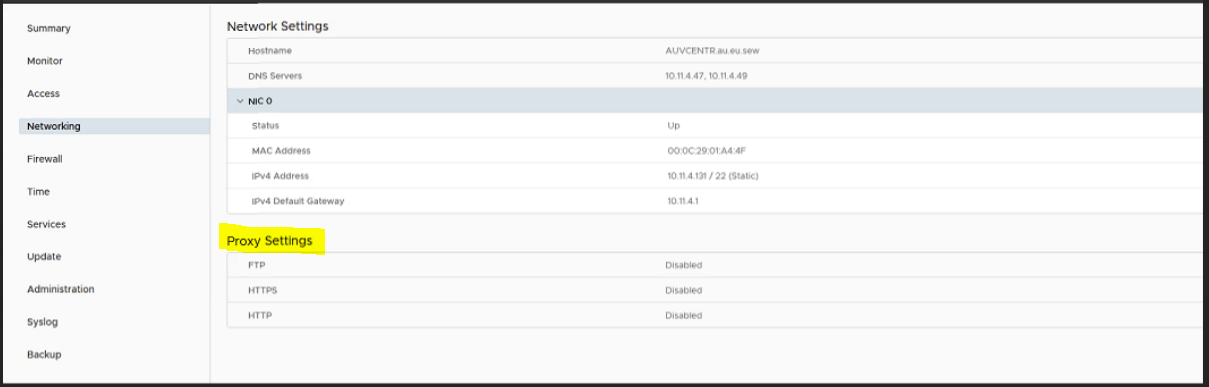
- 여기서는 프록시 설정 Enable을 Disable로 편집하고 Save를 클릭합니다.
- 이제 VM을 다시 배포합니다.
Affected Products
Secure Connect Gateway, Secure Connect Gateway - Virtual Edition, VMware ESXi 7.xProducts
C Series, Modular Infrastructure, Rack Servers, Tower ServersArticle Properties
Article Number: 000219268
Article Type: How To
Last Modified: 20 May 2025
Version: 3
Find answers to your questions from other Dell users
Support Services
Check if your device is covered by Support Services.