SCG:vCenter 7.0 錯誤:無法部署 OVF 套裝
Summary: 本文說明如何解決此錯誤:嘗試在 vCenter 7.0 上部署安全連線閘道虛擬版本時,有時會收到無法部署 OVF 套裝的訊息。
This article applies to
This article does not apply to
This article is not tied to any specific product.
Not all product versions are identified in this article.
Instructions
問題:無法部署 OVF 套裝。ThrowableProxy.cause 發生一般系統錯誤:傳輸失敗:伺服器不受信任: certificate_unknown(46) 已針對傳輸設定 HTTP/秒代理。
錯誤螢幕擷取畫面:
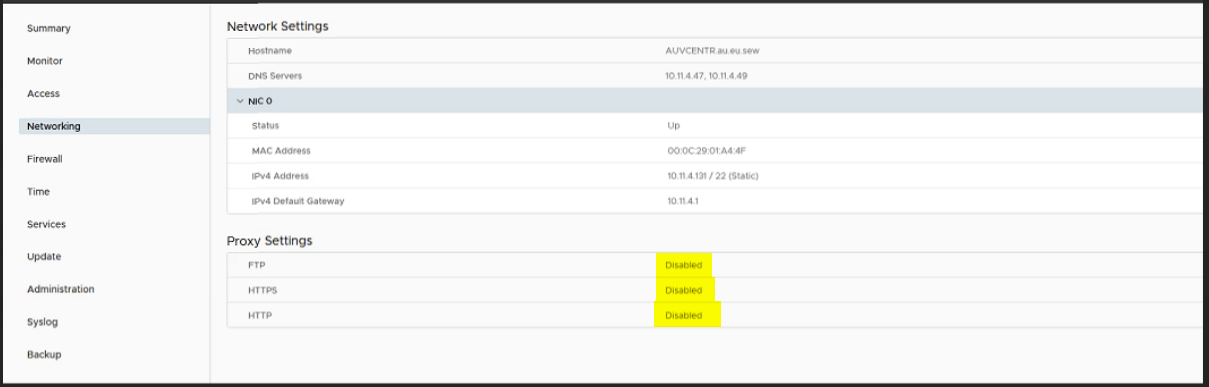
Cause: 在 VMware 設定上代理已啟用,因此在部署 OVF 且傳輸失敗時會出現錯誤。
主意:
- 使用根登入資料登入 https://vcentrename:5480 以登入 VAMI。
- 按一下導覽功能表中的網路功能。
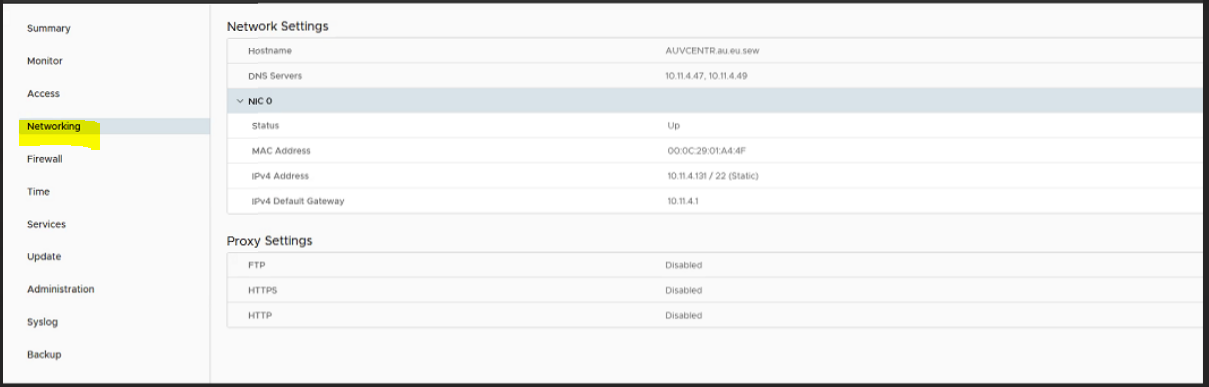
- 按一下代理設定旁的編輯。
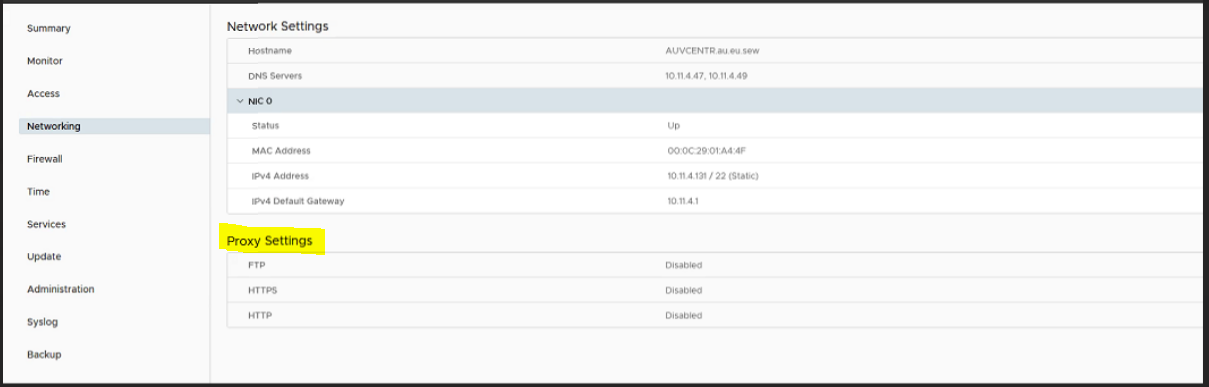
- 在這裡,我們必須編輯代理設定「啟用」以停用,然後按一下「儲存」。
- 現在重新嘗試部署虛擬機器。
Affected Products
Secure Connect Gateway, Secure Connect Gateway - Virtual Edition, VMware ESXi 7.xProducts
C Series, Modular Infrastructure, Rack Servers, Tower ServersArticle Properties
Article Number: 000219268
Article Type: How To
Last Modified: 20 May 2025
Version: 3
Find answers to your questions from other Dell users
Support Services
Check if your device is covered by Support Services.