SCG:vCenter 7.0 错误:无法部署 OVF 软件包
Summary: 本文介绍如何解决此错误:尝试在 vCenter 7.0 上部署安全连接网关虚拟版时,有时会遇到部署 OVF 软件包失败的情况。
This article applies to
This article does not apply to
This article is not tied to any specific product.
Not all product versions are identified in this article.
Instructions
问题:未能部署 OVF 软件包。ThrowableProxy.cause 发生一般系统错误:传输失败:服务器不受信任: certificate_unknown(46) 为传输配置了 HTTP/s 代理。
错误屏幕截图:
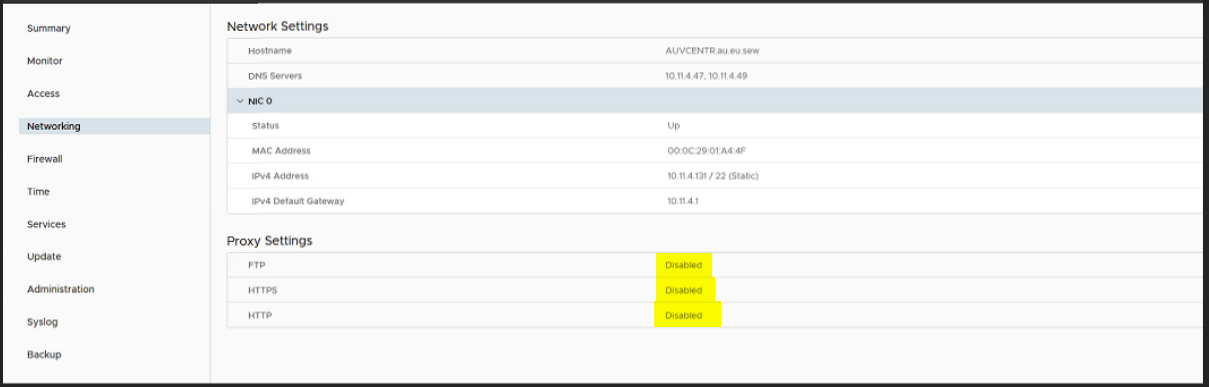
原因:在 VMware 设置中,代理处于启用状态,因此在部署 OVF 和传输失败时出现错误。
分辨率:
- 通过使用根凭据转至 https://vcentrename:5480 登录到 VAMI。
- 单击导航菜单中的 Networking。
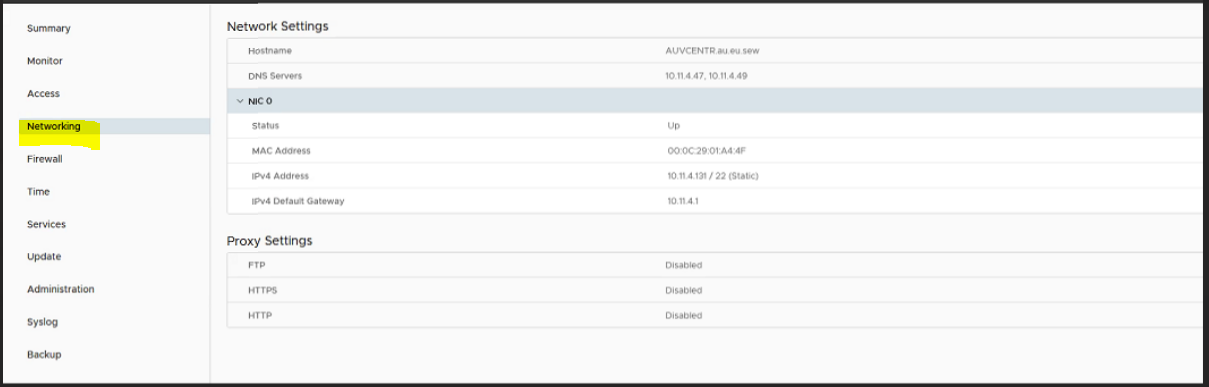
- 单击代理设置旁边的编辑。
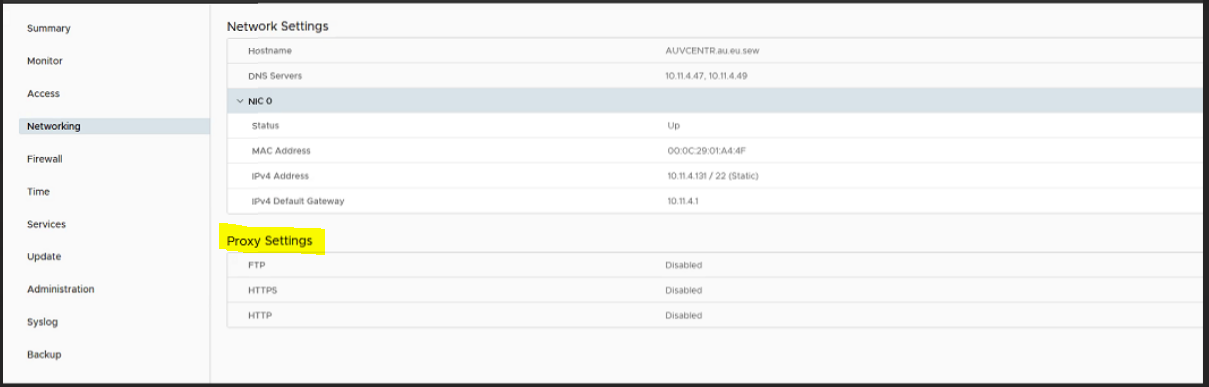
- 在这里,我们必须编辑代理设置“启用”到“禁用”,然后单击“保存”。
- 现在重新尝试部署虚拟机。
Affected Products
Secure Connect Gateway, Secure Connect Gateway - Virtual Edition, VMware ESXi 7.xProducts
C Series, Modular Infrastructure, Rack Servers, Tower ServersArticle Properties
Article Number: 000219268
Article Type: How To
Last Modified: 20 May 2025
Version: 3
Find answers to your questions from other Dell users
Support Services
Check if your device is covered by Support Services.