RecoverPoint for Virtual Machines: Test copy button unavailable
Summary: During a Failover or stand alone test copy the start button is unavailable.
This article applies to
This article does not apply to
This article is not tied to any specific product.
Not all product versions are identified in this article.
Symptoms
During Test a copy, stand alone or part of a failover activity, the start button is unavailable and the operation cannot be completed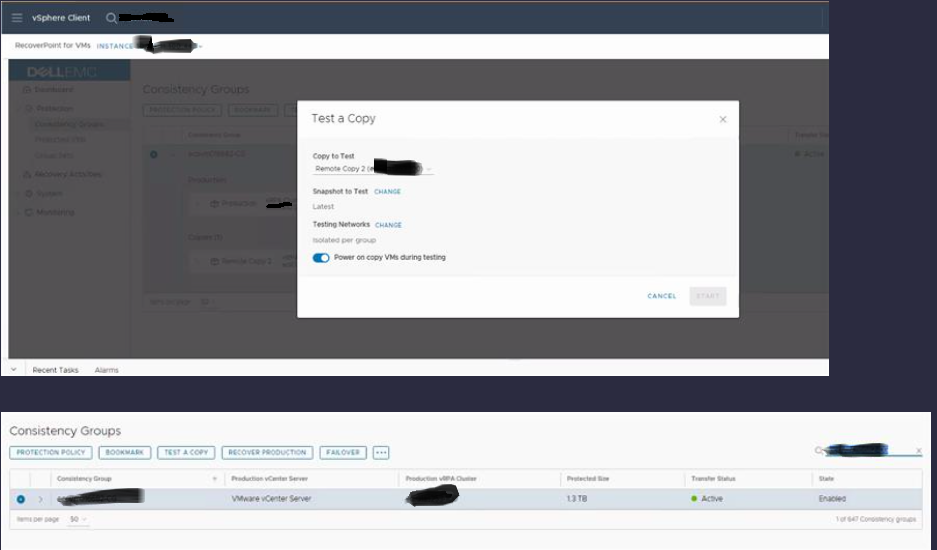
/var/log/syslog
RecoverPoint-0x59acf269b52d4c33-RPA2 arangod[3128]: 2023-10-19T13:43:14Z [3128] WARNING {statistics} could not commit stats to _statisticsRaw: IO error: No space left on deviceWhile appending to file: /var/lib/arangodb3/engine-rocksdb/journals/2818136.log: No space left on device
Cause
Due to a cause under investigation, arangoDB became locked and rather than providing a snapshot list return an IO error causing the button to become unavailable.Resolution
Workaround:
Reboot Site Control RPA from production site.
Resolution:
Dell Technologies engineering is investigating this issue. A permanent fix is still in progress. Contact the Dell Technologies Customer Support Center or your service representative for assistance and reference this solution ID.
Additional Information
Videos
Affected Products
RecoverPoint for Virtual MachinesArticle Properties
Article Number: 000220480
Article Type: Solution
Last Modified: 29 Feb 2024
Version: 2
Find answers to your questions from other Dell users
Support Services
Check if your device is covered by Support Services.