H100 ile PowerEdge XE8640: GPU Performans Sorunu - HW Güç Freni Yavaşlaması - Aktif
Summary: GPU Performansındaki düşüş ve "nvsmi-q" günlüğü, HW Güç Freni Yavaşlamasının Etkin olduğunu gösterebilir.
This article applies to
This article does not apply to
This article is not tied to any specific product.
Not all product versions are identified in this article.
Instructions
Bazı köşe durumlarda, kullanıcı zayıf bir GPU Performansıyla karşılaşabilir ve nvsmi-q günlük, HW Güç Freni Yavaşlamasının Etkin olduğunu gösterebilir.nvidia-smi ve GPU_burn günlük çıktısı,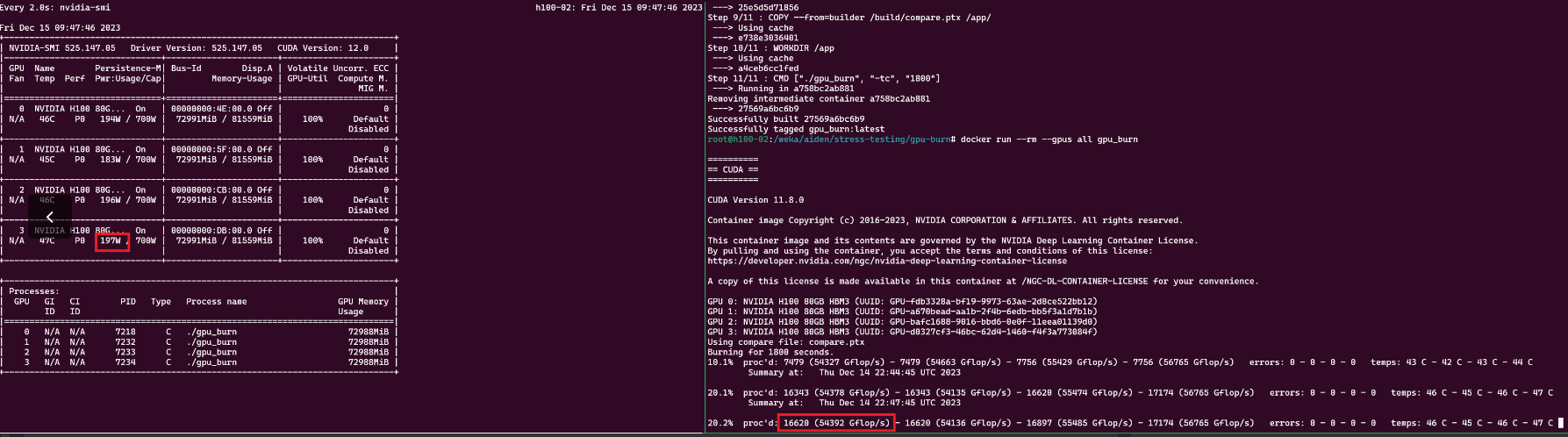
nvsmi-q Günlük çıktısı
    Clocks Throttle Reasons
        Idle                              : Not Active
        Applications Clocks Setting       : Not Active
        SW Power Cap                      : Not Active
        HW Slowdown                       : Active
            HW Thermal Slowdown           : Not Active
            HW Power Brake Slowdown       : Active
        Sync Boost                        : Not Active
        SW Thermal Slowdown               : Not Active
        Display Clock Setting             : Not Active
nvidia-smi --query-gpu=index,timestamp,power.draw,clocks.sm [clocks.sm],clocks.mem,clocks.gr [clocks.gr] --format=csv -l 1
Çözüm: BIOS, CPLD ve iDRAC'ı en son sürümlere güncelleştirin. Son saha olayları, CPLD'nin 1.2.2 sürümüne ve iDRAC ın 7.10.30 sürümüne güncelleştirilmesinin sorunu çözdüğünü göstermiştir
** Snippet Sonrası güncelleme **gpu_burn ~ 300k Gflops'ta çalışıyor ve nvidia-smi her GPU'yu %100 kullanımda ~700W gösterir.
nvsmi-q BIOS güncelleştirmesi sonrası günlük çıktısı.
 Clocks Throttle Reasons
        Idle                              : Active
        Applications Clocks Setting       : Not Active
        SW Power Cap                      : Not Active
        HW Slowdown                       : Not Active
            HW Thermal Slowdown           : Not Active
            HW Power Brake Slowdown       : Not Active
        Sync Boost                        : Not Active
        SW Thermal Slowdown               : Not Active
        Display Clock Setting             : Not Active
nvidia-smi & GPU_burn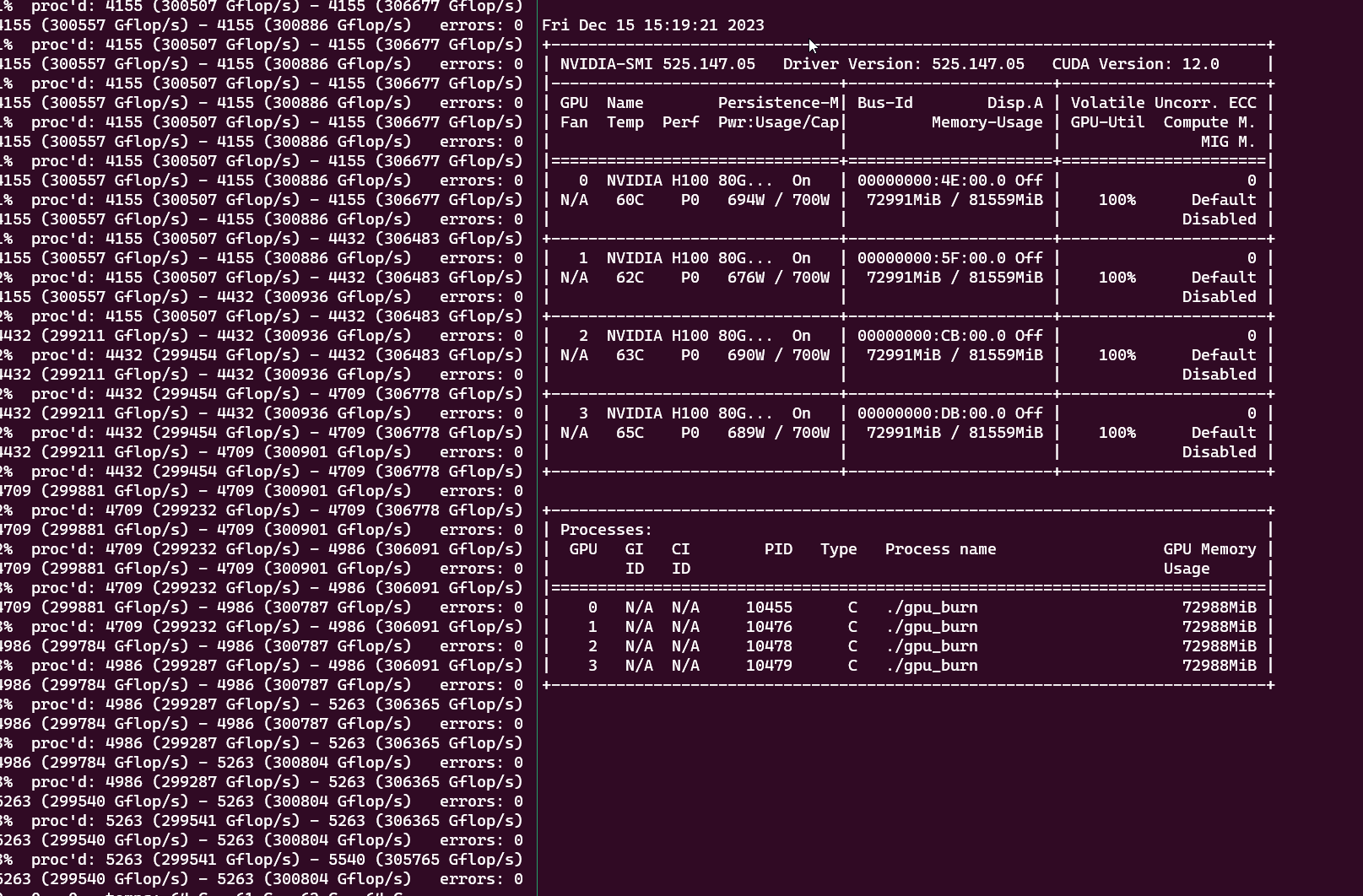
Affected Products
PowerEdge XE8640Products
XE ServersArticle Properties
Article Number: 000220508
Article Type: How To
Last Modified: 10 Apr 2025
Version: 5
Find answers to your questions from other Dell users
Support Services
Check if your device is covered by Support Services.