搭載 H100 的 PowerEdge XE8640:GPU 效能問題 - HW 功率制動減慢 - 作用中
Summary: GPU 效能下降和「nvsmi-q」記錄可能表示硬體功率制動減速作用中。
This article applies to
This article does not apply to
This article is not tied to any specific product.
Not all product versions are identified in this article.
Instructions
在某些極端案例中,使用者可能會遇到 GPU 效能不佳的問題,且 nvsmi-q 記錄可能表示硬體動力制動減速作用中。nvidia-smi & GPU_burn 日誌輸出,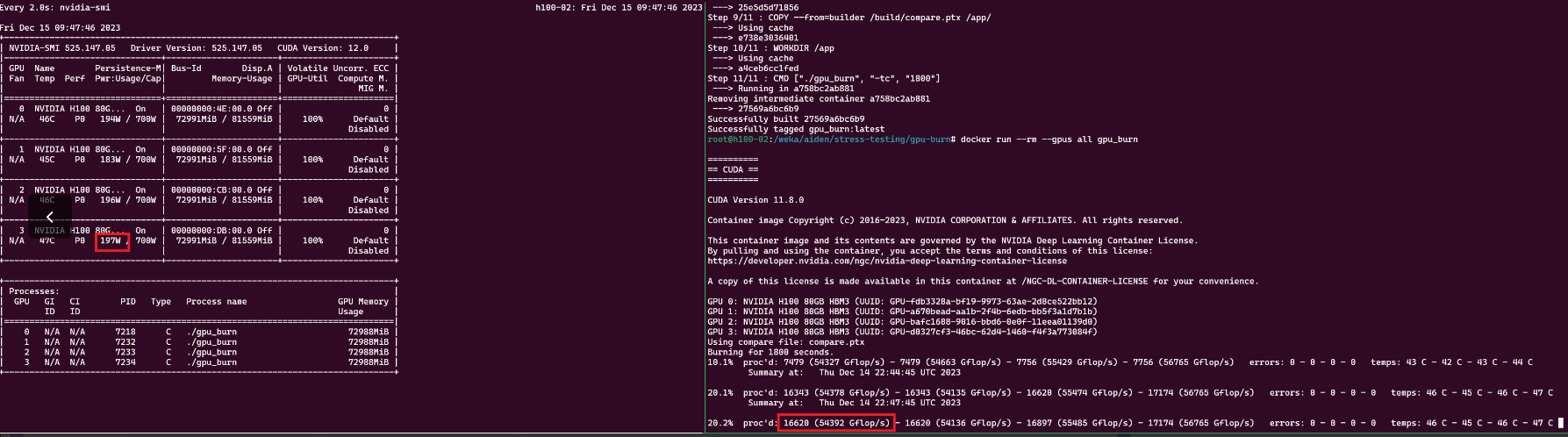
nvsmi-q 記錄輸出
    Clocks Throttle Reasons
        Idle                              : Not Active
        Applications Clocks Setting       : Not Active
        SW Power Cap                      : Not Active
        HW Slowdown                       : Active
            HW Thermal Slowdown           : Not Active
            HW Power Brake Slowdown       : Active
        Sync Boost                        : Not Active
        SW Thermal Slowdown               : Not Active
        Display Clock Setting             : Not Active
nvidia-smi --query-gpu=index,timestamp,power.draw,clocks.sm [clocks.sm],clocks.mem,clocks.gr [clocks.gr] --format=csv -l 1
解決方案:將 BIOS、CPLD 和 iDRAC 更新為最新版本。最近的現場案例顯示,將 CPLD 更新至 1.2.2 版,並將 iDRAC 更新至 7.10.30 版已解決此問題
** 更新後代碼片段 **gpu_burn 工作速度為 ~ 300k Gflops,並且 nvidia-smi 顯示每個 GPU 在 100% 利用率時為 ~700W。
nvsmi-q BIOS 更新後的記錄輸出。
 Clocks Throttle Reasons
        Idle                              : Active
        Applications Clocks Setting       : Not Active
        SW Power Cap                      : Not Active
        HW Slowdown                       : Not Active
            HW Thermal Slowdown           : Not Active
            HW Power Brake Slowdown       : Not Active
        Sync Boost                        : Not Active
        SW Thermal Slowdown               : Not Active
        Display Clock Setting             : Not Active
nvidia-smi & GPU_burn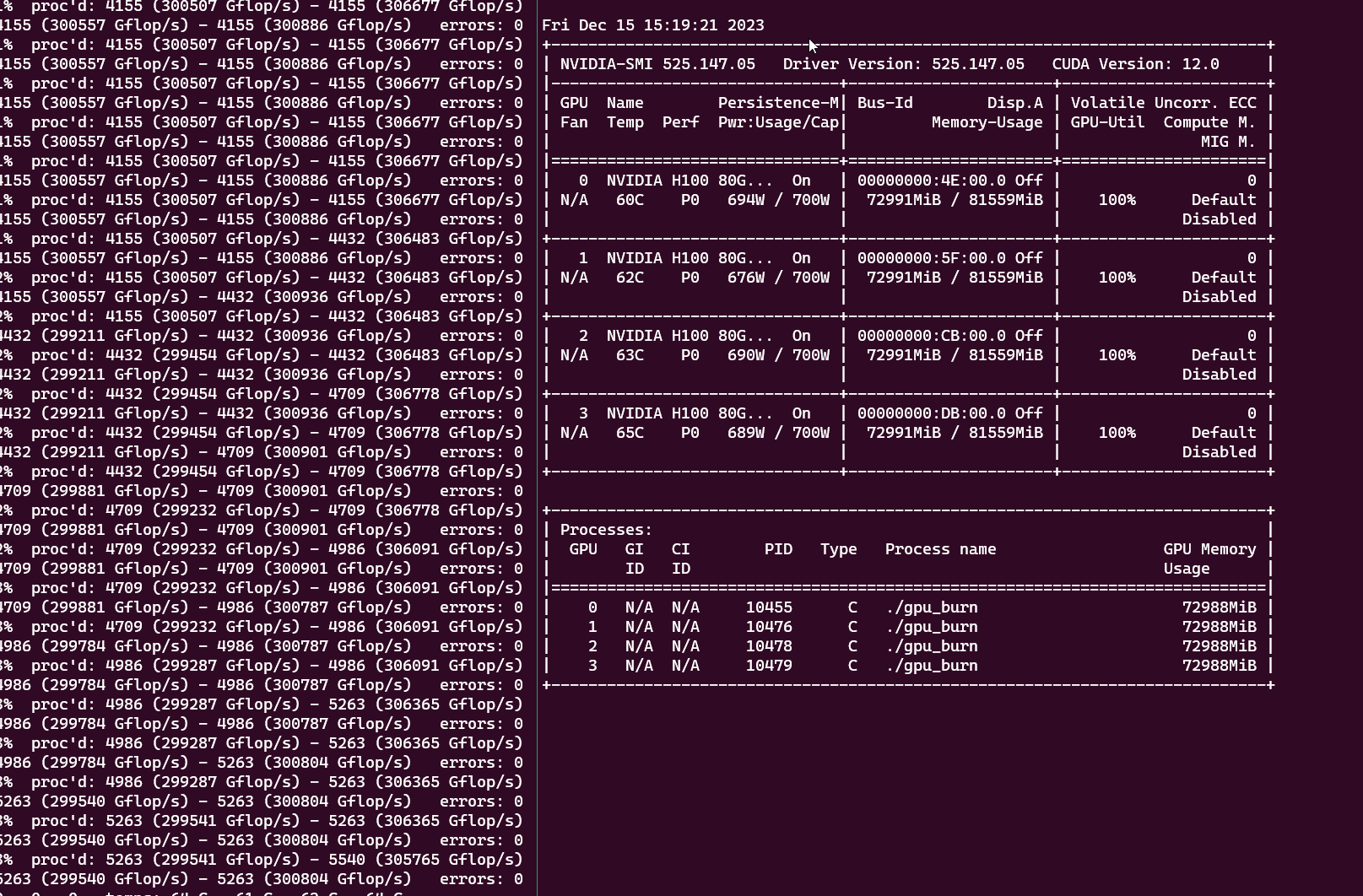
Affected Products
PowerEdge XE8640Products
XE ServersArticle Properties
Article Number: 000220508
Article Type: How To
Last Modified: 10 Apr 2025
Version: 5
Find answers to your questions from other Dell users
Support Services
Check if your device is covered by Support Services.